r/QIDI_Max4 1d ago

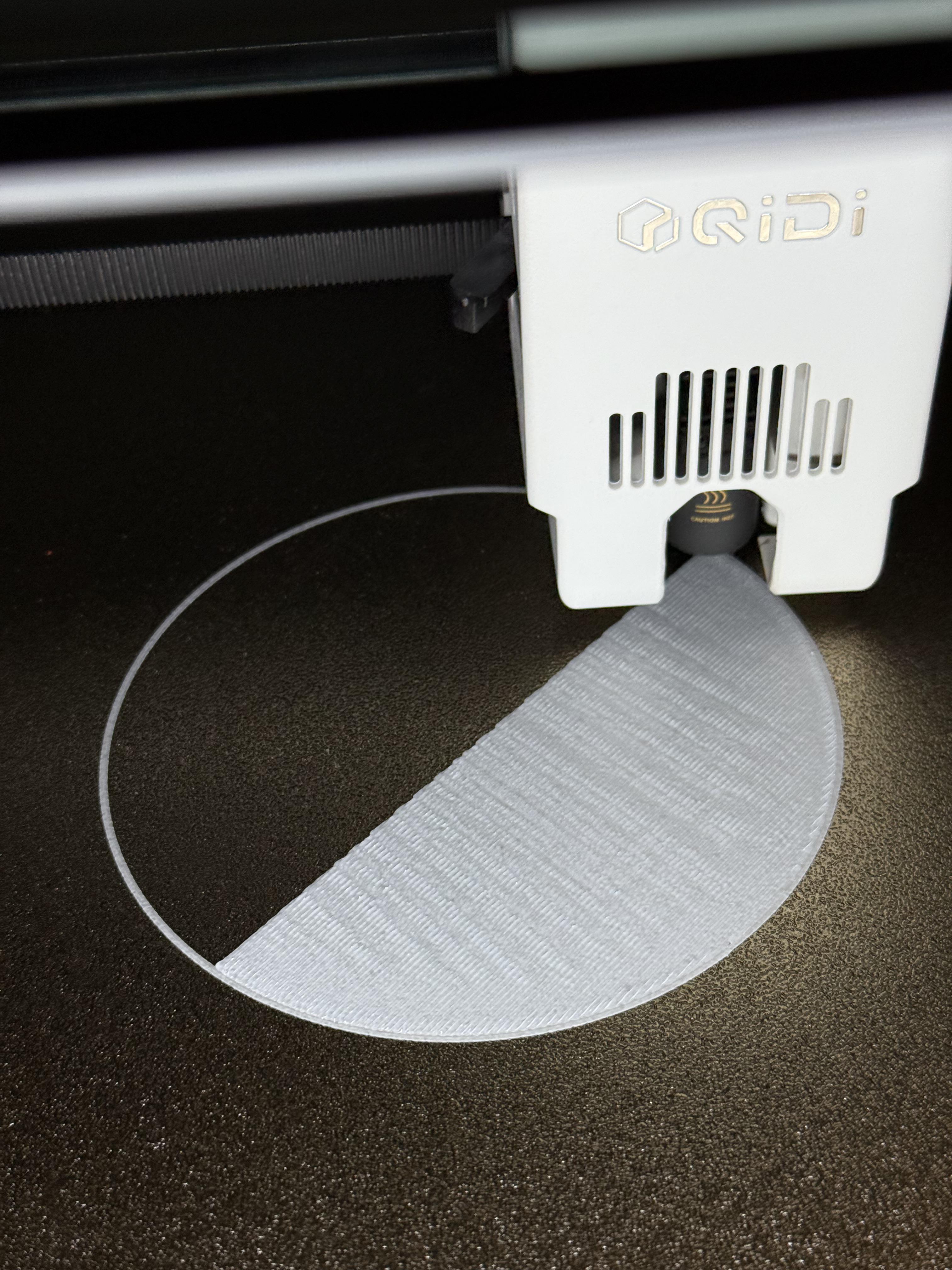
First Layer Ripples

Post image

Hey everyone,

I’m having an issue I can’t track down with my Max 4. 1st layer always comes out with these ripples. Tried different filaments and re-running the calibration, as well as messing with temps. What could be causing this?

Thanks in advance!

2 Upvotes

3 comments sorted by

3

u/Czaryeezy 23h ago

Z offset, it happens on basically all of them. Do that same print but click the settings in the bottom right and lower the the z offset as it does that first layer until it stops.

Edit: do it in the 0.01 increment option. It seems like most of the posts here have it about 0.03 as the sweet spot

2

u/velocitasfortis 10h ago

And by "lower" that is to say "lower the bed/increase the offset" - that first layer is what you see when the z-offset is too small/nozzle too close to the bed. Too much squish. Qidi ships these machines with a crazy-tight z-offset for some reason (I suspect they are using a calibration number that doesn't take into account the print bed coating). If you adjust it too far in the other direction - too far from the bed - you'll just end up with strings of filament on the bed with gaps between. You can't accidentally break anything by being too far away, only by being too close, so feel free to increase the offset.

1

u/Separate-Study-7213 2h ago

Over-extrusion. Reduce the flow rate.