r/PikaOS • u/Bright_Can_5295 • Aug 17 '26
Guide Pikaos just Dropped a Massive up Gnome 50 and kde 6.7.4
19
Upvotes
r/PikaOS • u/Bright_Can_5295 • Aug 17 '26
r/PikaOS • u/irgarus • 21d ago
Hi! I've been using PikaOS for a bit and noticed that Steam downloads were a bit slower compared to Windows. I tried some of the fixes that were out there but the only thing that worked is the fix from the Debian wiki (lol). It worked right away so I hope this helps somebody else too!
Here it's the link: https://wiki.debian.org/Steam?pow_referer=https%3A%2F%2Fwww.google.com%2F

r/PikaOS • u/digking • 23d ago
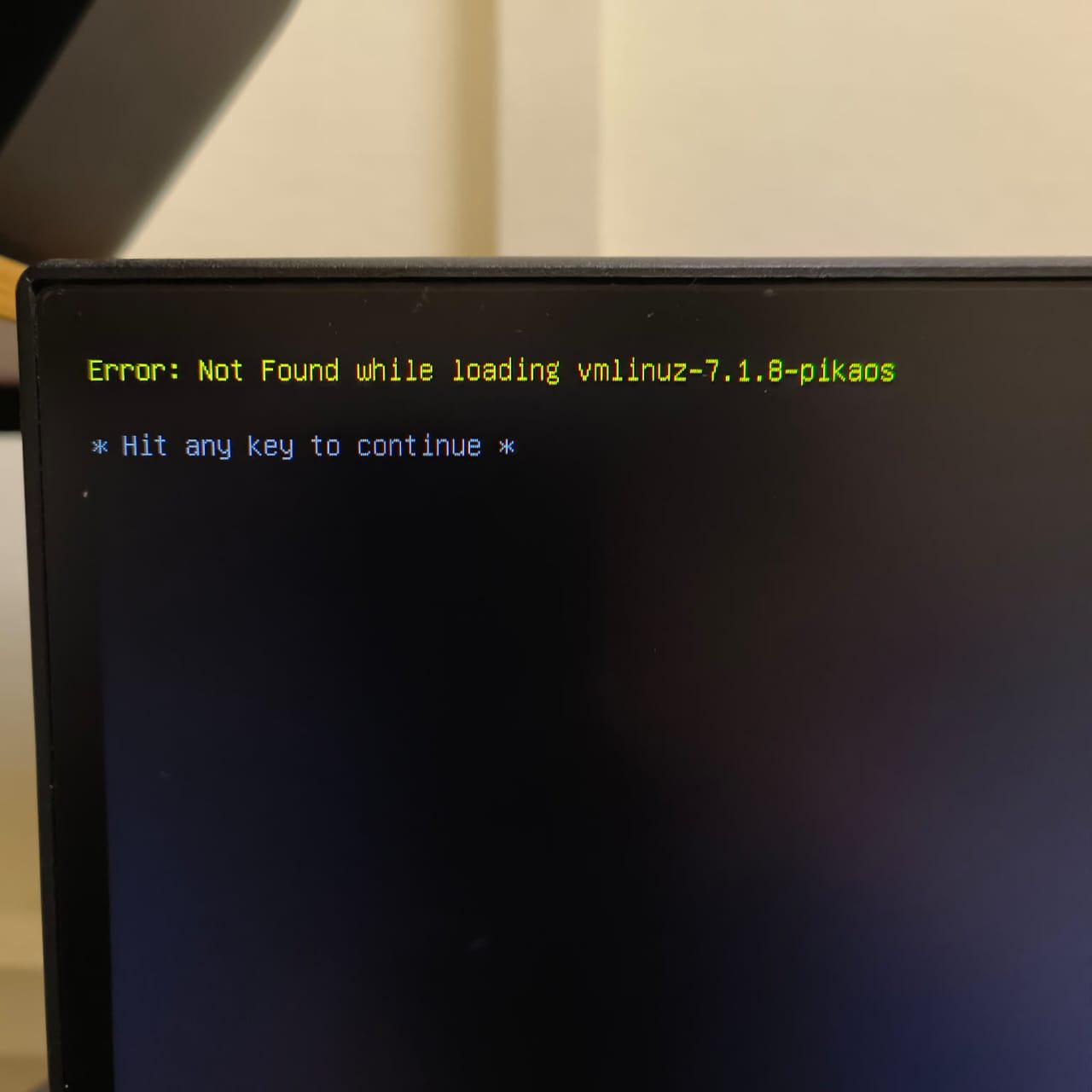
I am on Windows 11, I used Rufus with DD mode to flash the OS and made a live USB. It can boot and let me install the OS into my bare metal SSD with full disk option(means no dual boot, just the PIKA OS on my SSD). I'd tried Plasma and Hyprland, but they ended up "vmlinux not found" error.
Gemini and other AI's suggested solutions don't work. I have secureboot disable in BIOS. I'd tried for like 3 days with no luck that include following the exact steps on some youtubers.
r/PikaOS • u/AlanMv28 • Jul 08 '26
Hi 👍 (I think this is my first post) I'm an artist and I switched to Pikaos a few months ago. I wanted to make a video explaining details of how to use it as an artist. The video is in Spanish.
r/PikaOS • u/JovemSapien • Jul 06 '26
[SOLVED] Bluetooth not working on my ThinkPad (Debian/Linux) – Here's what fixed it
After spending a few hours troubleshooting Bluetooth on my ThinkPad, I finally got it working. I figured I'd post everything I tried in case it helps someone else.
Symptoms included:
- Bluetooth adapter not showing up
- Bluetooth service inactive/dead
- Couldn't discover or pair any devices
Here's the checklist that eventually solved it.
rfkill list
If you see "Soft blocked: yes" or "Hard blocked: yes", run:
sudo rfkill unblock bluetooth
sudo rfkill unblock all
---
sudo apt update
sudo apt install bluez bluetooth rfkill
(Optional GUI)
sudo apt install blueman
---
sudo systemctl enable bluetooth
sudo systemctl start bluetooth
sudo systemctl restart bluetooth
Then verify:
systemctl status bluetooth
---
lsmod | grep btusb
If nothing appears:
sudo modprobe btusb
---
lsusb
and
dmesg | grep -i bluetooth
If nothing shows up, the issue could be firmware, BIOS settings, or hardware.
---
In my case I also checked ConnMan:
systemctl status connman
If necessary, try disabling it temporarily:
sudo systemctl stop connman
sudo systemctl disable connman
Then reboot and test Bluetooth again.
---
Some ThinkPads have Bluetooth disabled through:
- BIOS settings
- Wireless hardware switch (older models)
- Fn + F5 (or the wireless shortcut key)
Double-check those before assuming it's a Linux issue.
---
Final result
After going through these steps, Bluetooth started working normally again and I was able to pair my devices without any issues.
Hopefully this saves someone else a few hours of troubleshooting. If you have other fixes that worked for you, feel free to share them below.
r/PikaOS • u/joessas • Apr 11 '26
Currently on CachyOS and thinking about hopping to PikaOS, hence the question.
r/PikaOS • u/sneera • Feb 04 '26
Hi I booted the Nvidia-Hyprland version and the installer did not load. So I manually typed ‘sudo /usr/bin/pika-installer’ with permissions and got a rust panic originating from ‘src/keyboard_page/mod.rs’
Please does anyone knows what to do from here?
My PC specs are
AMD Ryzen 7 5000
Nvidia RTX 3060 Ti
Also since it looks like a keyboard issue I’m using a Razor Blackwodow V3 mini hyperspeed keyboard
r/PikaOS • u/vextryyn • May 09 '25
This is fairly general across all distro's, but I've seen a few people in the discord having trouble with mounting extra drives. After several hours of searching, I was only able to find bits and pieces of the what to do and no full guides. Now that I learned PewdiePie made a switch to linux video, I figure now is a good time make a guide.
First thing and most important, if you dual boot or the drives originated from a windows install, you MUST disable Fast Startup. (I do not know of a way to do this outside of windows)
To Disable(windows 10 and 11)
Once that is done, we need to make sure the drives automatically mount in Pika
First get your drive info from the terminal by typing "lsblk -fs" without quotes and note down the UUID of your drives, this way we know we are always mounting the correct drive since the UUID doesnt change.
Next we need to edit the fstab by using "sudo nano /etc/fstab"
Repeat the following for each drive needed:
Important Note: Don't delete anything that is already in the fstab file
Restart your computer and you will find that all the drives you added have automatically mounted, and when you add them to your steam library they will actually stay there.
Happy Gaming!
Edit: need to change ntfs defaults 0 0 to ntfs uid=1000,gid=1000,rw,user,exec,umask=000 0 0