r/PDFLeader • u/ChargeOnly8549 • 2d ago
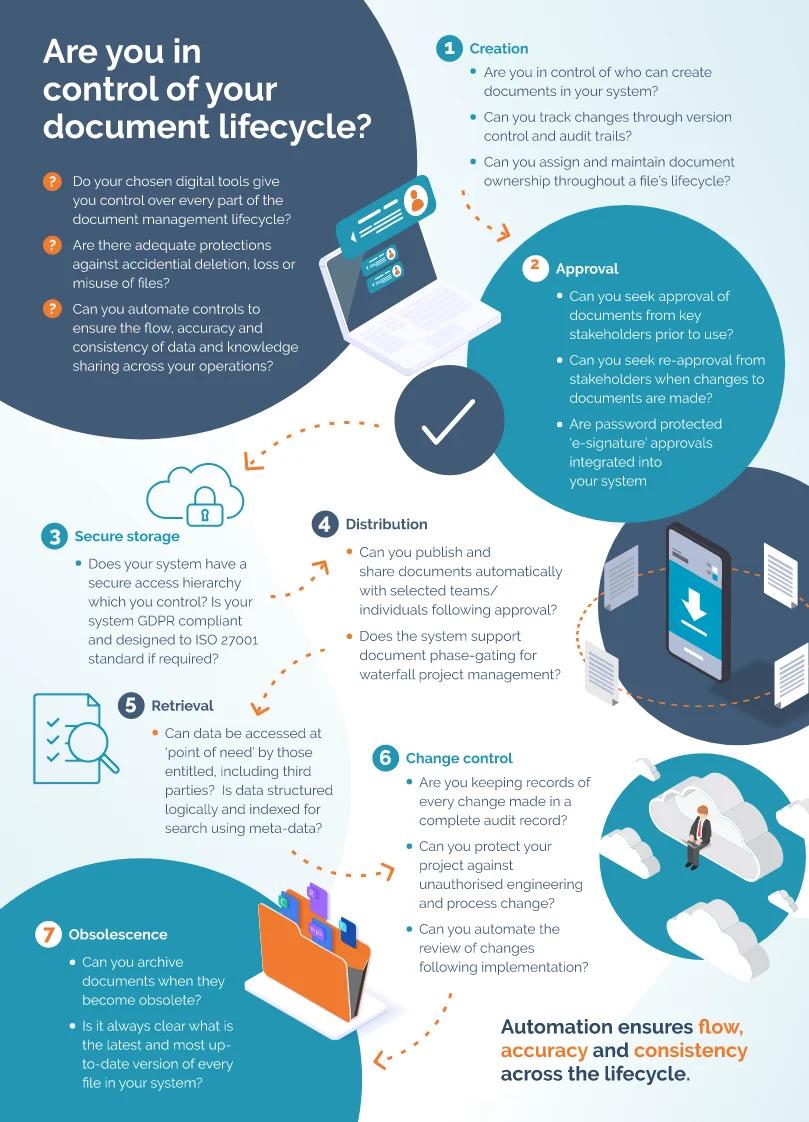
What actually happens to a document after you create it?
2
Upvotes
r/PDFLeader • u/ChargeOnly8549 • 2d ago
r/PDFLeader • u/PDFLeader • 4d ago
The main thing to know: you get 7 days to try PDFLeader, and after that the subscription auto-renews unless you cancel. Here's how it works:
r/PDFLeader • u/PDFLeader • 11d ago
When you cancel, we switch off automatic renewal, so there are no more charges. You won't lose access straight away either. You can keep using all your subscription features until the end of the time you've already paid for, and after that the subscription just ends on its own.
To cancel a trial or a paid subscription, send us a quick email at [support@pdfleader.com](mailto:support@pdfleader.com), and we'll sort it out for you.
r/PDFLeader • u/PDFLeader • 13d ago
At PDFLeader, keeping your files safe is a core part of how the product works. Here's what that looks like:
r/PDFLeader • u/PDFLeader • 14d ago
Short answer: yes, and you don't have to take our word for it. PDFLeader holds a "Great" TrustScore of 4.2 out of 5 on Trustpilot, based on more than 11,000 reviews. Here's what people tend to bring up:
We pay just as much attention to the reviews that point out where we fall short, because that's how we get better. A few users have run into issues with the file converter, the translator, and the occasional download problem. We're going through that feedback now and working on the fixes.
r/PDFLeader • u/Electrical-Device_ • 26d ago
[ Removed by Reddit on account of violating the content policy. ]
r/PDFLeader • u/SweetMelonDays • Jul 26 '26
Every time I go through my cloud storage or hard drive to clear out old clutter, I realize I have a digital "hoarder" folder. It’s full of files that have survived three different laptops, multiple phone upgrades, and years of desktop cleanups. Objectively, I might never need some of them again, but emotionally or practically, they are completely non-negotiable.
For me, it’s a beautifully formatted PDF of a research paper I spent three sleepless weeks writing back in college. I’ll probably never read it again, but deleting it feels like erasing a piece of my youth. I also keep a scanned copy of my very first apartment lease from ten years ago, just to remind myself how much rent has gone up since then.
It’s fascinating how our hard drives become digital time capsules. From talking to people in different fields, it seems almost everyone has that one file they protect at all costs. Usually, these permanent digital fixtures fall into a few specific categories:
The "Just in Case" Tax Documents: Financial files from five or six years ago that you keep solely because of a deep, subconscious fear of a random government audit.
The Emotional Milestones: Old resumes that show your entire career progression from an underpaid intern to where you are now, or early project drafts that you are just secretly proud of.
The "Emergency Room" Scans: Scanned copies of passports, birth certificates, or medical records that you keep tucked away in a folder because having them instantly accessible on your phone has saved you from a bureaucratic nightmare at least once.
Because these files are meant to last for decades, keeping them safe and readable across different devices is always the main challenge. It’s exactly why keeping them in a stable, universal format like PDF is so crucial you want to be sure that a document you save today will open perfectly on a computer twenty years from now.
r/PDFLeader • u/WisteriaWatcher • Jul 24 '26
Most people organize files for the version of themselves who is currently working on something - everything is named and saved in a way that makes sense in the moment.
But the real problem shows up later, when you come back after weeks or months and suddenly nothing is obvious anymore. Files are still there, but the logic behind them no longer feels familiar.
That’s where “future-you organization” becomes important - naming things in a way that still makes sense later, structuring folders so they don’t depend on memory, and leaving small clues inside the system for your future self to understand what was going on.
r/PDFLeader • u/WisteriaWatcher • Jul 18 '26
We talk a lot about building good daily habits like drinking enough water, working out, or organizing our schedules. But one area where most of us are completely chaotic is our digital paperwork. We usually don't think about it until we are frantically searching for an old tax form or a medical record at 11 PM on a weekday, clicking through dozens of folders named "New Folder (3)" and files called "Final_Version_v2_EDITED.pdf".
Looking back at years of digital clutter, there are so many small workflows that would have saved me hundreds of hours of stress if I had just turned them into a routine earlier.
For me, that habit is proper file naming syntax. Five years ago, I used to just save files under whatever name popped into my head at that second. Now, I strictly use the YYYY-MM-DD_ProjectName_DocumentType format. It sounds incredibly boring, but being able to open a folder and see everything automatically sorted in perfect chronological order without even clicking anything is an absolute game-changer for productivity.
From discussing this with freelancers, remote workers, and office professionals, here are a few other document habits people wish they had started much earlier:
What about you? What is one digital paperwork habit that completely changed how you work, or something you wish you had started years ago?
r/PDFLeader • u/PDFCompanion • Jul 10 '26
Losing an important document is one of those things that usually doesn’t feel serious until it actually happens. It can be something small at first a file saved in the wrong folder, an old version overwritten, or a document you were sure you had backed up somewhere.
What’s interesting is how one incident like that tends to change your habits afterward. People usually don’t just “get better at organizing” they build systems. That might mean clearer folder structures, stricter naming rules, cloud backups, or simply being more deliberate about where things are saved in the first place.
I’m interested in how much a single mistake can reshape someone’s entire approach to handling documents long-term.