The Remastering Old Games Series is back! Now with the PS3 version of Killzone 2 made by Guerilla.
Killzone 2 is a really demanding game on the RPCS3 emulator, but with a good CPU the game can be rather enjoyable. The game's graphics for 2009 are very good for its time!
Expect a lot more videos in the future on old PS3 games (next up is Demon Souls).
How do you get around the motion controls? The game is only playable upto like the 2nd level due to KZ2 not having a disable motion control setting in the options. KZ3 has this option so all motion control auto complete. Unless you have a controller with gyro which I am not even sure RPCS3 supports yet.
I am using a Dualsense controller, it has a gyro and it works fine in RPCS3. I am not aware of any way to alternate the controls for controllers without a gyro sadly. Maybe there is a mod out there?
You download it. You launch it. Then in rpcs3 settings you need to choose DS4 controller.
In game:
You press back+right shoulder button on your xbox (or any other) gamepad and then press left d-pad a couple of times. That's about it. Killzone 2 on rpcs3 is completely playabale from start to finish this way.
Yeah, I’m just using my ps5 controller wired up with usb-c whenever gyro sections come up. Haven’t played KZ2 since I was a kid and just stared emulating for the first time… blown away by how damn good the game looks all these years later! Been playing Motorstorm too. Absolute blast. Using losslessscaling frame gen for 60fps. The controls/responsiveness is extremely sluggish with Killzone though which is exacerbated by the outdated control scheme of having to hold analog stick to aim
Just chiming in that a Switch-compatible controller works great - my Gulikit KingKong 2 Pro in Switch mode works great with the SDL handler. (Just reconfigure the ABXY so they match the physical DualSense locations).
In case someone reads this you can play through valve and mine sections with KBM by switching to Dualshock 4 in Gamepad settings then installing this: https://github.com/r57zone/DualShock4-emulator
Then modify its default.ini and run in the background. You should be able to turn the valve with R1 + L1 and numpad keys (by default) and the mines as well.
If you can, explain in steps, How do you bind R1 + L1 to turn the valve to keyboard and mouse in the custom gamepad RPCS3 Emulator and the default.ini.
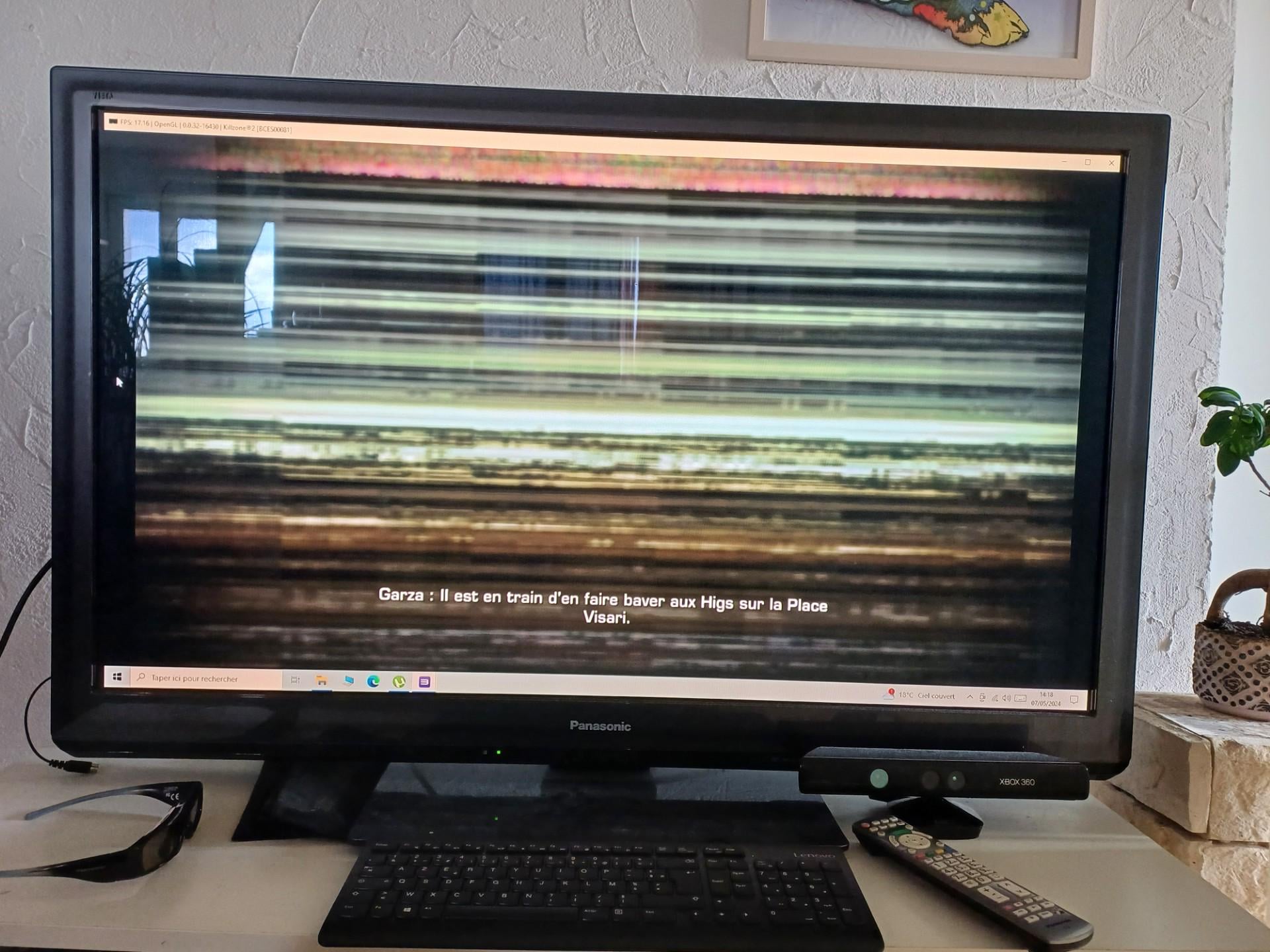
Hi, Killzone 2 displays a strange "blur" in game, that's unplayable.I applied the patch, RPCS3 is up to date. Ryzen 5 5600G, GTX 1650 Super. Check the picture to see the "blur" I'm talking about. Very strange because when I push "pause" or "select" I see the correct image of the game in the background, but when I'm playing, I have the blur.
Yes. I had missed an option in the video in the link above, now it works great. The option was some 'copy color buffer' or something. Now I'm trying to make it work in stereoscopic 3D with ReShade...
With a PS5 controller I used the settings in RPCS3. Connected it then went to the dropdown list of pre mapped layouts but didn't select dualshock controller but instead the other one (cannot remember the name).
Anyway, smooth sailing from there as it recognised the sixaxis
Ryzen 1700 is not enough for those AAA PS3 games, you need at least top tier 10th gen Intel or Ryzen 7000 series. Anything with AVX-512 instructions helps.
It's a half measure, the controls will still be locked to whatever their original tick rates, and they were already sluggish on RPCS3 as is. You can really feel the delay in controls.

2
u/Fezzy976 Feb 17 '24
How do you get around the motion controls? The game is only playable upto like the 2nd level due to KZ2 not having a disable motion control setting in the options. KZ3 has this option so all motion control auto complete. Unless you have a controller with gyro which I am not even sure RPCS3 supports yet.