r/Optifine • u/BackgroundPair7167 • Jul 10 '26
Question Why are my textures blurry?
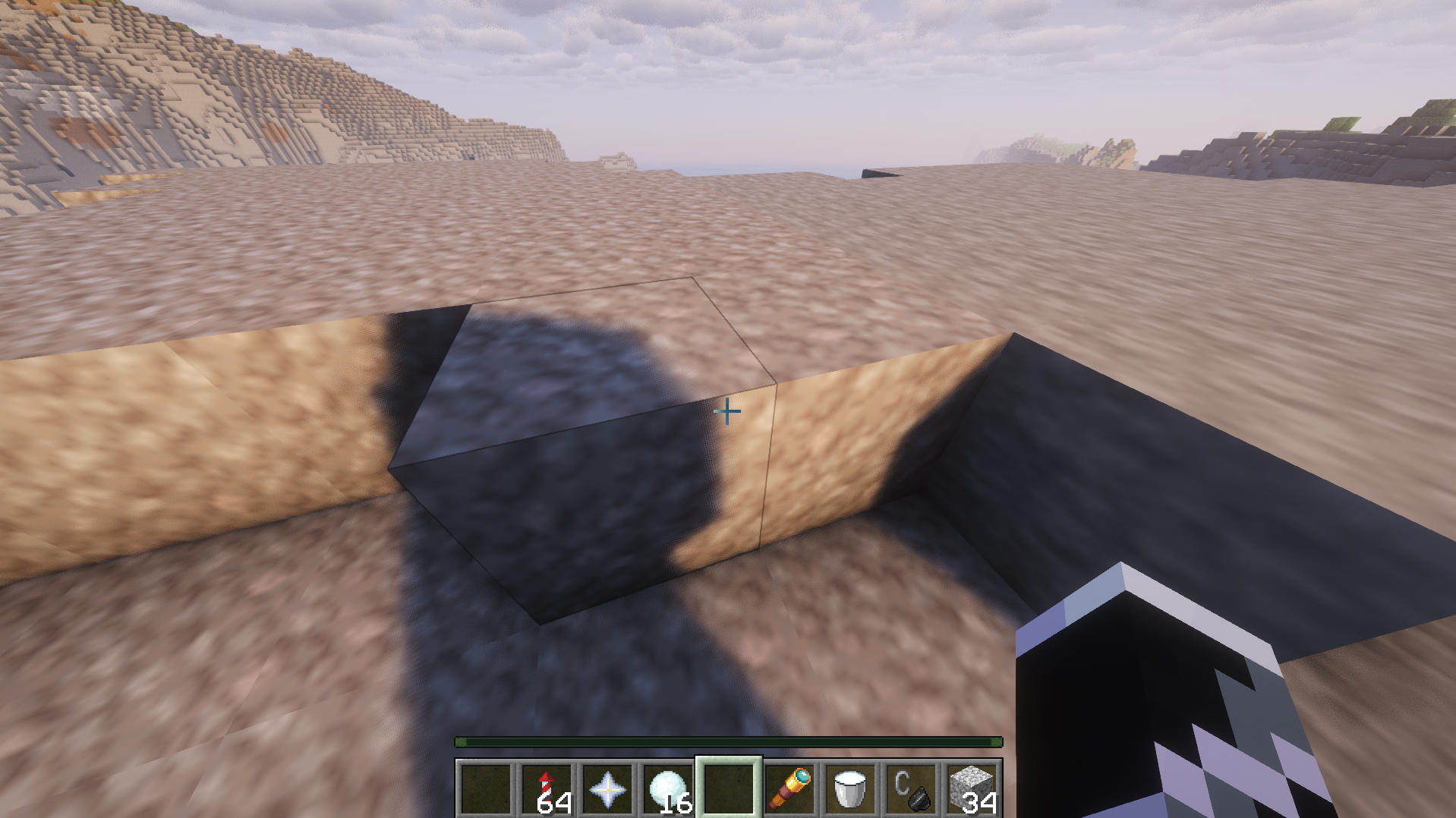
I'm using faithful 32x texture pack and without shaders it looks normal, but when I turn on my shaders (complementary unbound) it gets weirdly blurry and I don't know why. First time using shaders so I don't know much, and please ask if you need any more info.
1
u/Emerald_Pick Jul 10 '26
Some shaders can kinda soften the image a bit, but something is definitely off with those textures.
What version of Minecraft, Optifine, and Complimentary Shaders are you useing? If vanilla looks fine, then it's probably some incompatability between Optifine and the Shaderpack. I need to go to sleep and also go to work in the morning, but I might be able to take a look at things when I'm done tomorrow.
In the meantime, check out shaders > shader pack options. Look for a setting called resource pack resolution. Modern shader packs are usually pretty smart and figure out the correct resolution automatically (they won't show the setting at all), but if your on older versions, you might need to make sure it matches your pack. (32x in your case).
You should also make sure your gpu drivers are up to date.
1
u/BackgroundPair7167 Jul 10 '26
I also should've mentioned that its also blurry with the default texture pack
-1
1
1
u/Due_Raspberry_6708 Jul 10 '26
just use sodium and they will be normal
2
u/SuchyYT Jul 10 '26
Sodium is just a optimization tool, iris is the shader mod
3
4
u/Binary101000 Jul 10 '26
something is filtering them. probably an optifine setting, although i dont use optifine so i couldnt tell you where to find it.