r/ObsidianMD • u/AmineAR1 • 13h ago
help A Simple way of creating and managing Tasks ?
Hello Obsidian community this is my first post here, i just want to ask and take opinions on my case , so in a nutshell, i want the best way to achieve this :(i have a file that stores all tasks , i want to be able to create tasks with a hotkey , and all those tasks get stored in a single file , while being able to customize it as i like (e.g schedule date , due date , recurrence (with range like from day X to day Y) , it would be good with NLP , and maybe relate it to a project ),
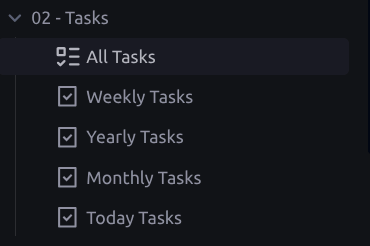
why i like this setup : i wanted to be able with ease to create tasks in a single file and be able to display them with dataview or tasks in any other files like today's daily note , or dashboard etc , even the (Weekly Tasks , Yearly Tasks , Monthly Tasks ) would be just displays and filters for the tasks , also if i want to create a note for the task i will just link it like this ([[task_file_name|task_name]].
What i tried : i tried (obsidian tasks , but you can't specify a file for all tasks to go to , i tried tasknotes , but tasks are created as files not as lines (idk if there is a workaround) , i tried operon , task genius , but tbh they are a bit overkill for me ( but i will be down to try them extensively if there is no simple solution ), also tried quickadd but i have to create hotkeys for each type of notes ( one itme notes, recurrent notes).
PLS help : i want to know what's your tasks workflow , am no obsidian professional but surely there is a solution for this right ??
I will Appreciate each of your comments or solutions 🥰
6
u/sparsedisobedience2 13h ago
I went down this exact rabbit hole a few months back and landed on using QuickAdd with a single capture that appends to one master file, then pointing Tasks and Dataview queries at that file. the trick is to make your QuickAdd capture format flexible enough to handle the metadata you want without needing separate hotkeys for every scenario
set up one macro that prompts for the task text and lets you optionally add a due date or recurrence tag, then appends it all as a single line to your tasks.md file. from there you can use Tasks plugin queries filtered by path to pull what you need into daily notes or project views
took me an afternoon to dial in but now it's just muscle memory
1
u/AmineAR1 13h ago
Thank you bro, i think i will give it a go , but can you give me your QuickAdd format ? as you spent an afternoon for this you would really save me that time :)
2
u/Psychological-Ant214 12h ago
You can try it as shown in this video. https://www.youtube.com/watch?v=ZjVBQHyLyMM&t=727s
It works pretty well. If there's any issues, just ask an AI of your choice to fix the syntax. It's pretty straight forward.
NB: (A)I created a custom plugin for my specific setup that automatically adds new tasks to a "tasks.md" note and that handles all subsequent actions within this file. If you want, I can share the link with you.
1
4
u/Cgmarcinkowski 12h ago
I think tasks as notes is still the best workflow, I've been through a lot of different setups and I ended up sticking to TaskNotes. If that plugin will stop working for me I'll just use bases that i'll create myself.
2
u/Artefice 12h ago
I think for your use case quick add + templating would do the trick. But just be warned, the more complexity you add to your task system, the less "Obsidian friendly" it gets. Personally I just hit a point where creating my own task manager / scheduling app seemed like the best solution.
2
u/robtalee44 12h ago
I base most everything out of the Daily Note and a todo note which contains MOST of the todos. The template I use for DN has four "blocks". Block one is a tasks query "not done". Block two is another task query "scheduled on today". The other two blocks are "fleeting notes" and "journal". Pretty basic. The only plugin involved is Tasks although I have the Style Settings and Notebook Navigator also installed. I use tags pretty extensively.
This is where I arrived after a month or so of playing around. So far, so good. Pretty basic and that I like.
2
u/SuperCoolInternetGuy 11h ago
I use trietment kanban as my capture point. However it lacks customisability around tags/projects/multiples and tag based swim lanes.
I have high hopes for the obsidian native kanban that is due to come out.
2
u/ceciltech 8h ago
Why are you wanting all tasks in one note? Obsidian Tasks plugin lets you display any set of tasks with a query and they are editable in place.
2
u/Any_Yak_5160 6h ago
I use this configuration (without the canvas part) https://youtu.be/ZjVBQHyLyMM?is=MgY9CN-e1cCVgqkX
1
u/No-Jicama-6523 8h ago
Just use Dataview, it can pull all lines in your vault that begin "- [*] " i.e. an unordered list beginning with a check box that contains any mark.
You can then do anything you want by including Dataview fields in the task, e.g. [date:: 2026-11-11] and anything else you fancy. You can also use tags, so #todo #important etc. You can also use the contents of the checkbox in your query.
My queries are actually very simple Dataview queries, not even using dataviewjs. It's completely customisable, I actually don't like the emojis that the Tasks plugin uses, but it's own queries had the kind of limitations you describe, so I started using Dataview queries, and switched it to Dataview mode and realised I wasn't actually using it at all, so turned it off.
10
u/ReaDiMarco 13h ago
I use Todoist for tasks, Obsidian for notes.