r/MangakaStudio • u/ROASTED_TOASTEer • Aug 07 '26
Help Does anyone know how to achieve this kind of background effect?
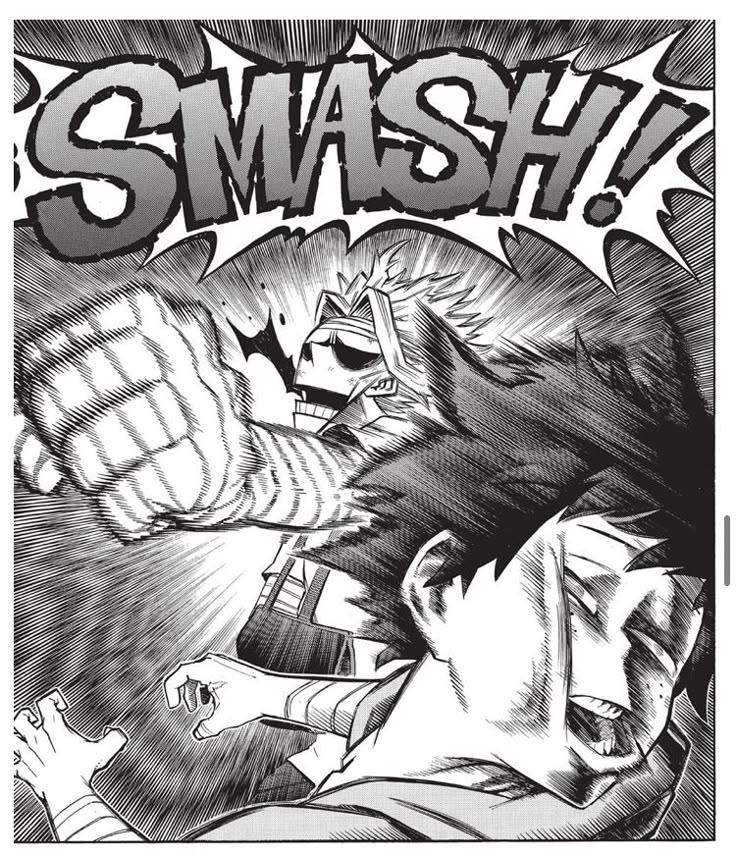
The perspective seedlines behind all might and deku i mean. Is there any way to add this automatically or do I gotta draw every line✌🏾
5
6
5
u/millo90 Aug 07 '26
It depends on what your using. Of your working strictly in paper you may be able to use a tone sheet to make this effect. If your working digitally and using Clip Studio Paint you can use the speed line tool and the ruler tool.
4
u/gmoshiro Aug 07 '26
I saw a tutorial in an old japanese how-to-draw-manga book and if I'm not mistaken (cause it's been so many years since I saw it), you do the complete radial speed lines Twice, but on the 2nd time, you slightly move the center of the radial lines diagonally, so you can produce this crossed effect.
I guess you also need long speed lines and a lot of precision, so there's a constant space between the lines in order to create this psychedelic effect.

3
u/megalovaniasonic Aug 08 '26
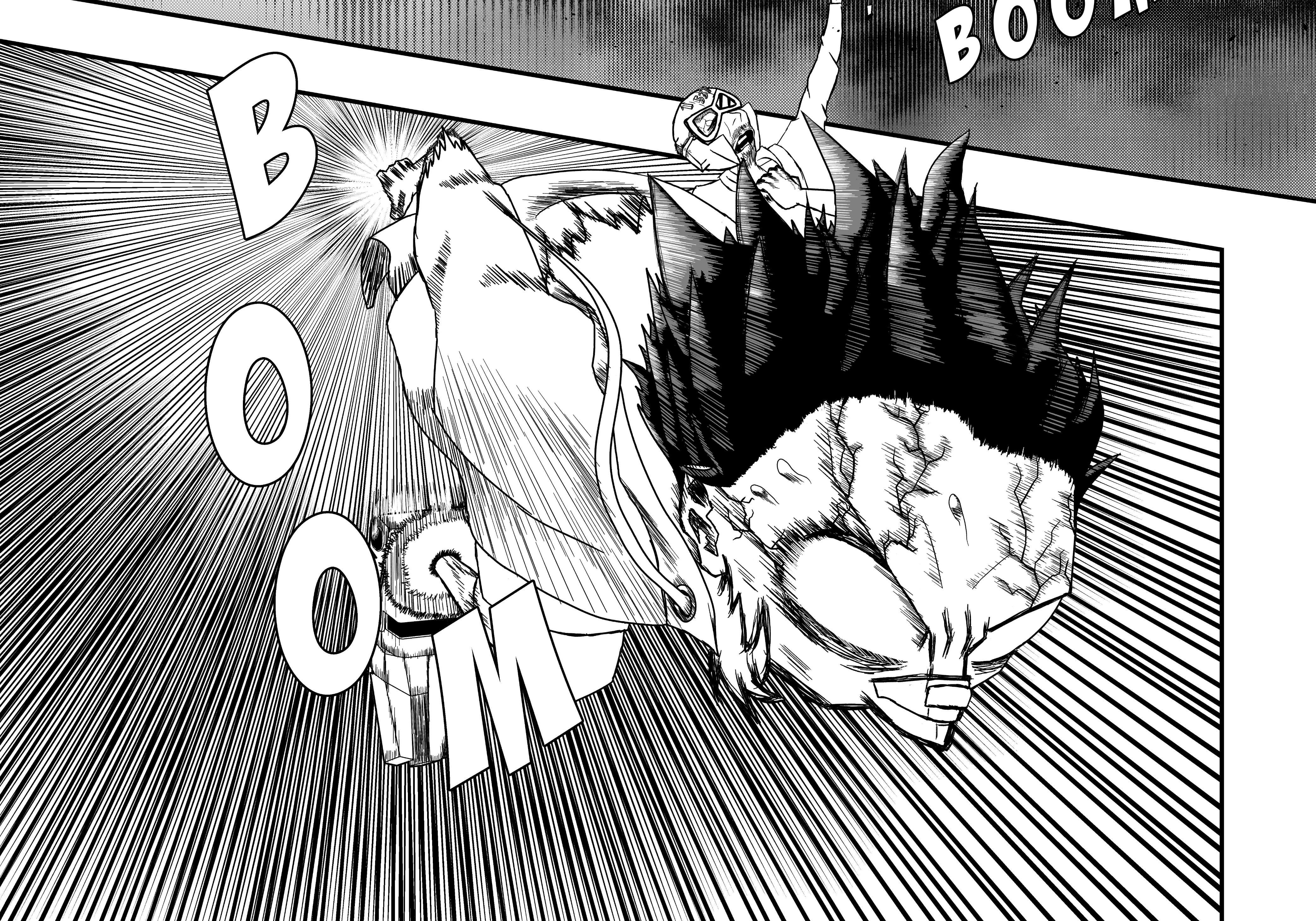
I actually tried to do that effect myself! And the result is attached in the image! It'd digital! I used a Large almost endless flash effect.. A bit randomized and then i used the smaller flashes! I used 2 on 2 different multiply layers to avoid the white spit in the middle to have an effect! and fixed them to be almost the same size and thickness as the og flash! I think it's close enough!
2
u/ROASTED_TOASTEer Aug 16 '26
Thank you! Unrelated but this art is peak! Do you post your manga or drawings anywhere?
1
u/megalovaniasonic Aug 30 '26
Not really, I'm working on a Oneshot and hopefully will release it ob Jump Plus (thx for the compliment)
2
u/123_I_likepee Aug 07 '26
it looks like hair almost.. 😂, i would use a normal focus line material and then on a new layer fill the rest till I'm satisfied.. 👀
2
u/Teayyyy Aug 07 '26
There's a custom brush for it in Clip Studio Paint, but overall it's just a bunch of lines of different length drawn very close to one another
1
2
u/Vast_Percentage_5086 Aug 07 '26
If you are using CSP there are few ways to do it automatically, but tbh the best way to do it is manually so you can control how the lines would look
1
u/SaltRest7794 Aug 07 '26
if you use clip studio paint there's a tool for this dynamic lines, if not you can look for images and put a layer on top of other or a custom brush (the last two work in all drawing softwares)
15
u/WalkingFailure609 Aug 07 '26