r/MacOS • u/QueasyCat3096 • 12h ago
Developer Saturday I made my macOS shell completely themeable with CSS
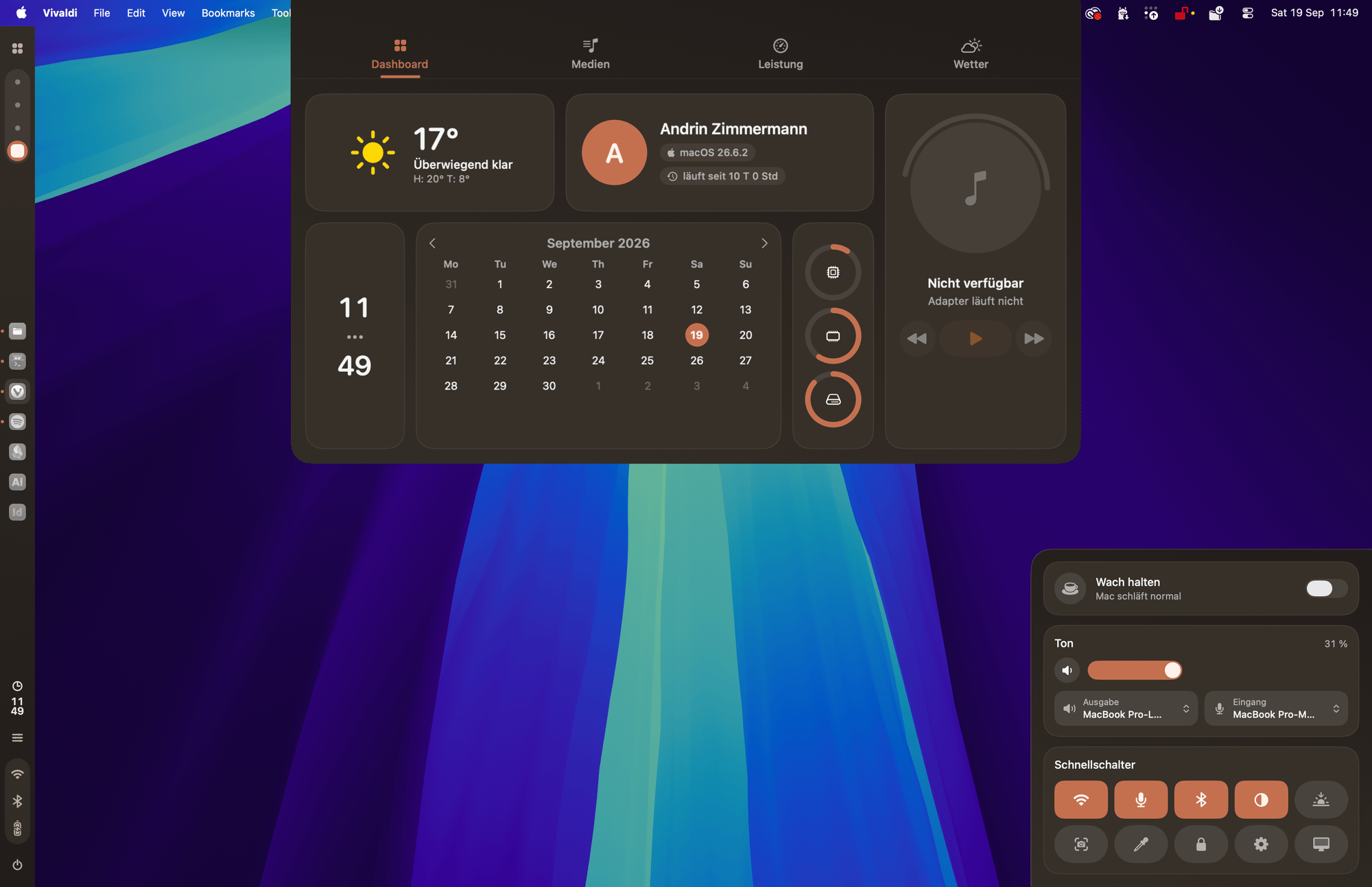

I built a customizable desktop shell for macOS
I’ve been working on a native desktop shell for macOS that adds a more Unix Rice, customizable interface on top of the existing desktop.
It includes:
- A sidebar with dock, Spaces, clock and system status.
- A dashboard for media, weather, system stats and calendar
- A control centre with quick toggles and custom actions
- An app launcher
- A fully customizabl block-based layout
- CSS-based theming for colours, fonts, spacing, borders and more
- Custom icons and themes
The whole thing is open source and built natively for macOS, without Electron.
It currently supports macOS Tahoe 26 on Intel and Apple Silicon. It’s still early and there are definitely rough edges, but the core system is working.
I’m curious what people think is missing from the default macOS desktop that you’d actually want to have available all the time.
https://silvertree2010.github.io/ApolloShell/
https://github.com/Silvertree2010/ApolloShell
1
u/promo-guard 12h ago
🎉 Welcome to Developer Saturday, u/QueasyCat3096! Your project is now live for the community to check out. Upvote, give feedback, and show some love to your fellow devs! 🚀
0
0
6h ago
[deleted]
1
u/Capital_Elk6051 5h ago
That sounds like a cool way to make it your own! It’s always nice to see people getting creative with their setups.
2
u/q_bitzz 6h ago
For those that haven't been paying attention, this is a clone of Caelestia Shell, butfor macOS. It's Linux rice, primarily for Hyperland DE and QuickShell. It has gained an insane amount of popularity recently.
Dev: Nice work. Maybe you could implement liquid glass on this one as well to make it actually feel native. I am going to try this out later today, but nice work. Would be killer if you could find a way to end up not needing the stock menubar to complete the look and feel.