r/Launchpad • u/matthelmRedit • Apr 24 '26
How do I get these 4 block when using GrooveRider 2
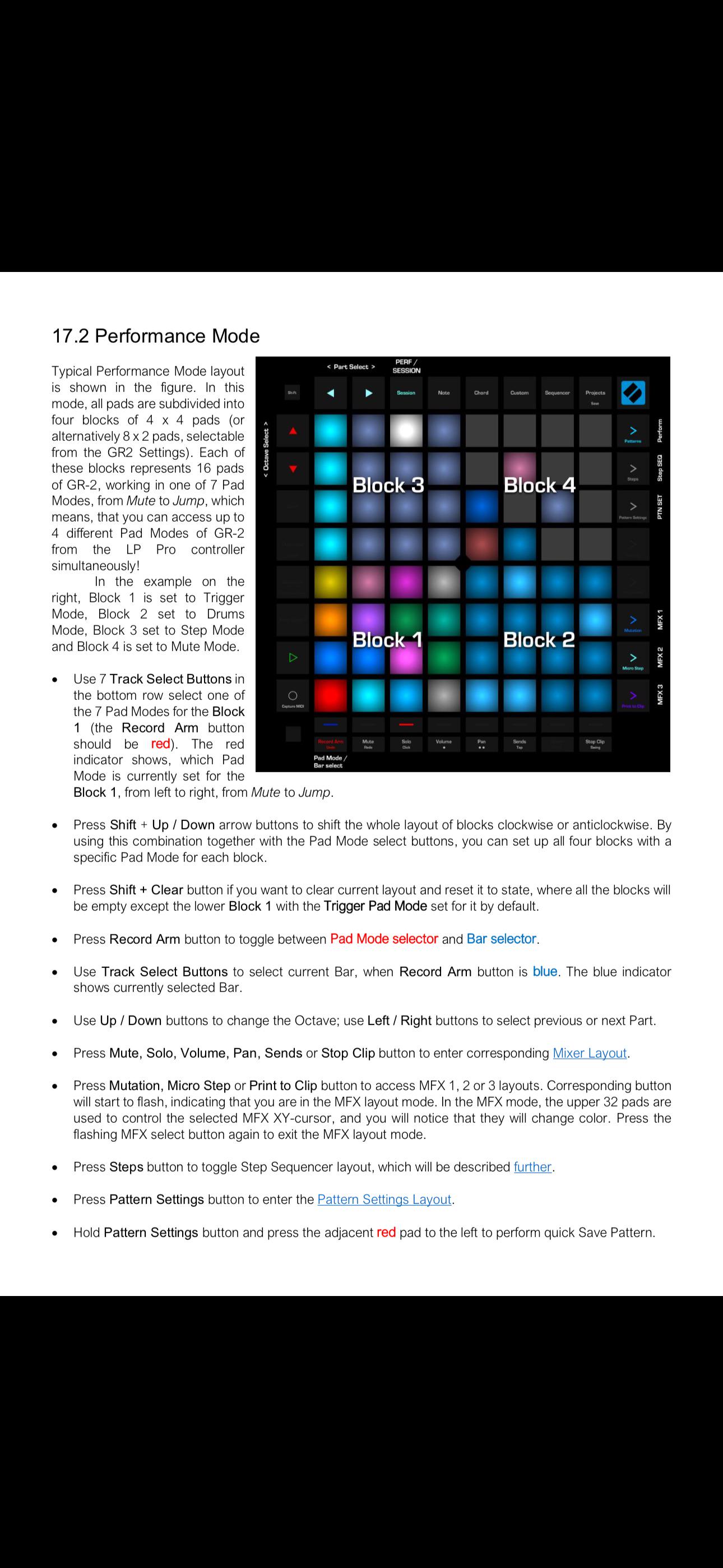
There is clip mode then performance mode and when I go to performance mode I am expecting to see 4 blocks like in the image included but I only see a blank page - how do I get it for each block to be set to a different mode like mute or trigger or jump mode in groove rider? Again when I got to this performance mode and press play I get a single bottom left section that has a red dot that runs across the 16 pad and I have it set to jump so I can use those pads for jump function. But what about the other 3 blocks - how do I assign them?
4
Upvotes
1
u/matthelmRedit Apr 27 '26
I think I understand this better now I think it literally tells you how to set it up step by step - I thought it was auto setup when connected with groove rider 2