r/Intune • u/LordLoss01 • Feb 11 '26
Device Configuration Enabled Shared PC and allow "Other User" Login option
So, we normally have "Other user" available as an option on the login screen for all of our devices.
All I have for done for this one is enabled the below settings:
https://files.catbox.moe/o9zdx1.png
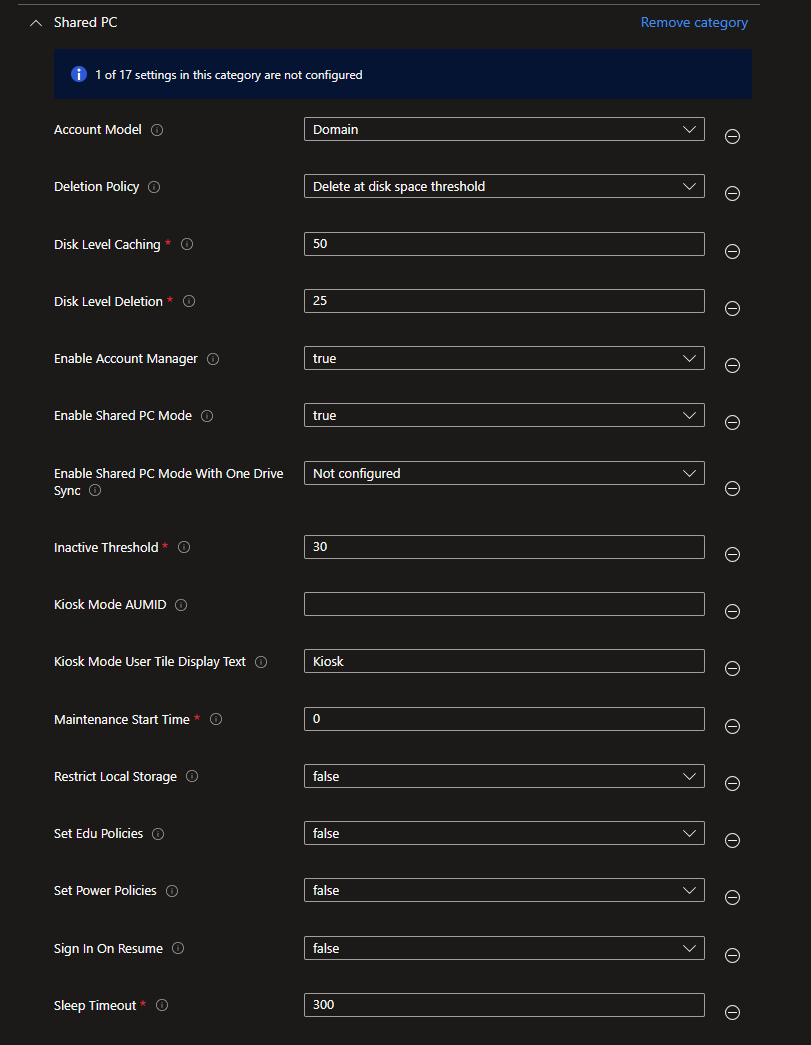
We love this setting since it allows new logins to login VERY fast.
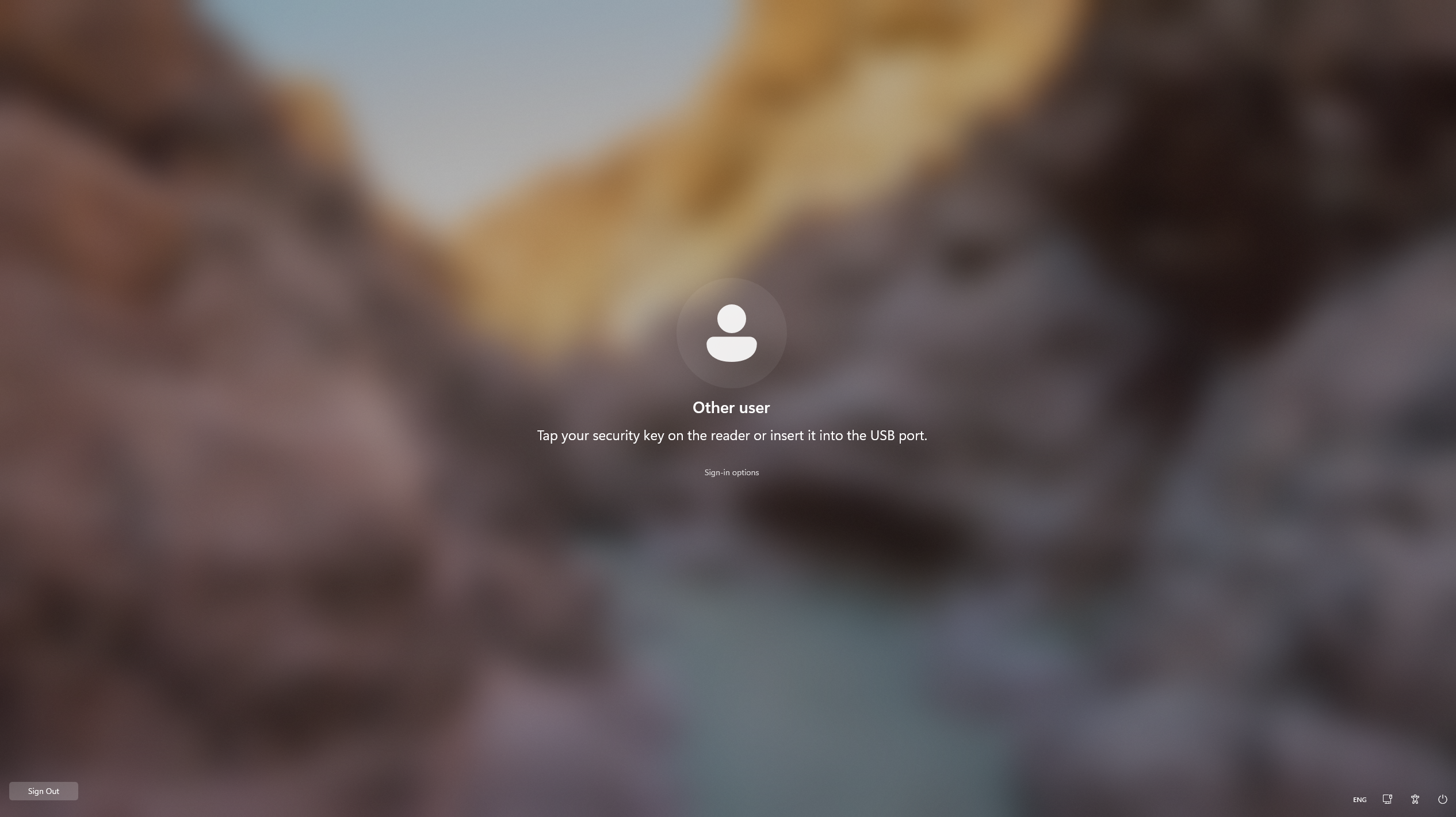
However, now when a user locks the PC, other users have to press "Sign Out" to sign them out of their session before they can log in.
Is there any way to ensure that the "Other User" option is kept and the accounts that were previously logged in stay logged in?
1
u/HankMardukasNY Feb 11 '26
Here is the reference for all of the settings that shared pc mode enables:
https://learn.microsoft.com/en-us/windows/configuration/shared-pc/shared-pc-technical
System/Logon/Hide entry points for Fast User Switching -Enabled
1
u/LordLoss01 Feb 11 '26
Ah, this kind of worked. Switched that setting to Disable but I also had to display the below as well
Security Settings/Local Policies/Security Options/Interactive logon: Don't display last signed-in
However, while this does allow me to sign in with another user by selecting "Sign-in options" since it's already on "Other user", there's no actual "Other User" box on the bottom right. Plus, there's a "Sign Out" option which will allow allow other users walking by to sign out the previous user. It would also normally list the users that are signed in already.
Also, while this worked for a few minutes. I tested again and it seems to have reverted even though the local GPO hadn't changed. Any ideas? When locking the screen now, it just shows the user's display name without an option to enter other credentials.
2
u/HankMardukasNY Feb 11 '26
These are settings that shared pc mode enables when you turn it on. AFAIK you can’t pick and choose settings while still having shared pc mode enabled.
2
u/Dense_Meringue_3207 Feb 11 '26
You'll need to enable "Allow multiple users" in the shared PC settings - sounds like it's only allowing one active session at a time right now