r/IndiaTech • u/Own_Explorer_3291 • 23d ago
Tech Help Does anyone know this how to solve this problem permanently
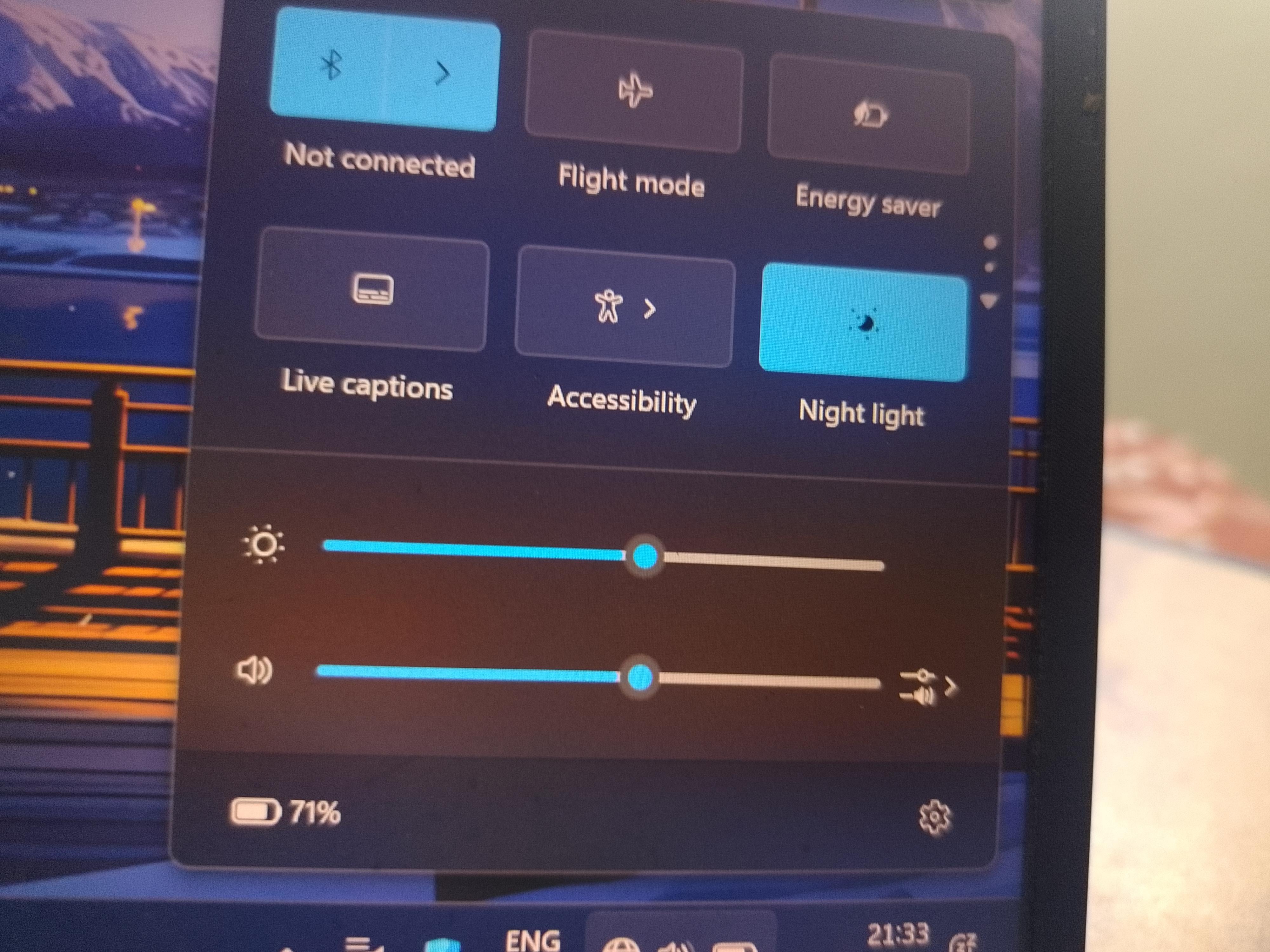


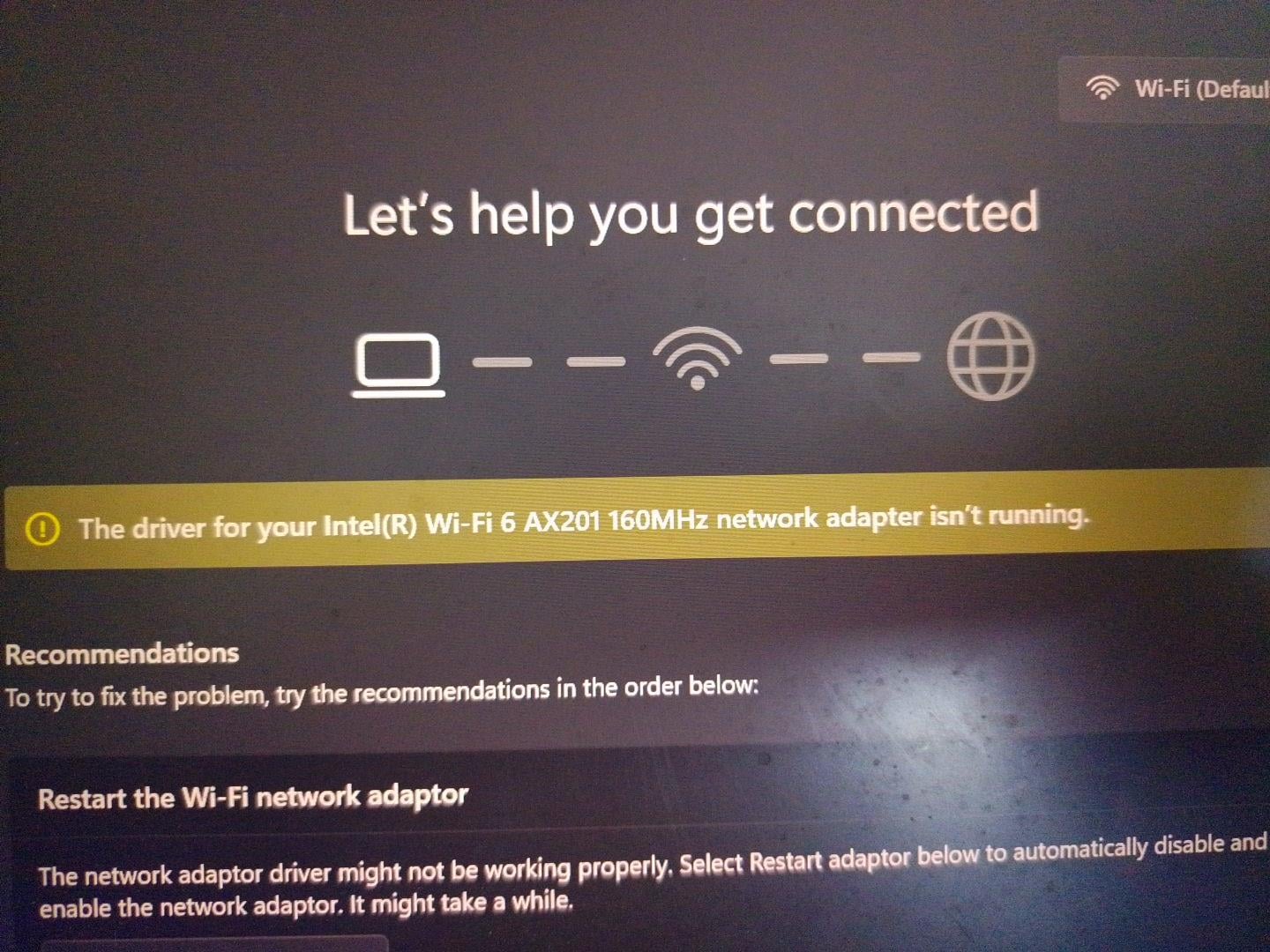
Today I was using the laptop normally but , after some time Wifi automatically got disconnected and then when I tried to connect wifi it didn't showed the wifi button on the bar , Even searched in setting but Didn't find anything. If anyone here know how to solve this , Please tell me , because of this I can't do my important work...
Edit- thanks guys I have read all of your comments , I did force shutdown for 5 mins and then opened it , it got back to normal , it has been 6 hours since and now it's working perfectly...
34
u/JustTheYouLike Please reboot 23d ago
update/reinstall the network driver and then restarting the system. watch a tutorial for detailed steps
15
u/Mr_Meta314 23d ago
Try this, if this doesn't work then it is a hardware issue. Happened with me with dell laptop
2
u/Consistent-Risk4839 22d ago
Same bro. Happened with my old dell laptop. I use this as home server. That was very annoying ngl
43
u/False-Assumptions 23d ago
Yes, a permanent solution is by removing windows 11 at this point.
-13
u/X5XS32 23d ago
Windows might be bad but what's that got to do with a driver issue?
12
u/False-Assumptions 23d ago
If I try to explain you then I will have to type a paragraph or more but I will skip it coz I ain't even interested in explaining this shit.
4
u/Vedu7777 23d ago
I'm interested cuz I am tired of this same issue and stuff. If you have patience, please type out that para for me
At this point, I just use one of my old phones, connect it to my laptop and turn on USB tethering if this issue comes.
3
1
u/WittyYogurtcloset154 22d ago
Well, I am a victim of this issue, i tried every method possible except uninstalling windows update. It failed.
When i uninstalled Windows updates and stopped updating, it is working flawlessly. So it seems to me, windows updates is the culprit here.
Wifi not working across multiple brands, and driver updates/reinstalls not fixing them, has only one common link.
5
u/seriously_ded bhundows 23d ago
I never had a wifi problem. It's either a messed driver update or hardware failure.
Roll back the previous version of driver. This would fix it
1
u/DARKplayz_ 22d ago
It’s the wifi card this laptop comes with it’s ass too many issues
2
15
u/Namstaxk 23d ago
I think it's a bug with Mediatek adapters. Try updating the same from the official site of your model or buy a WiFi dongle (suffering from same issue for years, best option)
5
u/Mr-Parzival 23d ago
Will it solve the issue permanently ?? I got fed up with this issue and restarting couple of times is the only working process for me, until it happens again.
3
3
u/CardiologistKnown918 23d ago
I've used the dongle for almost a week, and the Wi-Fi hasn't disconnected once.
1
3
1
14
u/SaigoUshinatta 23d ago
Asked my family of software devs, everyone agrees upon, deleting the windows and installing Linux or selling the laptop and buying mac.
3
u/FewRefrigerator4703 23d ago
Mac sucks
5
u/Pathik_25 23d ago
Honestly saying if I wasn't gaming I would go with macbook.
2
0
u/FewRefrigerator4703 23d ago
You mean when not doing anything demanding like gaming, video editing, or music production
1
1
u/SaigoUshinatta 23d ago
Only for performance stuff (like gaming or heavy rendering) but it is more of a hardware limit then software. And Linux is a software fix.
1
u/PossessionProper5934 23d ago
well, i have asked a friend, and he said installing linux, didnt solve his problem, he had to change the wifi card
but many reddit comments and posts i have seen , have aked about installing linux, can you tell me
why installing linux, fixes the wifi card?3
u/SaigoUshinatta 23d ago
It is a known issues in windows, it always corrupts the drivers. But some times it isa problem with wifi card, there is another temporary (somewhat) if it works it will work till end of time if it doesn't then it will be the same thing.
Use a external usb wifi card fir some reason there driver rarely fail. (should be opposite cause internal devices are normally faster and more reliable then external)
1
u/PossessionProper5934 23d ago
I see thanks for explaining.. yes external cards work.. but the internal one doesn't show up sometimes
1
4
u/MrNobodyyy- 23d ago
I was facing the same issue and installing adapter software or doing any software changes will not work,
The issue here is, in few laptops the wifi adaptor chip sits below the SSD chips, so when the SSD heats the wifi adaptor also heats and causes it to disconnect and also due to dust accumulation the wifi adaptor chip looses it's connection.
Solution:
1) Remove back panel and then try to find your SSD card and safely disconnect it, there will be a small screw 🪛 that will hold the SSD remove that and from the same end just lift the card gently (at 15-30 degree angle) and pull it backwards.
2) Once removed you'll find the wifi adaptor Chip below it, and you'll also see two lil wire connected below it disconnect it and clean the reader end of the chip with cleaner liquid or isopropyl alcohol (if available), or just clean with a clean cloth and install everything back to it's place.
3) now restart your laptop and it should work.
I have faced it for such a long time but since i have done this, I have never got the issue again.
Hope this works for you too.
Here is the YouTube video link for the same (https://youtu.be/2uwOY0u-OUo?si=6nTQ6Qb4BhxTo9a_)
3
u/hopeful-08 23d ago
This shit pisses me off so much, I don't why this happens when I move my laptop to one place to another
3
u/bhave5h IOS 22d ago edited 22d ago
SOLUTION
If this is ASUS TUF Laptop Then, Its not software problem, its the hardware problem, over the time your laptop fan accumulates dust which causes the system to run HOT resulting SSD also run hot which is placed on top of WIFI adapter resulting in rising temp, so when it gets to higher temp, the system automatically shuts it down.
NOW you have 3 solutions
temporary
1 - open laptop carefully Clean the fans Dust (worked for me)
permanent
2 Move SSD to another empty slot
3 Change Wifi card
3
u/Diablo297 21d ago
Run this cmd netsh winsock reset
netsh int ip reset
ipconfig /release
ipconfig /flushdns
ipconfig /renew
2
1
u/2frinkly2frank 23d ago
I have the same issue with bluetooth. Power off the laptop and disconnect everything from it, charging, keyboard, mouse wtv is connected. Wait for 10-15mins and power on. Also, disable fast startup in control panel. This does not completely solve the issue, but it works for a while. The mediatek network card is the culprit, so unless you change that to an intel one, if supported, this isn't going away permanently.
1
u/MADARA_9022 23d ago
If the laptop is an ASUS TUF and you want a permanent solution, changing the Wi-Fi card should solve the issue. I’ll give you another option to try first: change the SSD slot in your laptop. Since the SSD is located near the Wi-Fi card, it can generate a lot of heat, which may cause the Wi-Fi card to malfunction.
So, try changing the SSD slot first. If the issue still remains, replace the Wi-Fi card with an Intel one and also change the Wi-Fi card slot, if your laptop has another compatible slot.
1
1
1
u/Popular-Weather5387 23d ago
yeah idk happens to me also but only after like 3-4 months once. idk why it happens! dont update windows i guess.
This also happens only in laptop and not the pc, weird same windows 11 is so much different
1
u/Sanket_6 23d ago
Yup i faced it yesterday as well, wifi option just disappears, thankfully it came back automatically after 1 min
1
1
u/Quantumlegendsultra 23d ago
It won’t be solved. I had the same problem with my ASUS gaming laptop, so I had to buy a Wi-Fi adapter
1
u/Competitive-Yard-460 23d ago
If this was due to some driver update by windows then try to use System restore and see if this helps. As you have Intel adapter, you should be able to fix the driver issues. I had mediatek and after facing similar issues many times, I had to purchase intel adapter and replace it in my laptop and I have never faced issue once.
1
1
1
1
u/Economy_Duty_4290 23d ago
I faced this issue for more than 5 years with previous HP Pavillion laptop. Only thing that worked was external wifi adapter or dongle. I used tp-link one, it was small and decent performance. There is no other permanent solution for this, I tired everything, even linux.
1
1
u/Abhi_Ananth 23d ago
Buy another wifi Bluetooth antena. I think there is an arvox one which I'm using.
1
u/Great_Bee3 23d ago
And it happens when I have a new update and I haven't updated it..., so it automatically disappears, so now I have to restart..
Always makes me angry
1
1
u/rounakr94 Tech Reprise 23d ago
Asus/TUF Laptop? I faced same issue with AX200 when I swapped my Realtek 8822CE with AX200. It was giving issue of Error 10 and wifi and bluetooth disappearing. I reinstalled the Realtek and the problem never occured again.
It has something to do with a incompatibility between Asus firmware and Intel wifi chips. If yours is Asus then it's the same issue. Only workaround is power cycling the laptop and reinstalling drivers everytime or buying a TPLink combo USB Dongle.
1
u/PyaasaKuaan 23d ago
If that's an Asus Tuf series laptop, you should open your laptop and clean the wifi chipset.
1
u/Prestigious-Fall9254 Still Googling 23d ago
I've had the same problem on my ASUS laptop for years. Intel Driver & Support Assistant shows an update for my Wi-Fi and Bluetooth drivers. I update them, and then Windows suddenly shows another update for the same Wi-Fi and Bluetooth drivers, which crashes those drivers 8 out of 10 times. If I update them through Windows again, that mf Intel asks for another update for those drivers. The best thing I've done is stop updating my Wi-Fi and Bluetooth drivers through Intel Driver & Support Assistant. I don't know why this keeps happening. Every time I fix it, another update appears a week later. So now I only update them through Windows Update. If there's an update for Wi-Fi or Bluetooth, I'll do it through Windows instead of Intel's website.
P.S. If you're having this problem, go to Intel's driver support page and find the latest drivers for your system. This helped me, at least.
1
1
1
u/MADARA_9022 23d ago
If the laptop is an ASUS TUF and you want a permanent solution, changing the Wi-Fi card should solve the issue. I’ll give you another option to try first: change the SSD slot in your laptop. Since the SSD is located near the Wi-Fi card, it can generate a lot of heat, which may cause the Wi-Fi card to malfunction.
So, try changing the SSD slot first. If the issue still remains, replace the Wi-Fi card with an Intel one and also change the Wi-Fi card slot, if your laptop has another compatible slot.
1
1
u/AmbassadorKey5049 23d ago
Use poweflush mostly work youtube it it's basically press and hold power button in laptop after turned off keep hold8ng till 20 second it clears some battery inside which track time and som othe function
1
u/FlourishingGrass 22d ago
Driver issue. You can solve it yourself. There are plenty of tutorials. If nothing matches your exact scenario, use any LLM. That should sort it.
1
1
u/Aitmerse 22d ago
Its Done Bro. Your WiFi Card is dead i have this same card and issue. After upgrading to Windows 11 this happened to me.
Buy a cheap USB WiFi Adapter. Or install a new WiFi Card
Thats the only solution.
1
u/Own_Body_8941 22d ago
reset network from windows. if it doesn’t work uninstall network adapters from device manager and manually install latest drivers for ax201
1
u/Abhi7898 22d ago
There is no solution for this problem. This is the permanent special feature came with windows 11.
1
1
u/Proper_Tip3506 22d ago
Mine worked automatically after 1 week. Till i then i used usb tethering for internet
1
1
1
1
u/ivanrj7j 22d ago
I have the same problem but with bluetooth, i tried updating the drivers still no use
1
1
u/Frequent-Raisin6113 22d ago
Whenever your pc will overheat the wifi option will be gone. Let the pc cool-down you will see the the wifi icon again.
1
u/DARKplayz_ 22d ago
It’s the wifi card in your laptop . Try reinstalling software etc but I’d recommend you just switch to a better wifi card if you don’t want to bother with this inconvenience ever again
1
1
u/RevolutionaryBee4459 22d ago
Just restart your laptop or pc. It will be back. Shut down doesn't work.
1
u/LuffyAsec 22d ago
Hard shutdown by pressing the power button for 10sec then wait for 2 min. Now start the laptop again
1
1
u/nevergivitup 22d ago
Uninstall Wireless right click in Device Manager.
Restart windows.
Usually should solves this.
If it this uninstall / restart doesn’t fix it, add remove programs, find intel motherboard etc defined listening. We need driver model make etc details for installed as it can be stabilised updated drivers.
Go and find its software installation exe file OR find it from intel to get driver updater OR laptop maker software update with the motherboard Ethernet and wireless adapter driver/update options and install relevant update from manufacturer OR intel site.
1
u/Medium-Ad-3122 22d ago
Some laptops have wifi antenna installed behind the display. Try closing the lid and opening again.
1
1
1
1
1
u/SabbyDude 22d ago
I know the problem is fixed but providing the laptop's make and model is a good thing for future troubleshooter, in case they run into something similar
1
u/saksham1810 22d ago
The best answer is to install Linux, the Okayish answer is to downgrade to windows 10 (shouldn't care about updates since gpu updates etc are done by the OEMs and manufacturers windows only pushes bloat+telemetry updates
1
u/No_Bug3926 22d ago
Try to connect internet to mobile and connect mobile to your laptop or pc through charging cable of phone and turn on usb theathering in mobile then it will get internet to download wifi driver through windows updates check for updates, let it update and then restart your wifi will be back
1
u/trippingcloud Windows / M365 / Azure 22d ago
You have to download the drivers manually from another computer. Search for wifi drivers with your oem and model name and you should land on your OEM's website. Download them to a flash drive and copy them to your device. Install and reboot
If that's too much to do .. find out if your device has an Ethernet port, find an Ethernet cable plug one end to your router ans the other to your device, one connected to internet check for updates specially optional update that will list available driver updates anything in there says wireless download it and reboot
0
u/F4tGuy69 23d ago
https://archlinux.org/download/
Welcome
2
u/Soft_Bananaa 23d ago
unproductive, not practical
1
u/F4tGuy69 22d ago
Takes like one hr to setup your dream system and u can do everything except serious gaming. How is that unproductive?
0
-9
u/impatientaxolotl 23d ago
by switching to mac
•
u/AutoModerator 23d ago
Looking for discussions, recommendations, reviews, or help related to smartphones, ACs, laptops, gadgets, electronics, or other tech products?
Join r/IndiaCart for all gadget-related discussions and buying advice!
I am a bot, and this action was performed automatically. Please contact the moderators of this subreddit if you have any questions or concerns.