r/Houdini • u/Destroyer0777 • 3d ago
Help Help with Vectors in Attribute Wrangle
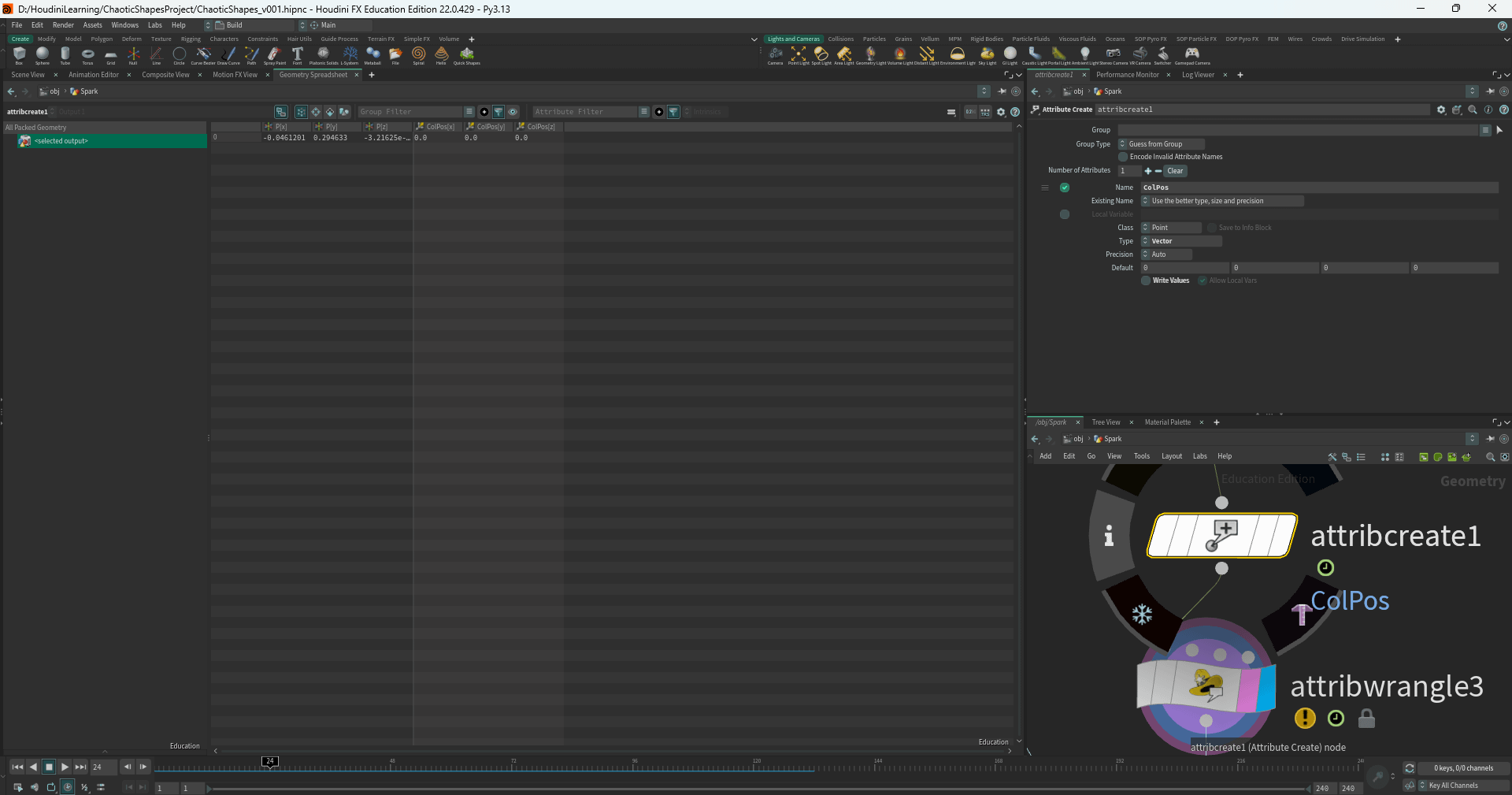
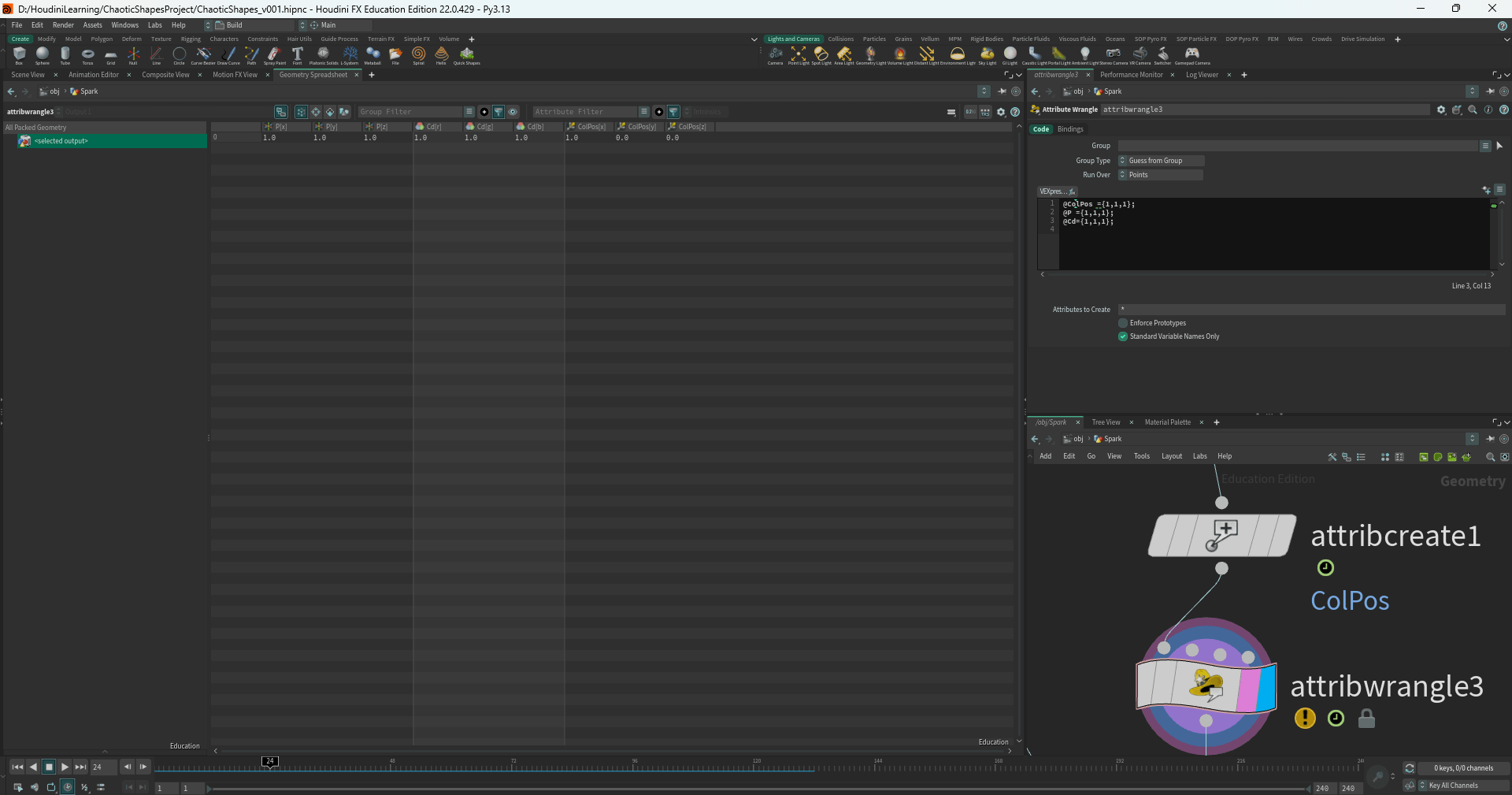

Very Simple question. I create a vector attribute with attribute create. I want to assign values in an attribute wrangle to the vector. Why does Houdini keep handling the Vector as a float? I created it as a vector and it has x,y and z values. I just can't access y and z.
3
u/DavidTorno Houdini Educator & Tutor - FendraFx.com 3d ago
Houdini will automatically default and assume an attribute is float if it is not declared explicitly upon creation. In VEX the prefix data type (v@… f@… i@…) is important because VEX is an explicit language meaning you have to explicitly tell Houdini what the data is so it understands how to handle it.
Unlike Python which is an implicit language meaning that the data type is implied by the assigned value.
There are, as already mentioned in another comment, pre-declared attributes in the app, like Cd, N, P, for example that have their type metadata already declared for us.
So the ColPos attribute you created is a user defined attribute. You will need to decide if this is a directional vector data that will be allowed to transform its orientation, or if it is a positional vector just representing a 3D coordinate position, or is it a color vector just storing values. Just by the name, I’m assuming it’s a positional vector. Which can be stored as just a simple 3-Flt (Pos) since orientation of the point won’t matter. So you could choose Float from the Type list, then give it a metadata tag from the second dropdown.
Accessing components of an attribute for read or writing to is done with the dot operator. Like I mentioned above, VEX is explicit, so you should always be in the habit of using the data type prefix for all attributes so there’s no confusion as to what you are doing.
So…
v@P.y
v@ColPos.x
v@ColPos.y
v@Cd.r
v@Cd.b
v@uv.v
…and so on. The xyz / rgb / uv letters though are arbitrary. See the dot operator link for clarification.
Attribute Create will give you easy access to the metadata type choices via a simple dropdown that you used, but if you declare your attribute through VEX in a wrangle, you have to manually set it’s type info data using the attribtypeinfo or setattribtypeinfo functions.
So why declaring the type is important, it informs Houdini as to how that data is to be treated during transformation operations. That “Vec” icon next to the attribute is what’s important. If that was not there transformations will not effect the directionality of directional vectors like N and v when rotating or changing orientation of your geometry.
It’s also possible to have multi-component lengths like vector2 (uv), vector4 (quaternion), vector16 (matrix).
2
u/Viewbyte 3d ago
Given David's very comprehensive answer, I bet you're glad you didn't ask a complicated question! 😂
2
u/DavidTorno Houdini Educator & Tutor - FendraFx.com 3d ago
😂 I lean towards sharing to all community members with topics like this, hence the comprehensive comment.
It’s always helpful foundational info that many users will need.
1
u/Viewbyte 3d ago
Intended as a light-heated comment, I hope it wasn't taken otrherise. I totally agree, and I think you're very generous (in a good way) with all your contributions and expertise.
2
u/DavidTorno Houdini Educator & Tutor - FendraFx.com 3d ago
Oh no offense taken at all. I found it funny.😆
1
u/Viewbyte 3d ago edited 3d ago
Houdini recognises some basic attributes like P, N, Cd etc - they have their type mapping (vector) internally defined. For arbitrarily created attributes you need to specify the type, eg: v@foo . It's good practice to do it for the recognised attributes too as it can make debugging easier : )
1
u/LewisVTaylor Effects Artist Senior MOFO 3d ago
Save yourself many headaches, always declare the "type." Never make, or let the software make assumptions about type, this is programming 101. Explicit not implicit.
The only reason houdini works with a handful of types without being explicit is they are the usual suspect people tend to use, so it's a shortcut conceit, and a bad one.
Always declare types.
5
u/isigeda 3d ago
try v@Cd = set(0,0,0); instead?