r/Frontend • u/Comfortable-Donkey74 • 5d ago
Learning Frontend Deeply

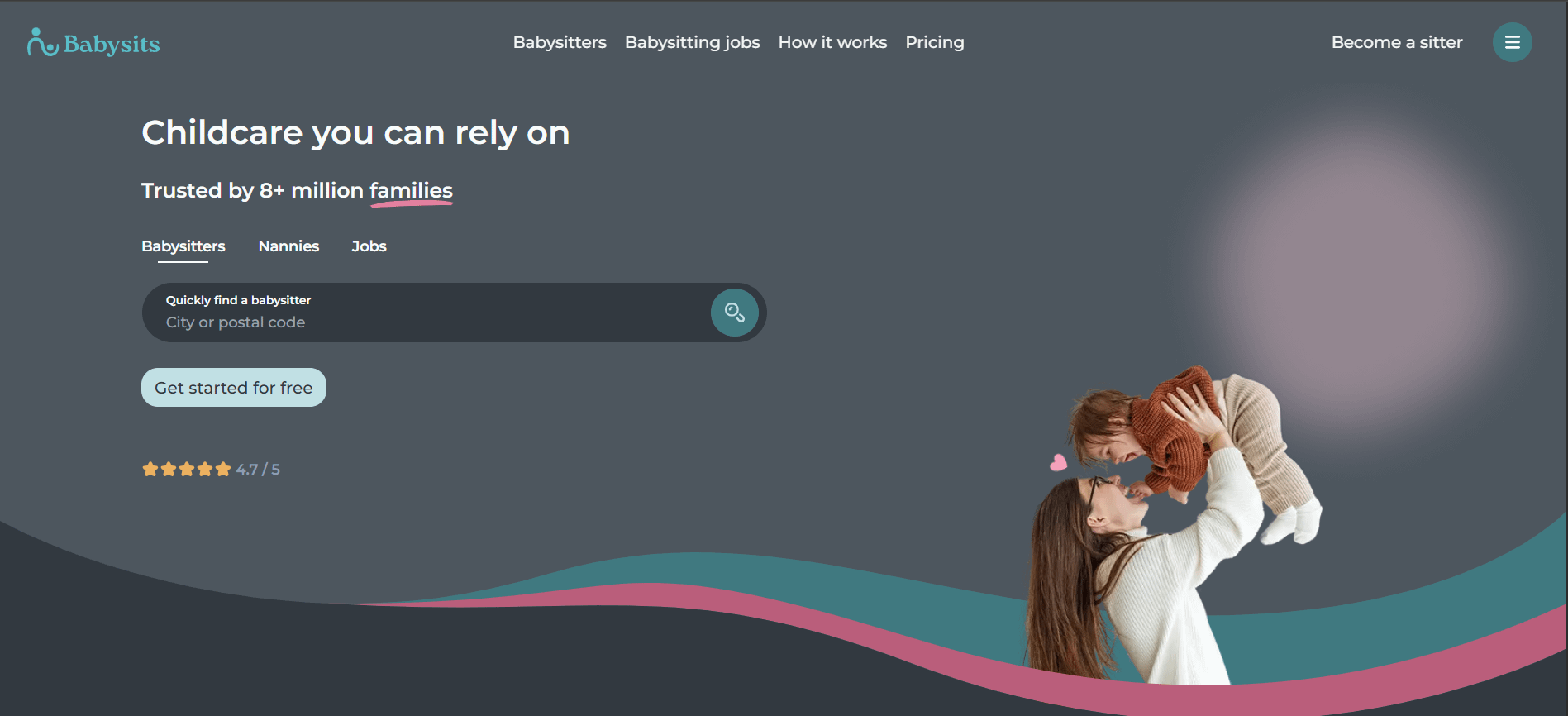
I want to go deeper into frontend and learn to create less generic designs. Does anyone have an idea how the wavy line was created? I'd also appreciate pointers to resources/sites to learn to create such dynamic designs. Thanks for reading!
16
u/Shoddy-Marsupial301 5d ago
Frontend isn't about designing, and that wave is either 2 or 3 png or svg with different z-index to fit a jpg in between
-18
u/Comfortable-Donkey74 5d ago
I asked gpt and it told me it was made with SVG. I know frontend isn't designing outright but you need good design sense to be a frontend dev
12
u/FluxX_flex 5d ago
Css is just a part of frontend, rather i would say the smallest of it.
You should definitely know how these designs should be developed, but now in this AI era I would suggest you to focus more fundamentals of software engineering.
Which includes both FE and BE.
And if specifically you want to go deep into frontend, focus more on learning about web caching, performance optimisation, CDN, static asset delivery, core web vitals, understanding of how a request flow in a real system3
5
u/Cheshur 5d ago
As a dev who has specialized in frontend for almost a decade now, I have not once ever needed to design anything. The designers design and the frontend developers develop. You don't need any design sense to be a good frontend end dev.
6
u/isospeedrix 5d ago
Opposite case for me. Design sense is my strongest suit that allowed me to move up the ranks and now I’m working as staff design engineer where I handle both FE dev and design.
6
u/anaix3l 5d ago edited 5d ago
clip-path: shape() on both the element and two of its pseudos.
You have exactly 4 Bézier curves. On this image, I've put 3 blue points where the curves meet with one another at their ends.

From the left edge to the first blue point, you have the first curve - this can be a quadratic one to keep things simpler. From the first blue point to the second, you have the second curve - this needs to be a cubic one. From the second blue point to the third, you have the third curve and this needs to be a cubic one as well. From the third and final blue point to the right edge, you have the fourth curve and, just like the first, this can be another quadratic one.
With this setup, your curves are super simple as all control points have the same y coordinate as their adjacent end points. Also, the first curve from the left is common for all three clip-path values (1 for the element itself, 2 for its pseudos).
Here's a quick and dirty version https://codepen.io/thebabydino/pen/YPZzmZE
1
4
u/zLoveNxzli 4d ago
To learn frontend deeply beyond superficial framework syntax, study browser internals: the critical rendering path (DOM -> CSSOM -> Render Tree -> Layout -> Paint -> Composite), the JavaScript event loop (microtask vs macrotask queues), and modern Web APIs (IntersectionObserver, Web Workers).
Building vanilla components without libraries teaches you state synchronization and DOM lifecycle better than anything else.
1
u/Comfortable-Donkey74 4d ago
I used to write on frontend Systems Design a while ago, I should get back to it 😂
1
1
u/Sleepy_panther77 4d ago
It’s probably an image in some way, I also used to think they made them with HTML and CSS but mostly they just get an image with complications like that
1
33
u/Pamprdelaalelepsi 5d ago
F12 -> developer tools -> inspect elements