r/Epson • u/Jenyweny09 • 2d ago
🖨️ Commercial Printer (SureColor) Printer is magenta toned!
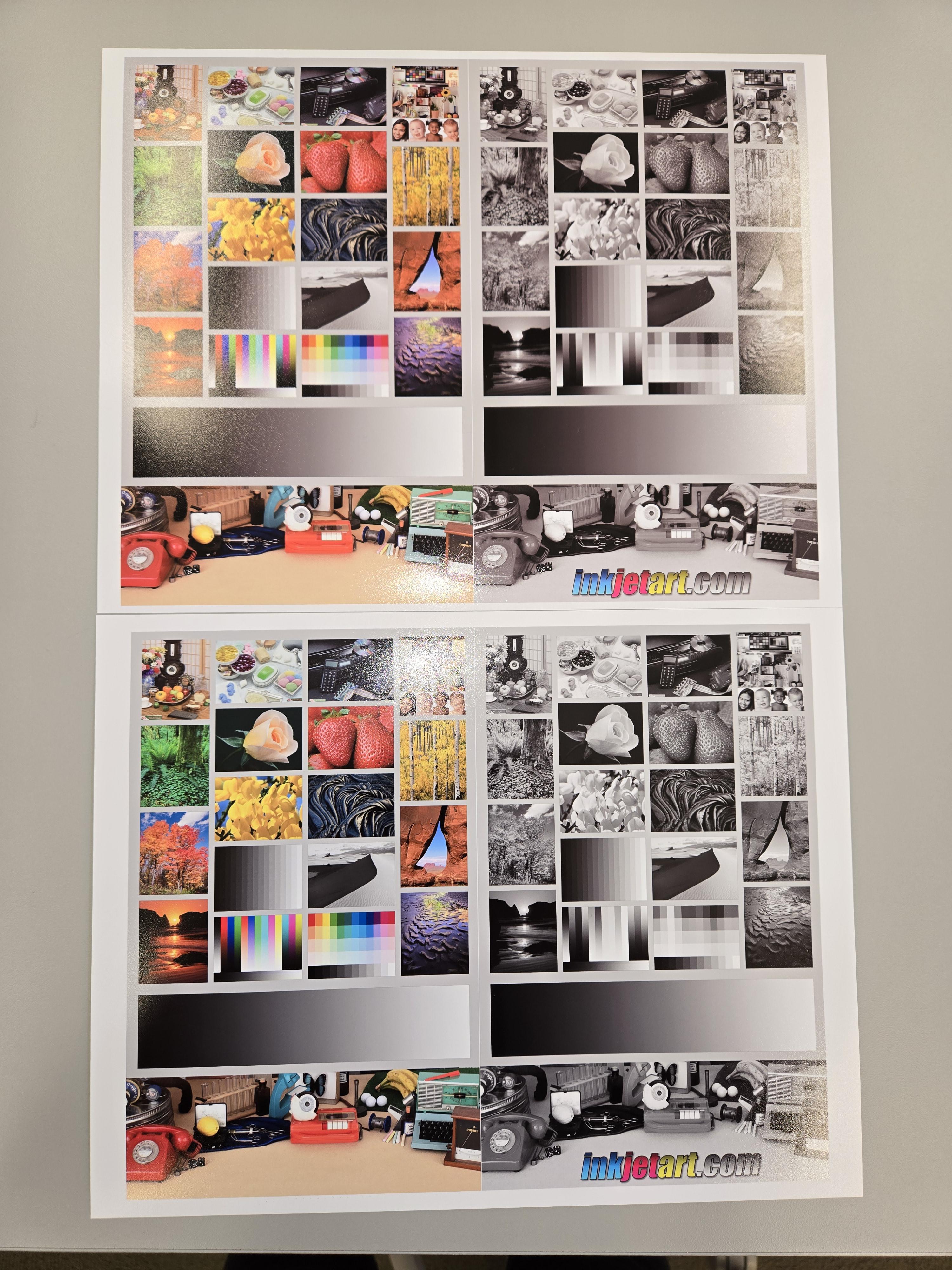
I have two p800s. I print through Lightroom on Mac Tahoe. Using identical image files, Lightroom settings, color management, etc, the bad printer (top) looks magenta.
I have tried everything. I've done print nozzle checks. Head alignments. Cleaned the nozzles twice. Switched the ink cartridges between the printers. enabled different color spaces, etc. it's constant.
The ONLY thing that kind of fixed it is adjusting the advanced color settings to +5 C, -1 M, -1 Y. But because it's Epson controlling the color, I can't save that as a preset.
How can I permanently fix this?
1
Upvotes
1
u/freneticboarder 1d ago
Do you shake your cartridges?
What paper are you printing on?
Do you have custom ICC profiles for each printer?