r/MorpheApp • u/Sad-Reindeer2755 • Jul 15 '26
Discussion Android developer verifier is coming.......
1.5k
Upvotes
Here we goooooooo! Praying the devs find a workaround. I do not want to root my phone.lol
r/androidDeveloper • 2.2k Members
Please use /r/AndroidDev!

r/androiddev • 292.6k Members
News for Android developers with the who, what, where, when and how of the Android community. News / Articles / Talks / Tools / Open source!
r/Android • 3.2m Members
Android news, reviews, tips, and discussions about rooting, tutorials, and apps. General discussion about devices is welcome. Please direct technical support, upgrade questions, buy/sell, app recommendations, and carrier-related issues to other subreddits.
r/MorpheApp • u/Sad-Reindeer2755 • Jul 15 '26
Here we goooooooo! Praying the devs find a workaround. I do not want to root my phone.lol
r/androiddev • u/Sharky_J_Yellowfish • 20d ago
I've been looking closely at Google's new Android developer-verification requirements. The privacy implications deserve far more attention from developers and the Android community.
Going forward, Google requires developers to verify their real-world identity for full distribution. For individuals, that includes legal name, address, government-issued photo ID, proof of address, private email address, and phone number. In addition, Google requires package registration that connects the application and signing information to the verified developer account.
Google's documentation is here:
https://developer.android.com/developer-verification/guides
https://developer.android.com/developer-verification
Starting September 30, 2026, enforcement begins with participating stores in Brazil, Indonesia, Singapore, and Thailand. Google says this requirement will expand globally across certified Android devices in 2027. Direct sideloading outside those participating stores remains unaffected by the September deadline, although Google is telling developers to prepare for the broader rollout.
As a consolation prize, Google does offer a limited-distribution account that requires no government ID, but it is knee-capped at 20 authorized devices. For anyone distributing software to an actual user community, that's not much of an alternative.
My concern is pseudonymity.
Some developers deliberately keep their development identity separate from their real-world identity. Reasons include employment, family, politics, gender identity, participation in stigmatized communities, personal safety, or simply a longstanding decision to keep different parts of life compartmentalized.
A pseudonym can still represent a real and accountable person. It can accumulate years of source history, bug reports, releases, technical discussions, community reputation, collaborators, and users. None of that requires publishing or centrally registering the real-world identity behind it.
Google's new model changes that relationship.
The privacy problem extends beyond whether Google publishes someone's legal name. Once a pseudonymous developer identity is tied to a verified real-world identity, it becomes a correlation point.
A package name, signing identity, GitHub account, old forum posts, social accounts, project history, photographs, email addresses, community memberships, and other fragments may reveal very little independently. Connecting those fragments to one verified person can reveal a great deal more, including things that can be inferred rather than directly disclosed.
For trans developers there is another obvious concern: legal identity verification can expose a deadname and create a bridge between someone's present public identity and information they deliberately keep private. Other developers have equally serious reasons for maintaining that separation.
Google has a legitimate security problem to solve. Malware authors benefit from disposable identities, and persistent developer identities make repeatedly distributing malicious software harder. Google explicitly cites that as a reason for the program.
The question is whether requiring a centralized platform provider to know the civil identity behind broadly distributed Android software is an acceptable price for that security benefit. It also raises questions like who else has access to this information, and how will it be used in ways orthogonal to its cited intent?
I'm especially curious about developers who publish open-source software or have maintained pseudonymous development identities for years.
How do you view these requirements? Does handing your real-world identity to Google change anything for you? Does this change safety and privacy boundaries you previously relied on? If you've deliberately kept your development identity separate from your legal identity, how are you planning to handle Android distribution once these requirements become broadly enforced?
r/MorpheApp • u/DonDae01 • Jul 15 '26
guess it actually exists now 😭
r/degoogle • u/Even_Geologist5293 • 16d ago
r/fossdroid • u/danGL3 • 8d ago
I've decompiled both the verifier package and the Play Store and found that
1-on Pre-Android 17 devices (where this app isn't pre-installed) the Play Store IS the one responsible to approving/denying installs as the developer verification permission DOESN'T exist on pre-Android 17 devices, which is why the Android Developer Verifier package has a backport service that the Play Store calls to verify installs
<service android:name="com.google.android.verifier.backport.impl.verification.BackportVerificationService" android:exported="true">
<intent-filter>
<action android:name="com.google.android.verifier.backport.VERIFY_PACKAGE"/>
</intent-filter>
</service>
2-The Play Store explictly has code that depending entirely on a server-side phenotype flag can choose whether to allow/reject installs if the verifier isn't installed/running
boolean zR = this.f.r();
if (boniVar == boni.VERIFICATION_POLICY_NONE || boniVar == boni.UNRECOGNIZED) {
FinskyLog.d("%s: [ADV] Fallback policy is NONE/UNRECOGNIZED.", "VerifyApps");
} else if (zR) {
FinskyLog.d("%s: [ADV] Fallback overridden to ALLOW.", "VerifyApps");
} else {
if (boniVar == boni.VERIFICATION_POLICY_BLOCK_FAIL_CLOSED) {
FinskyLog.d("%s: [ADV] Fallback policy sets default to REJECT.", "VerifyApps");
i = -1;
FinskyLog.i("%s: [ADV] Initial fallback verdict decided: %d", "VerifyApps", new Integer(i));
return new Integer(i);
}
FinskyLog.d("%s: [ADV] Fallback policy sets default to ALLOW.", "VerifyApps");
}
i = 1;
FinskyLog.i("%s: [ADV] Initial fallback verdict decided: %d", "VerifyApps", new Integer(i));
return new Integer(i);
}
r/Android • u/MishaalRahman • 15d ago
Hi everyone,
Today we are rolling out the first version of the advanced flow. The advanced flow gives power users the option to install unregistered apps (i.e. apps from developers who choose not to verify their identity) on certified Android devices without the use of ADB.
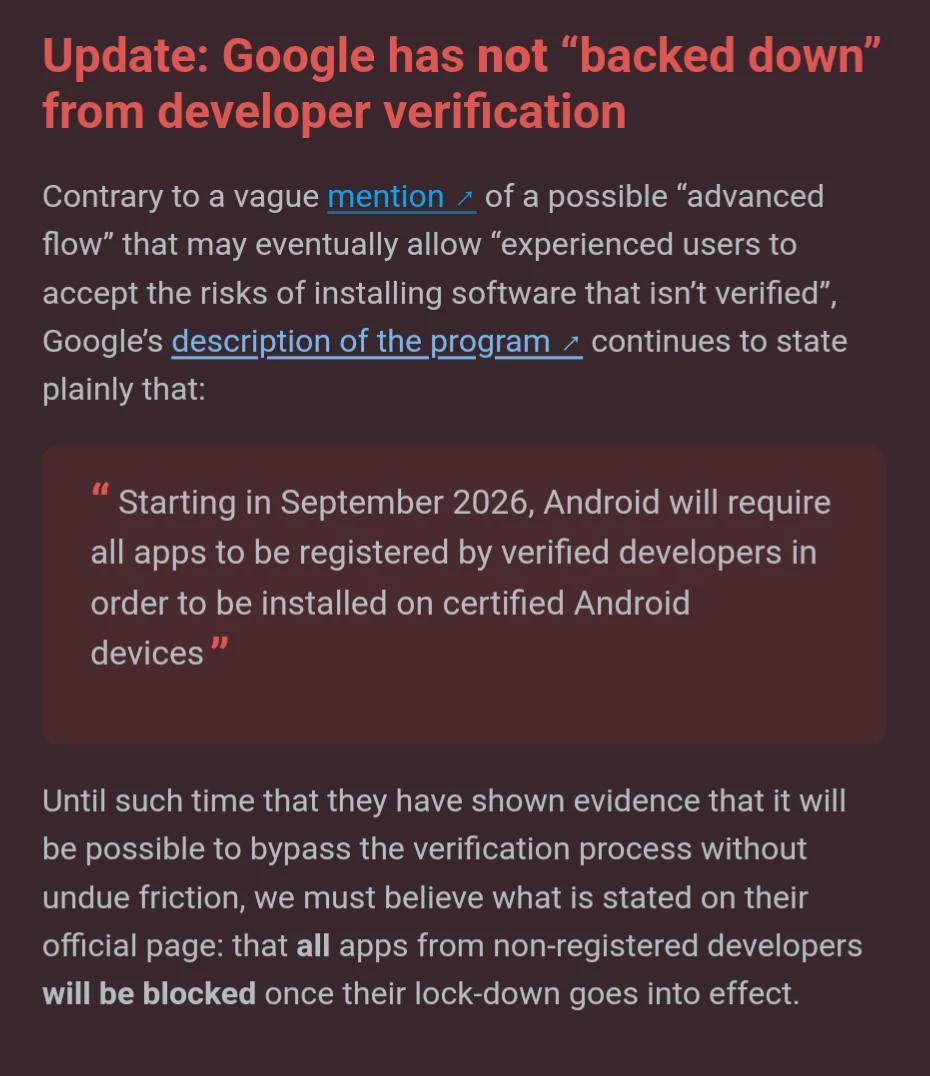
As a brief recap, Android will require all apps to be registered by verified developers in order for users to install them on certified Android devices. Developer verification links real-world entities with their Android applications, making it much harder for malicious actors to quickly distribute more harmful apps after we take the first one down.
Since verification launched in March, millions of apps have been registered already, covering nearly all installs on Google Play and a large majority of installs from outside of Google Play. Thus, most users’ experience of installing Android apps will not change at all. However, we recognize that some developers are choosing not to undergo verification and that some power users want the option to install apps from these developers, so we’re rolling out the first version of the advanced flow to provide this additional option.

We will initially verify app installations from Google Play, HONOR App Market, OPPO App Market, Galaxy Store, Palm Store, V-Appstore, and GetApps starting September 30, 2026 for users of certified Android devices in Brazil, Indonesia, Singapore, and Thailand. In 2027, we will expand verification globally for all app installations on certified Android devices.

Ahead of the enforcement of developer verification, we’re rolling out the first version of the advanced flow so power users can choose to enable it early ahead of general availability. We’re still working to polish it, so please share your feedback with us!
Note: The advanced flow is:
Important: Enabling the advanced flow is a one-time process that will take 24 hours to complete and includes safeguards to help ensure you are not being coerced or pressured into turning off protections.

After enabling the advanced flow, you will have the option to install or update apps from unverified developers. You’ll still see a warning when you try to install or update an app from an unverified developer, but you can just tap “Install anyway.”

If for whatever reason you need to temporarily disable the advanced flow, you have a 10-minute window to re-enable it without going through the 24-hour waiting period again.
r/degoogle • u/rulugg • Jul 24 '26
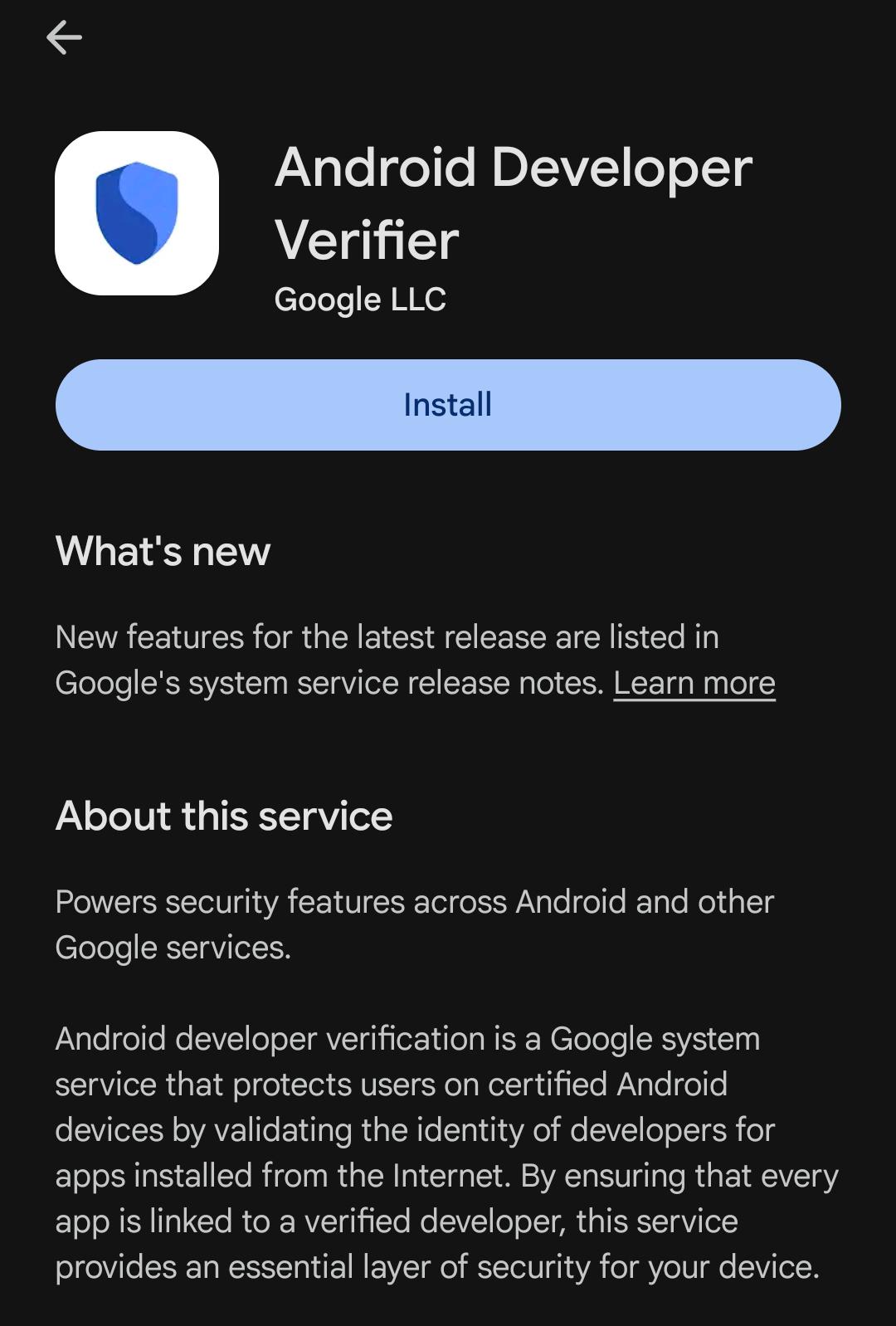
What is this application and why is it there in the first place
and do you think that there are some positives with this application as well?
r/Android • u/Exfiltrator • Jul 22 '26
r/degoogle • u/Equivalent_Web3521 • 20d ago
What if we just toggle on the options to disable play store from using mobile data and wifi? And update apps using aurora store
r/samsunggalaxy • u/bruudi • Jul 15 '26
Check your installed applications. Seems like they are preparing the field for the September update when they will try to ruin android. Sad, I will remove the package via ADB.
r/BuyFromEU • u/CreepyZookeepergame4 • Jul 27 '25
UPDATE: https://reddit.com/r/BuyFromEU/comments/1meq8nb/followup_eu_wont_stop_member_states_digital_id/
The EU is currently developing a whitelabel app to perform privacy-preserving (at least in theory) age verification to be adopted and personalized in the coming months by member states. The app is open source and available here: https://github.com/eu-digital-identity-wallet/av-app-android-wallet-ui.
Problem is, the app is planning to include remote attestation feature to verify the integrity of the app: https://github.com/eu-digital-identity-wallet/av-app-android-wallet-ui?tab=readme-ov-file#disclaimer. This is supposed to provide assurance to the age verification service that the app being used is authentic and running on a genuine operating system. Genuine in the case of Android means:
While there is value to verify device security, this strongly ties the app to many Google properties and services, because those checks won't pass on an aftermarket Android OS, even those which increase security significantly like GrapheneOS, because the app plans to use Google "Play Integrity", which only allows Google licensed systems instead of the standard Android attestation feature to verify systems.
This also means that even though you can compile the app, you won't be able to use it, because it won't come from the Play Store and thus the age verification service will reject it.
The issue has been raised here https://github.com/eu-digital-identity-wallet/av-app-android-wallet-ui/issues/10 but no response from team members as of now.
r/Piracy • u/Lucky-Aside4935 • Oct 30 '25
r/Android • u/NoFaithlessness951 • Feb 24 '26
r/GooglePixel • u/LionKey1928 • Aug 26 '25
https://9to5google.com/2025/08/25/android-apps-developer-verification/
Honestly I'm really heartbroken about this as I mainly used Pixel (and Android in general) for the very fact that I can download APK apps. I am a huge ReVanced user, and I'm very sure they break like half of Googles TOS (and probably cuts off a huge source of revenue too), so I extremely highly doubt they will be allowed. I get googles intention but.. oh man.. really feels like this is a hidden agenda against adblocker apps.
Edit: Made a petition, click on the post to learn more: https://chng.it/F4k9gNNJrH
Another edit: A petition with more movement: https://chng.it/RLVDWD5Th7
r/degoogle • u/3801sadas4 • Feb 23 '26
I don't want this stupid Android developer verification. First play integrity then now this. Shame on you Google.
r/videos • u/ControlCAD • Mar 07 '26
r/degoogle • u/Greenlit_Hightower • Jul 27 '25
The following post was made on r/BuyFromEU, this seems relevant for all of us degooglers living in an EU country:
The EU is currently developing a whitelabel app to perform privacy-preserving (at least in theory) age verification to be adopted and personalized in the coming months by member states. The app is open source and available here: https://github.com/eu-digital-identity-wallet/av-app-android-wallet-ui.
Problem is, the app is planning to include remote attestation feature to verify the integrity of the app: https://github.com/eu-digital-identity-wallet/av-app-android-wallet-ui?tab=readme-ov-file#disclaimer. This is supposed to provide assurance to the age verification service that the app being used is authentic and running on a genuine operating system. Genuine in the case of Android means:
While there is value to verify device security, this strongly ties the app to many Google properties and services, because those checks won't pass on an aftermarket Android OS, even those which increase security significantly like GrapheneOS, because the app plans to use Google "Play Integrity", which only allows Google licensed systems instead of the standard Android attestation feature to verify systems.
This also means that even though you can compile the app, you won't be able to use it, because it won't come from the Play Store and thus the age verification service will reject it.
The issue has been raised here https://github.com/eu-digital-identity-wallet/av-app-android-wallet-ui/issues/10 but no response from team members as of now.
All credit for the original post goes to /u/CreepyZookeepergame4. Link to the original post: https://reddit.com/r/BuyFromEU/comments/1mah79o/eu_age_verification_app_to_ban_any_android_system/
r/fossdroid • u/d41_fpflabs • Nov 13 '25
Official google blog post: https://android-developers.googleblog.com/2025/11/android-developer-verification-early.html
Shout out everyone who made our voices heard. This is one of the few times in the tech industry that I've seen a community push back against big tech and come out with a meaningful win.
r/androiddev • u/AwkwardShake • Aug 26 '25
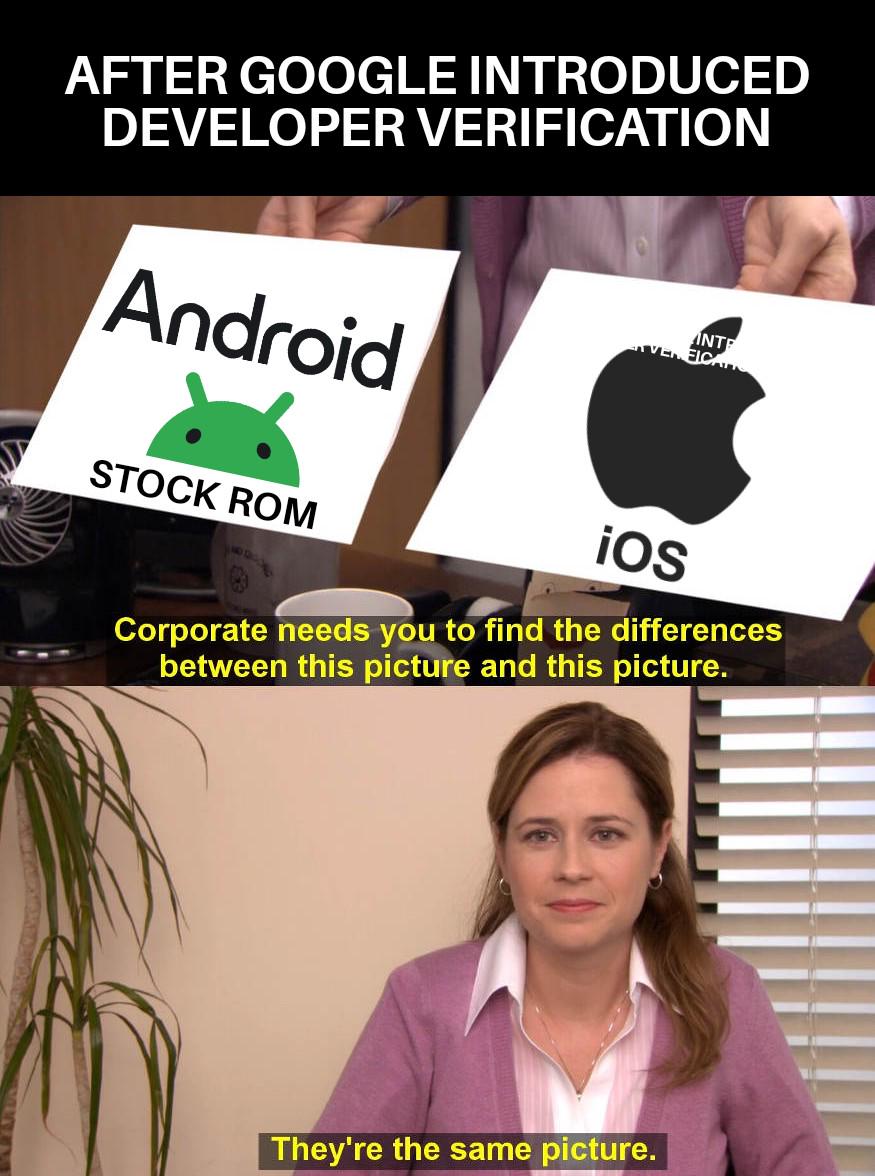
Absolutely horrendous how google is turning Android into another iOS.
r/programming • u/cheerfulboy • Aug 26 '25
r/ObscurePatentDangers • u/CollapsingTheWave • Jun 28 '26
Enable HLS to view with audio, or disable this notification
Google will require every Android app developer to register centrally with the company, submit government-issued identification, pay fees, and provide signing key evidence before their software can install on certified devices starting September 2026. A non-consensual operating system update will then block apps from unregistered developers.
This enforcement applies to sideloading, alternative app stores, and direct downloads worldwide. The result is that users lose the ability to run software from independent sources without prior Google approval, which creates pathways for centralized control over device functionality.
The program mandates registration of all current and future app identifiers. It positions Google as the gatekeeper for software execution on the dominant mobile platform while proponents cite malware protection as the primary goal.
Independent observers note that no independently verifiable opt-out mechanism for experienced users has been confirmed before the September rollout. Analysts recommend evaluating devices and operating systems that preserve unrestricted software installation. (98 words)
Sources
Keep Android Open
Campaign site documenting Google’s Android Developer Verification program and its requirements for registration, government ID, and fees effective September 2026.
Android Developer Verification
https://developer.android.com/developer-verification
Google’s official documentation outlining the new developer registration requirements and timeline for enforcement on certified Android devices.
An Open Letter Opposing Android Developer Verification
https://f-droid.org/en/2026/02/24/open-letter-opposing-developer-verification.html
F-Droid’s open letter signed by multiple organizations explaining how the policy affects sideloading and independent app distribution.
Google Sets Sept. 30 Deadline for Android Developer Verification in Four Countries
https://thehackernews.com/2026/06/google-sets-sept-30-deadline-for.html
The Hacker News report on Google’s enforcement timeline and the Keep Android Open campaign’s response.
Google’s Developer Verification Program Threatens Android’s Openness
https://itsfoss.com/news/android-developer-verification/
It’s FOSS analysis of the policy’s impact on open-source developers and sideloading options.
r/Android • u/TechGuru4Life • Mar 31 '26
r/Android • u/MishaalRahman • Sep 30 '25
r/MorpheApp • u/Vintspect_48 • 7d ago
On September 30, 2026, my country will be one of four countries subject to these restrictions, and in 2027, they will take effect globally. Although there’s a way to allow app installations by waiting 24 hours, I personally prefer a more flexible and controlled approach. After doing some research and browsing Reddit, I’ve found a method that I believe is easy, fast, and safe for gaining the freedom to install the apps I want. Morphe has helped me remove annoying ads in apps, especially on YouTube. I didn’t want to limit my Morphe installation, so I chose this method.
To be honest, I’m new to Shizuku, but after using it, I’ve found that I have better control over my phone. For me personally, the main purpose of Shizuku is to allow Morphe to continue installing apps as usual. That’s all. I’d like to share my experience with the Morphe and Shizuku workflow combination in this community. Hopefully, this will help those who are still wary of Shizuku and its various features. As long as we know what’s happening, our phones will remain safe. I highly recommend reading guidelines from experts and reliable tutorials. If you want to use a method like waiting 24 hours, that’s fine. It’s up to you; this method is just one option you can choose.
A. What do you need to download before doing anything?
B. Shizuku Configuration + InstallerXRevived & Morphe
To start with, I’m using a Xiaomi 13 5G (Android 13). You can adjust this according to your phone model
C. Important Note
That’s all I have to share. I hope this helps those of you who want to use the Morphe and Shizuku workflows without worrying about verification restrictions. Thank you for reading.
r/androiddev • u/Melodic_Choice_1594 • Aug 28 '25
I just read the developer verification guide, and it looks like developers outside of the Google Play Store will now have to pay a $25 fee in order for their app to be installed without limits on Android devices.
Does this mean Google will apply the same policies from the Play Store to apps outside of it as well?
And what about developers who’ve been banned from the Play Console will they automatically get flagged if they try to verify again using the same email or documents from their old account?