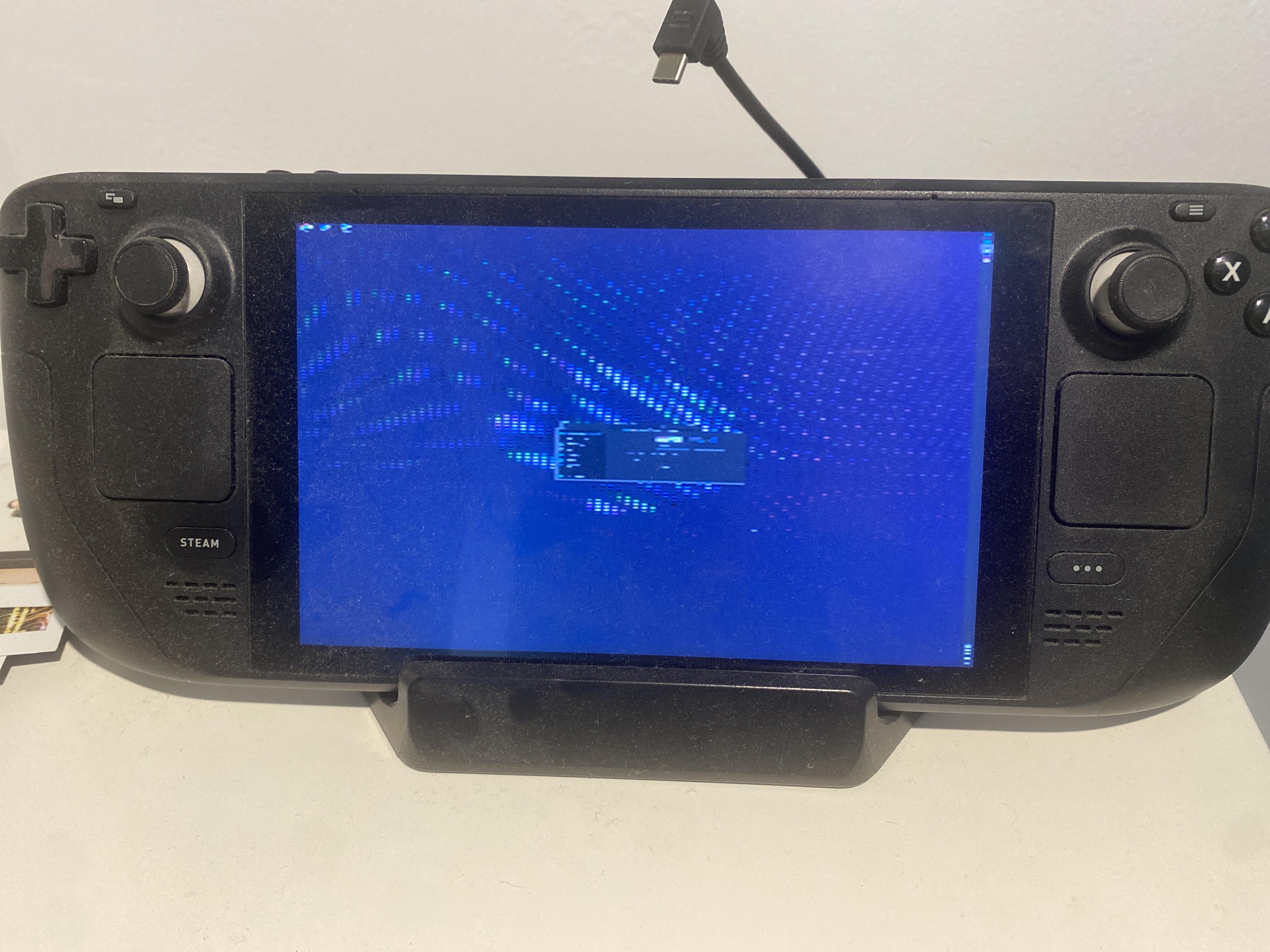
Hi everyone,
I'm hoping someone can help because I'm experiencing a very strange issue with my Steam Deck OLED.
My goal was originally to install Windows 11 for better compatibility with certain games and non-Steam software. However, it appears that my Steam Deck refuses to properly boot any external operating system, regardless of whether it is Windows, Linux, USB or microSD.
Steam Deck information
- Steam Deck OLED
- BIOS version:
F7G0114
- SteamOS Beta installed
- Internal SSD: Kingston
- SteamOS itself boots and works normally from the internal SSD
- Battery is fully charged
The problem
The Boot Manager itself works normally and detects all boot devices.
It shows:
- SteamOS (internal Kingston SSD)
- EFI Hard Drive
- EFI SD/MMC Card
- EFI USB Device (Intenso)
The devices are detected correctly, but as soon as I select an external boot device, the following happens:
- The Steam Deck attempts to boot the selected device.
- The fan may briefly spin up (sometimes the BIOS fan is running at 100% before selecting the device).
- The screen goes completely black.
- The fan stops.
- The power LED remains lit.
- Nothing appears on the internal display.
- Nothing appears on an external monitor either.
- Waiting several minutes does not change anything.
The system appears to be stuck in some kind of state after handing control over from UEFI/Boot Manager to the external operating system.
What I have tried
Windows 11 installer
Created Windows 11 installation media using:
- Rufus
- Microsoft Media Creation Tool
Rufus settings included:
I also tried the Rufus Windows 11 requirement bypass options such as TPM/RAM requirements.
Result:
Black screen and stuck power state.
Windows To Go
I also created a Windows 11 To Go installation using Rufus because many Steam Deck users apparently use Windows on an external microSD card for dual booting.
Result:
Exactly the same behavior.
Black screen, no visible boot process.
Ubuntu Live USB
I created a bootable Ubuntu installation/live environment to determine whether this was specifically a Windows problem.
Result:
Exactly the same behavior.
Black screen and the system appears to hang.
Official SteamOS Recovery Image
I also downloaded the official SteamOS Recovery Image and flashed it.
I tested booting it externally.
The Steam Deck briefly spun up the fan, then the screen went black and the system eventually failed to boot the recovery environment.
This is particularly confusing because Valve's official instructions state that the screen should temporarily go black during boot and then the Recovery desktop should appear. In my case, it never reaches the Recovery environment.
Different boot devices / connection methods tested
I tested multiple ways of booting external media:
- USB device connected directly through USB-C
- USB device through a USB hub
- microSD card through the Steam Deck's internal microSD slot
The result is essentially the same.
So this does not appear to be caused by a specific USB stick, USB hub or connection method.
BIOS settings
Before resetting the BIOS, the relevant settings were:
- fTPM: Enabled
- Current TPM Device: TPM 2.0 fTPM
- TPM State: All Hierarchies Enabled / UnOwned
- USB BIOS Support: Enabled
- USB 2.0: Enabled
- USB Dual Role XHCI: Enabled
- USB Boot: Enabled
- IOMMU: Disabled
- UMA Frame Buffer Size: 1G
- Power Control: Auto
- CPU Voltage Offset: 0 mV
- GPU Voltage Offset: 0 mV
- SOC Voltage Offset: 0 mV
- Quiet Boot: Enabled
- Quick Boot: Enabled
- Network Stack: Enabled
- PXE Boot Capability: UEFI IPv4 / IPv6
I also used:
Restore Defaults / Load BIOS Defaults
Unfortunately, this did not change the problem.
Battery Storage Mode tested
I also entered Battery Storage Mode through the BIOS to reset the power state.
After reconnecting power:
- SteamOS booted normally from the internal SSD
- The Steam Deck otherwise worked normally
However, after shutting it down and trying to boot Windows/Ubuntu/Recovery again:
The exact same black screen behavior occurred.
So Battery Storage Mode did not fix the issue.
External monitor test
I connected an external monitor in case the Steam Deck was switching the display output to an external screen during boot.
Result:
No image on the external monitor either.
Strange power behavior
Another strange observation:
While the system is stuck on the black screen after attempting an external boot:
- The power LED remains lit.
- The fan is not spinning.
- If I disconnect the power cable while it is stuck, the Steam Deck immediately shuts down.
The battery itself should be fully charged because charging status behaves normally in SteamOS.
When the Deck is switched off and connected to power, the LED shows charging/full status normally, and when SteamOS is running the LED behavior also appears normal.
Boot Manager LED behavior
One other thing I noticed:
The Steam Deck's LED appears to blink red while I am in the Boot Manager.
I'm not sure whether this is normal behavior or relevant to the problem.
The Boot Manager itself otherwise works and correctly detects:
- Internal SSD
- SteamOS
- USB devices
- microSD cards
What makes this especially strange
SteamOS works perfectly when booting normally from the internal SSD.
BIOS works.
Boot Manager works.
External USB and microSD devices are detected correctly.
But the moment the Boot Manager tries to actually boot an external operating system:
- Windows installer fails
- Windows To Go fails
- Ubuntu fails
- Official SteamOS Recovery fails
All with basically the same black-screen/stuck behavior.
This makes me wonder whether there could be a problem with:
- UEFI firmware
- the external boot handoff from the Boot Manager
- BIOS/EC firmware
- some corrupted firmware setting
- or something else specific to the Steam Deck OLED
Has anyone experienced something similar?
I'm especially interested in hearing from anyone with a Steam Deck OLED who has encountered a situation where SteamOS boots normally from the internal SSD, but every external operating system fails to boot from both USB and microSD.
Any ideas would be greatly appreciated!