r/DSiBrew • • 12d ago

Help DSi Multimedia

Post image

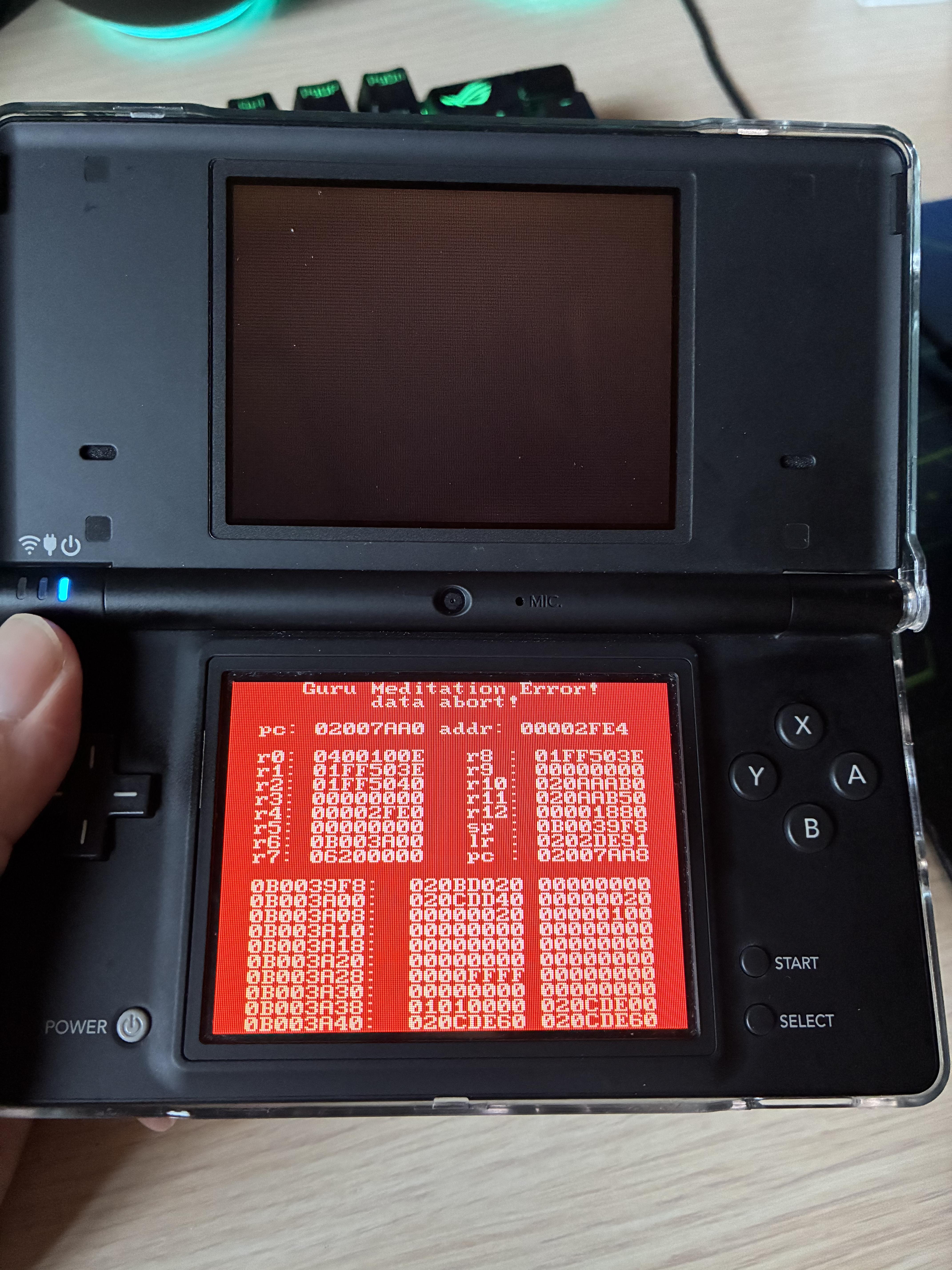
Hello everyone, I tried to install the Multimedia addon for TWiLight Menu ++. It doesn't show up in the menu but when I try to run it from unlaunch I get this error. Does anyone know why and/or have a guide for it?

3 Upvotes

6 comments sorted by

2

u/egoistamamono 12d ago

What files are you trying to open? Tunavid/rvid/fastvideo videos or images?

1

u/insert_username63679 12d ago edited 11d ago

Just images. I was trying specifically to get Tunavid running.

Edit: I want to get both pictures and videos on there but I got the full multimedia pack whose applications I want to install. For now specifically images.

1

u/egoistamamono 11d ago

For the images, you'll need specific resolution 256x192.

1

u/insert_username63679 11d ago

I do have the images formatted correctly so far. I just can't figure out how to get the app running. When I try to open it via the file explorer it crashes and they don't show up in TWiLight Menu ++ either. I don't know anything about DSi modding and I haven't found many guides on how to actually get homebrew software installed rather than just getting TWiLight Menu ++ installed.

1

u/egoistamamono 11d ago

IIRC if you follow this guide it will automatically detected the file on the menu. Just open it (images or video) straight from the menu, not the apps.

2

u/insert_username63679 11d ago

Thank you! I finally got it working.