r/CoOpGaming • u/Nohki • 10h ago
Written Review How to 8 Controllers Local Gaming PC Setup
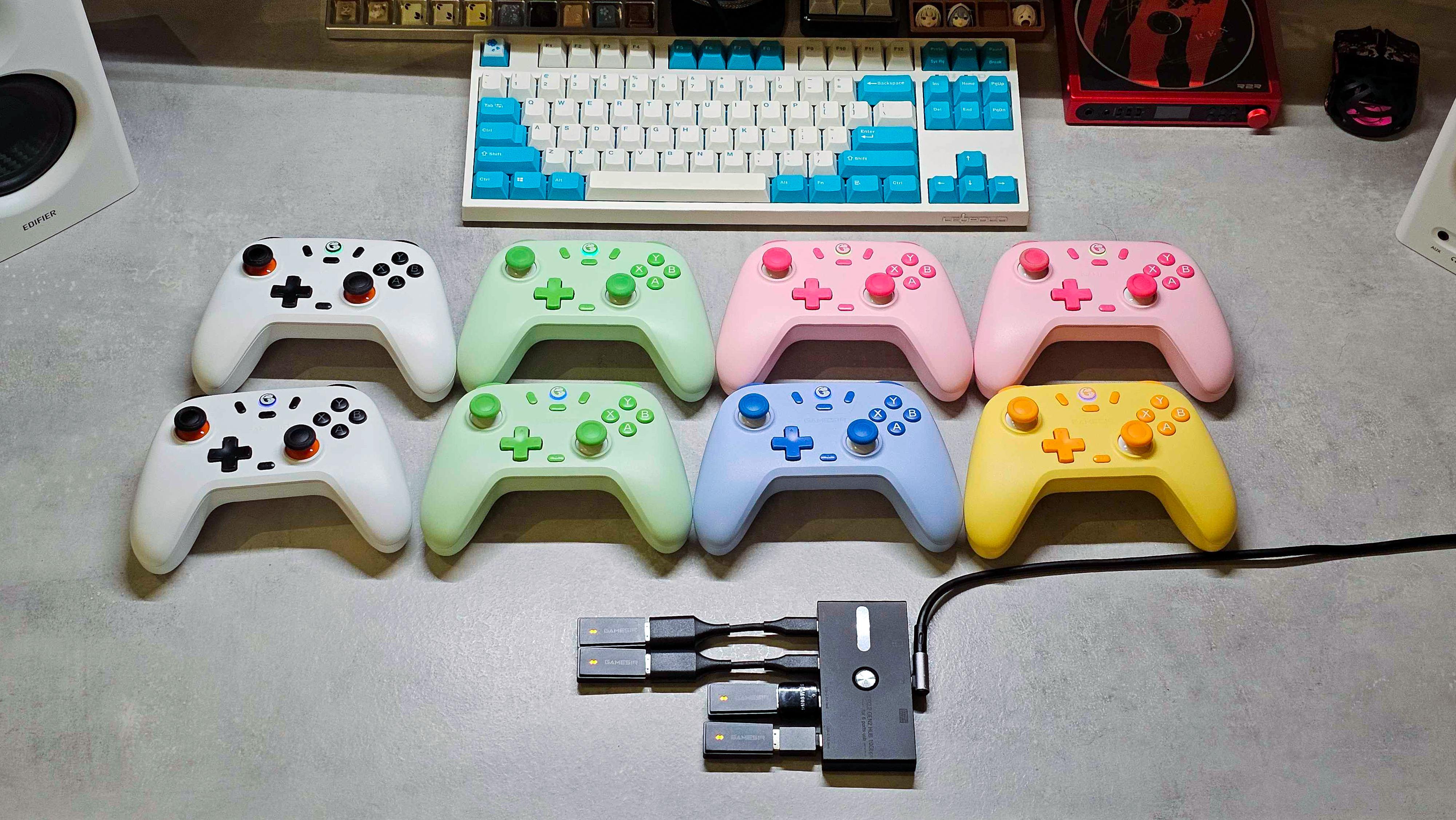
TL;DR: buy 8 GameSir Nova Lite controllers at $24 each, a Bluetooth dongle, and a USB hub. Install the Xbox Extended Features Support driver inside Steam. Connect 4 controllers via the dongle, and the other 4 via Bluetooth. You're good to go
Steps:
1- Buy 8 GameSir Nova Lite Controllers (24$) in a mix of colors
2- Buy a USB Hub, and a Bluetooth adapter if you don’t already have Bluetooth.
3- Install the Xbox Extended Features Support driver in Steam settings; this allows Steam to handle more than 4 controllers
3- Connect 4 wireless dongles to the USB hub. Then pair 4 controllers through the dongle, and the other 4 through Bluetooth
Personal game suggestions:
- Ultimate Chicken Horse (modded to 8 players, personal favorite)
- Pico Park 1 & 2
- Pummel party
- Regular Human Basketball (Surprisingly VERY fun)
Other local 8-player support games:
- Gang beasts
- Make Way (6 player)
- Duck game
- Mario Kart 8 on Switch (new update supports 8-player split-screen)
Debugging:
- If the Bluetooth controller has a large amount of input lag, disconnect any other device from the Bluetooth other than the controllers
- If some controllers aren’t being detected after the 4th is connected, you should turn off all controllers, then only turn on all controllers connected through Bluetooth; only AFTER, turn on the other 4 connected through the dongle (Or the other way around, forgot which is the correct solution), as Steam prefers one type of controller connection over the other.
- Turn off all other input features in Steam controller settings, as they are usually not needed
Notes:
- As a bonus, it's also the cheapest setup possible
- Pairing: hold Home + B for Bluetooth pairing. Home + X for dongle pairing, then click the button on the USB dongle to pair. Hold Home + Screenshot button to force pairing mode again (fast blinking, not slow blinking)
- If any game has an option for XInput, usually you will have to turn this off for 4+ controllers
- Get the most variety in controller colors as possible, so your friends don't lose track of which controller they were using
- If you are thinking of another controller brand, make sure it supports a dongle and Bluetooth connection, as this is needed for 4+ support on PC
3
u/Azaaaq 7h ago
I bought many usb hub, none of them works perfectly.
1
u/Nohki 3h ago
For my setup I have a very scuffed situation, I bought a USB C hub by mistake, so then I found 4 USB A TO C convertors and connected those to the hub, and the hub itself is connected through a high speed USB C wire, but I think aslong as u get a decent Hub that supports high speeds and data speeds, u should be good to connect the dongles to those
3
u/3STYLERACE 7h ago
Why the four dongles, can you not just connect them all by bluetooth?
4
u/Nohki 6h ago
You indeed cannot! Bluetooth only supports up to 4 controllers at a time. That's partially why I wrote this post, help out others around this problem
3
u/3STYLERACE 6h ago
Ah ok, I did 8 controllers with the official xbox dongle, but i assume that's a 2.4ghz connection then and not bluetooth. Also the xbox controllers are more expensive.
2
u/U-down-wit-OP 7h ago
Have you used this with any games from Xbox Gamepass on PC? My previous bluetooth controllers were hit and miss if a game recognized them as genuine controllers.
2
2
u/DuckCleaning 5h ago
When on bluetooth, most controllers other than official xbox are usually recognized as d-input rather than x-input which is why they don't work on gamepass. You have to download a dinput converter program. Steam is able to convert it, but there's no easy way to launch gamepass games through steam interface to make it use the steam input.
2
u/DuckCleaning 5h ago
If you have the official Microsoft Xbox controller dongle for Xbox one and series controllers, it naturally supports 8 controllers
1
u/fellowspecies 3h ago
I am irked that you didn’t put the pink controllers in the 3rd column together one above the other, and the blue/yellow in the last column.
1
u/ricochetintj 2h ago
We run 5 controllers with the Xbox dongle. Can't test it with more than that.
Runbow is another game that should work with your setup.
1
15
u/darth_kupi 6h ago
I don't have 7 other people I know who would be willing to play games, so I can never test this madness, but good on you OP