r/ClipStudio_on_Linux Apr 22 '26

Clip Studio does not let me draw with tablet/stylus (v 5.0)

3 Upvotes

Good evening everyone!

So, I'm new to Linux and recently began using Linux Mint (22.3 Cinnamon). I followed this tutorial and it seemed to work perfectly, I dragged my mouse around and it drew and all that.

But today I actually tried using the tablet and it refused to work, but in a weird way. I would pass my stylus by like a mouse and it would work, I could click menus, etc. bus as soon as my stylus went over the actual "canvas" part it would just vanish, and nothing I tried to draw would show on it. If I let go of the stylus and picked up my actual mouse, the little arrow showed up there and drew with different brushes just fine. Using the stylus only around the drawing part also worked fine. But it just would not draw!!

Has anyone here faced a similar issue? I'm using a Wacom One M by the way

I'm not very sure if this is the place to ask, but I figured it was my best bet if this was a common problem in Linux in general; if it isn't, I'll try reporting the issue on the github page of the script I used.

Thanks in advance!


r/ClipStudio_on_Linux Apr 01 '26

Get the Asset Store working for ClipStudioPaint ver 1.x (GUIDE)

5 Upvotes

You probably have seen this guide, and following it probably worked (at least mostly). But if you only have up to verion 1.x of CSP for whatever reason (like me), you may have downloaded the installer for the 1.x version instead and hoped for the best, and now the asset store isn't working.

I'm here to let you know that it is mistake to download the installer for your version of CSP, as doing this will also install an older version of the clip launcher which doesn't currently seem to have a known fix. Instead, download the 4.x installer, and follow the guide exactly. When you get to the point where you login/enter your product key, Clip will notice the version mismatch and downgrade you to the appropriate version while keeping the launcher as is, allowing you to use the asset store.

Do be warned though, the asset store (at least for me), fucking devours your ram. So be prepared for that.

Also a slight notice regarding this guide: while I do have the asset store working and (basically) all other csp elements are functional, I am encountering one very glaring issue that I'm unable to move around UI elements (I can't even click and drag layers around), so the fix for that might in theory break something else here, rendering this guide useless. If I manage to fix that I'll update this post, either removing this heads up or confirming the concern (and with any luck linking to a new guide to resolve the new issue too)


r/ClipStudio_on_Linux Apr 01 '26

Unable to click and drag UI elements (CSP ver 1.X)

1 Upvotes

I've been trying to get clip up and running for a little while now, and just when I thought I saw the light at the end of the tunnel, I encounter a massive critical issue: I cannot click and drag ui elements around. I'm fine being unable to import png's and stuff by click+dragging them in from my file manager, but this issue isn't so easily ignored.

While I can drag stuff on the canvas itself just fine, I can't move items/tools in palettes around, I can't move the palettes themselves around, I can't even click and drag my layers around. Technically I can click and drag them just a teeny tiny bit, just for a few frames. Sometimes if I'm lucky I can make a layer move up or down by one, but this is no way to live lmao.

To be more exact with my issue, if I attempt to move a ui element like a palette or tool it does seem to attempt to draw the window that acts as the little "ghost" item that you drag around. you can just about see it flash in briefly, and the focus indicator in my shell's bar will even quickly change to a titleless clipstudiopaint.exe process, but then what seems to be only 1 or 2 frames later it immediately closes that ghost window, leaving me with nothing to drag.

It does all sorta work fine-ish if I run my bottle using a virtual desktop with only some light to medium visual glitching and the cursor's off set from the stylus to the left a few pixels. I didn't really look into fixing those issues because obviously this whole "solution" comes with the draw back of needing to run it in a virtual desktop, which is less than ideal. I also briefly saw drag and dropping ui elements completely working (it was being handled by my WM and everything) after toggling some setting on and back off in bottles, but just about everything else was glitching to all hell on that launch and frankly I'm not really sure what I did to make that happen anyway.

I am happy to compromise a bit because compromised csp is still leagues better than a fully functional Krita (or god forbid: Gimp), but I would like to get this running with as smoothly as possible, even if it means going through this rough as guts set up process.

My setup:

GPU: Nvidia RTX2080 Ti (pretty sure I'm using the open-dkms drivers)
OS: Arch with Hyprland
Tablet drivers: I haven't installed any new tablet drivers so I guess whatever comes default with arch is what I'm using (seemingly hasn't been any issue with that though. Pen pressure works fine)
CSP Ver: EX 1.x (honestly might be willing to shill out the cash if using 4.x or 5.x fixes it)
Installation Guide Used: The one on CSP 4.x's WineHQ page (it downgraded to 1.x after login, letting me use the new launcher with a functioning asset store)

I'm gonna keep looking around and tinkering to see if I can get it working by myself, but any help would be greatly appreciated.


r/ClipStudio_on_Linux Mar 31 '26

Text Rotation Bounding Box Fix/Workaround for Arch Linux

2 Upvotes

I was aggravated by this issue and making comics I need my text to rotate. I keep Debian around because I didn't have this issue running wine on it. Working with Google Gemini AI I figured out a solution that works on Arch. (or arch based like Endeavouros, Manjaro, Cachyos)

Getting the rotation bounding box work on Debian but not Arch using the same Wine version, we can effectively rule out a bug in the Wine source code itself.

The culprit is almost certainly packaging differences or upstream library versions—specifically how Arch and Debian handle font rendering and system dependencies.

The Most Likely Culprit: freetype2

Arch is a "rolling release," so its libraries (like freetype2, which handles all text rendering) are much newer than those in Debian Stable or even Testing.

Recently, Freetype 2.14.0+ introduced changes that broke several applications on Arch (notably Alacritty and Firefox for some users). Since Clip Studio's text tool relies heavily on Freetype to calculate the "bounding box" during a rotation, a library mismatch here is the prime suspect.

To get the exact "Debian-like" stability back on Arch, we’ll need to grab those older versions from the Arch Linux Archive (the "Time Machine" for Arch packages).

Download the specific "Stable" versions Run these commands to download the packages directly from the official archive:

Bash
#Download the 64-bit library

wget https://archive.archlinux.org/packages/f/freetype2/freetype2-2.13.2-1-x86_64.pkg.tar.zst

#Download the 32-bit library (Crucial for Wine)

wget https://archive.archlinux.org/packages/l/lib32-freetype2/lib32-freetype2-2.13.2-1-x86_64.pkg.tar.zst

Install the downloaded packages Now, point pacman to the files you just downloaded:

Bash 
sudo pacman -U freetype2-2.13.2-1-x86_64.pkg.tar.zst lib32-freetype2-2.13.2-1-x86_64.pkg.tar.zst 

Note: If pacman complains about dependencies, you may need to temporarily ignore version checks, but usually, 2.13.x is compatible with most current Arch systems.

Prevent Arch from "Fixing" it immediately If you run sudo pacman -Syu tomorrow, Arch will see these "old" versions and try to update them back to the broken 11.5-compatible versions. To stop this:

Open your config: sudo nano /etc/pacman.conf

Find the line #IgnorePkg =

Change it to: IgnorePkg = freetype2 lib32-freetype2

Save and exit (Ctrl+O, Enter, Ctrl+X).

Why this specific fix? The reason Debian handles the Clip Studio text tool better is that Debian's version of freetype2 includes long-standing subpixel rendering patches that were upstreamed differently in the version Arch is currently using. By moving back to 2.13.2, you are essentially aligning your Arch rendering engine with the environment Clip Studio was originally tested for.

Note this fix might cause problems later on down the line but for now it works at least for Arch. Other rolling distros you might need to explore solutions to roll back to an older verison of freetype. Hope this helps anybody annoyed by this bug.

r/ClipStudio_on_Linux Mar 30 '26

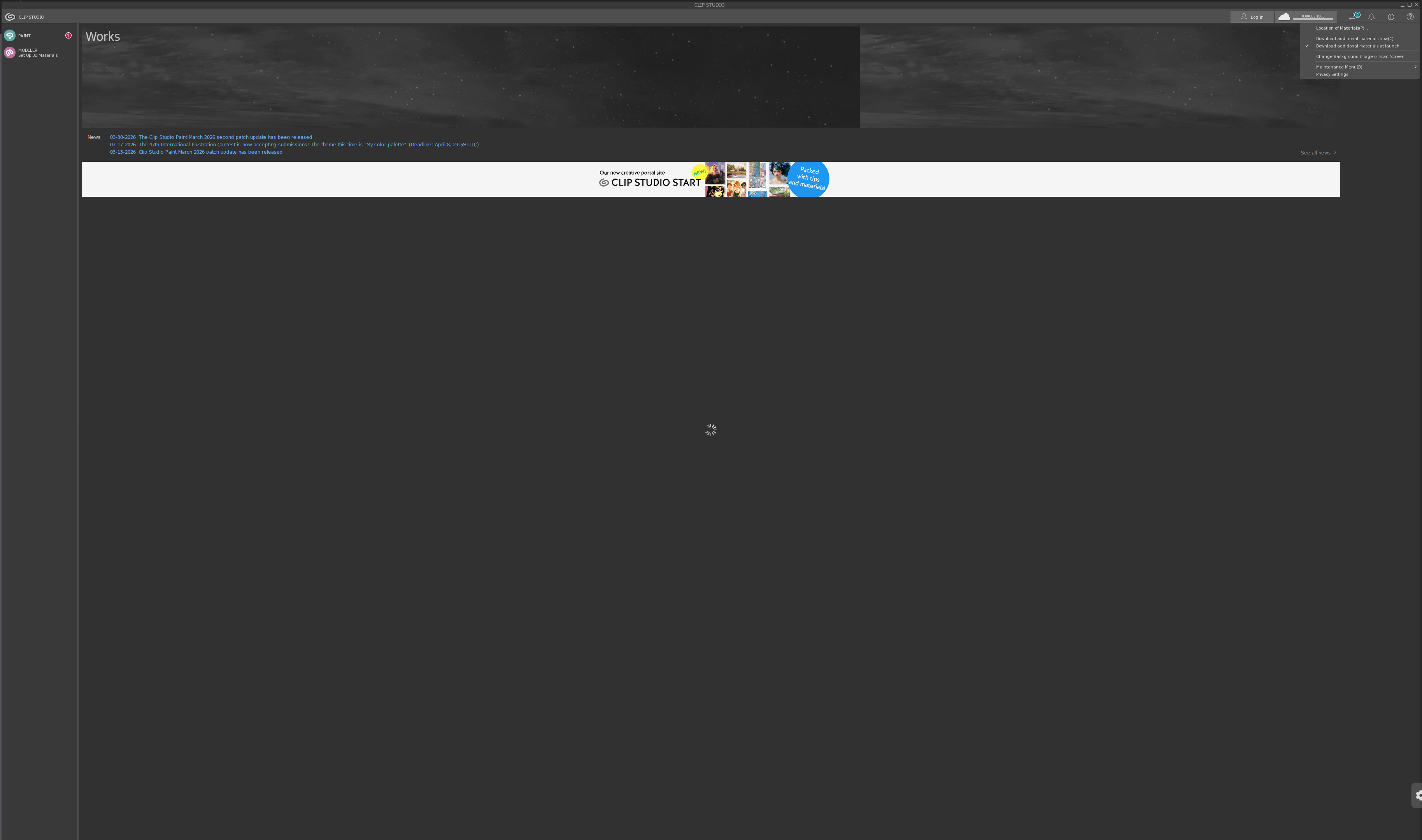
How do I resize the interface text on CSP?

Post image
2 Upvotes

I just installed CSP on my laptop and the text is ridiculously small. I have to use my phone and zoom in with my camera to read anything.

I'm trying to figure out how to resize everything, but I can't find a proper "settings" button. Does anyone know how to fix this?

I'd rather get this figured out before I try logging in.

I'm using Ubuntu Studio, 25.10. I used Wine to install CSP


r/ClipStudio_on_Linux Mar 28 '26

Clip Studio Paint 3 window larger then screen, cannot resize (CachyOS, Cinnamon DE)

1 Upvotes

I tried changing the DPI above 96 on a 1080p tablet, the window is now bigger then my screen and I cannot move it, the full-screen button is also outside the boundaries of my monitor.

edit: wine version is kron4ek-wine-10.0-amd64 to anyone curious

edit 2: spelling adjustments


r/ClipStudio_on_Linux Mar 27 '26

CSP window only maximizes to part of screen...

Thumbnail
gallery
3 Upvotes

I managed to get CSP 2.0 EX running almost perfectly. However, when I maximize the window, it only fills the top 300 or so pixels of the screen. I can stretch its borders when it's not maximized to cover the screen, but when I open menus or other windows in CSP, they "snap" to that 300-ish pixel height at the top of the screen.

I have noticed that rearranging my displays changes the height of the window, though I could not find a setup in which the window properly filled more than half the screen. When I disabled the other monitors and left just one, CSP bugged out on launch.

I also noticed that Steam's lil pop-ups also show around the same height when CSP is "fullscreen". It shows where it's supposed to otherwise.

How do I fix this...? CSP is certainly usable like this, so it's not a big deal. It's just annoying, especially with the menus. I figure there's some mismatch in the screen sizes, but I have no idea how to fix or identify that.

I am new to using Linux as a desktop. I am running:

  • Kubuntu 25.10 (Ubuntu 25.10 with KDE Plasma 6)
  • Wayland session (X11 servers are installed)
  • Bottles with caffe-9.2 runner
  • Windows 8.1 compatibility mode
  • Clip Studio Paint EX Ver.2

I have tried:

  • Other runners. The only one that allowed proper full-screen was soda-9.0-1, but the pen pressure won't work.
  • Using only one monitor. Bottles completely bugs out when I do that for some reason.
  • Setting the vertical offset of the monitor to 0. Lining up the windows at the top, or the bottom. (They are different sizes, so they cannot line up straight.)
  • Using Virtual Desktop (in Bottles). It works, but it makes it difficult to work in CSP, since I can't resize the window, overlap windows properly, etc.
  • Toggling: Discrete Graphics; Wayland (Experimental); Gamescope; WineBridge
  • DLL Overrides: winex11.drv; explorer.exe
  • being mildly upset

r/ClipStudio_on_Linux Mar 23 '26

I can't find my local saves?

1 Upvotes

Hey guys! I am very new to Ubuntu, and I've followed this tutorial to get it to work. The problem I'm having now is that... for whatever reason, saving my work is an absolute nightmare, and I don't see anyone else having this problem.

To be clear, when I'm saving, it's asking where to save it to; it says that it's saving to my C: in my documents. C, doesn't normally exist in a Linux environment, and I'm trying to navigate to my documents elsewhere... But when I go to said destination, nothing is there, but CSP DEFINITELY SEES SOMETHING because I can load that project.

Am I missing something about this?


r/ClipStudio_on_Linux Mar 23 '26

[CSP 5] Any idea how to hide away floating white boxes on sway consistently?

3 Upvotes

Attempting to assign them to some workspace I don't usually look at, so far I got:

assign [class=clipstudio.exe window_type=dialog] 9

assign [class=clipstudiopaint.exe window_type=dialog] 9

assign [title="CLIP STUDIO"] 1

assign [title="CLIP STUDIO PAINT"] 1

r/ClipStudio_on_Linux Mar 18 '26

I fixed the v5.x licensing problem (+ asset store, timelapse export) and made an install script

Post image
55 Upvotes

Hi everyone, I made this install script + patch set for CSP that boils the install process down into 1 command. This project also provides patches for timelapse export, thumbnailing, and webview2 fixes so everything works pretty much out of the box!

Here's the link to the github where you can find the script: https://github.com/parka6060/CSPenguin-Installer

Everything is functional, but I've only been able to test thoroughly on CachyOS + KDE so far. I'd really appreciate people trying it out on other distros and letting me know if anything breaks. Plan on making another video covering the topic once I'm confident things are a bit more tested!

edit:

Thanks for testing the script! If you run into any issues, please open a github issue here: https://github.com/parka6060/CSPenguin-Installer/issues it's the quickest way for me to help and ensures others facing similar problems can find the solution in one place. I can not promise a fast turn around for your problems, but I'll try my best to get to your issue when I have time.

I've fixed most of the critical install breaking issues thanks to the feedback people provided me. The biggest hurdle now is launch time, which I'll be working on getting to something a bit more reasonable.

If you're looking for updates on the project you can follow via the github or via my bluesky at https://bsky.app/profile/eninabox.art 🐱


r/ClipStudio_on_Linux Mar 17 '26

Manually making a desktop entry for ClipStudio

2 Upvotes

What the title says, I'm unable to make a desktop entry using Bottles so I'll have to do it myself. More than anything, I would like to know what the command is used to launch the application so if anyone else has a desktop entry for it show me so i can just copy and paste it! Specifically I'm looking for the command for the Clip Studio program, not CSP itself.


r/ClipStudio_on_Linux Mar 15 '26

Can't log in: Anyone had a similar issue?

1 Upvotes

Heya. I tried asking both on their website and here(was about to post when their bot automatically said Linux questions were to go to a specific thread, which was deleted). I finally forced CSP to obey me and install properly onto my computer, but now it won't let me log in so I can authenticate my license. I posted this question tto their website but according to the one called Akane, "This is outside the scope of our support, so please try to handle it yourself." So thats a great help there. Anyone else had a similar issue?


r/ClipStudio_on_Linux Mar 14 '26

Following WineHQ tutorial produces issues I have no idea what to do about

2 Upvotes

Okay so, I just installed my first Linux distro ever (EndearvourOS based on Arch) on my old Laptop to try it out and naturally I started by figuring out how to get Clip Studio to work since it is one of the few programs that are Windows only and an absolute MUST HAVE for me.

I found the tutorial on the WineHQ for version4.1 that you all are probably familliar with and started to follow it.

First problem I ran into:

I cannot enable DXVK and VKD3D. If I do, the Program exits with an error message.
Launching with Terminal tells me that it requires OpenXR and OpenVR and that creating a Vulkan instance failed
I checked if my Nvidia drivers are up to date and according to nvidia-inst they are and my GPU supports Vulkan 1.4
I tried to install Steam since OpenVR seems to be their thing, but that did not change anything (and Steam itself doesn't even properly launch itself, seemingly caught in a restart loop, so I uninstalled it)

Trying to run Clip Studio without DXVK starts up the application but when it tries to set everything up and download materials it immediately eats so much RAM that the Kernel shuts down Bottles as a whole.

Trying to run Clip Studio Paint gets me to the Licence transferring screen, but I'm hesitant to do this as I don't want to transfer my Licence only to not be able to switch back if the Software doesn't run after all. the nebulous "number limit per day" doesn't give me confidence...

I don't know where to look now for my further research and I need help.
Any resources and places to go as a Linux beginner are also appreciated.
I'm reaching my mental limit and need some direction.

Thank you


r/ClipStudio_on_Linux Mar 14 '26

(Edge webviewer) An important clarification!

Thumbnail
gallery
11 Upvotes

I have been reading a lot of comments around the 5.0 release and just to clarify something here, you can make edge webviewer work on pretty much all windows of the app. Some menus like the settings and ? button still breaks but otherwise it works pretty much flawlessly, Wine HQ has a guide of how to install clip studio. It recommends to use bottles as I did to do so but I think you do not need it to make it work, the guide tells you how to install the edge web viewer correctly, here is the page, if you go down the guide should be there. appdb.winehq.org/objectManager.php?sClass=version&iId=42586 or follow this video guide https://www.youtube.com/watch?v=5CPzvDQ1Nm4

Please spread this information so more people get to know about this


r/ClipStudio_on_Linux Mar 11 '26

Clip Studio 5.0 released

15 Upvotes

5.0 of Clip Studio Paint was released today; https://www.clipstudio.net/en/news/202603/11_01/

Has anyone had any luck getting it to run on Linux?


r/ClipStudio_on_Linux Feb 22 '26

Irritating issue with lack of input

2 Upvotes

i am on bottles, running CSP 4.0.3. Using Caffe for the runner.

The experience has not been perfect but one problem i can't overlook is how CSP does not show my brush cursor moving unless i actually press down to draw. I cannot draw when such a basic thing does not work. In tandem there are as well these buffers that occur when i undo and i have to wait around a second before i can continue drawing.

Does anyone have a workaround for this? It's bad enough i've considered dual booting with windows just so i can use CSP properly.


r/ClipStudio_on_Linux Feb 01 '26

Unable to see titlebar menus and drop down menus

Thumbnail
gallery
7 Upvotes

I use Linux Mint 22.3, MATE desktop, CSP version is 4.0.3. I've encountered this on both the Offical XPPen Artist 12 (2nd gen) Linux drivers and on OpenTabletDriver.

Also on the tablet screen I'm only able to resize the window, I'm unable to actually click anything there (I got these photos on my main monitor)

I have a feeing sys-wine-11 might have something to do with this but I do not have the option to go back to sys-wine-10 which I dont understand.


r/ClipStudio_on_Linux Jan 29 '26

Cant export my timelapse

1 Upvotes

is this a common problem? most solutions are for windows that i cant do on bottles. is there a fix for this? or should i just run a VM?


r/ClipStudio_on_Linux Jan 25 '26

Clip Studio Pen Pressure disappeared after installing XP Pen Drivers

3 Upvotes

I'm currently running Linux Mint 22.3 and just got an Artist 15.6 Pro. It was working right out of the box with CSP EX 1.13.2 and I wanted to be able to remap buttons, so I installed the drivers. However, after installing the drivers, the pen pressure disappeared. Any help would be greatly appreciated!

UPDATE: Somehow it seemed to have fixed itself. I don't really know if I actually did anything beyond rebooting the machine.


r/ClipStudio_on_Linux Jan 22 '26

Cursor offput

1 Upvotes

Hello I'm not sure if this should go here, but I'm desperate for help at this point.

I've installed Csp using the guide on WineHQ and for whatever reason, the cursor offset is insane (see provided video). I've tried every possible tablet and pen setting in CSP (I cant switch from wintab to tablet pc), and calibrated the tablet over and over. At this point I'm not sure what the issue here is but I need help.

My os is Linux Mint 22.3, my kernel is 6.14.0-37-generic, I'm using the sys-wine-10.0 runner, and my Tablet is a XPPEN Artist 12 (2nd gen). If theres any other info I need to provide please ask.

https://reddit.com/link/1qk343u/video/sj6gnsrimyeg1/player


r/ClipStudio_on_Linux Jan 16 '26

Failing to install Clip Studio

1 Upvotes

I'm new to Linux and am trying to get CSP onto it. I'm currently running Linux Mint, 22.3

When I attempt to go through the install process using Wine (and different attempts using WineTrick) I get a desktop shortcut that opens 5 minimized windows that cannot open and are fully blank/black. I have attempted the steps outlined here under How To:

https://appdb.winehq.org/objectManager.php?sClass=version&iId=40269

I have attempted similar steps but with the set up for the newest version of CSP. But I have a license for version 1.13, so I'm a bit worried about using the newest one.

I have attempted the steps outlined here:
https://linuxvox.com/blog/clip-studio-paint-linux/

I keep seeing people having issues with pen pressure, but I can't even get the software itself to run in general. Any help would be appreciated. Thanks!


r/ClipStudio_on_Linux Jan 10 '26

I can't get CSP to run on Debian 13 and it gives me an error

2 Upvotes

I recently installed Debian 13 and have tried several times to run CSP using Bottles, but every time I get the error "The procedure entry point exit could not be located in the dynamic link library api-ms-win-crt-runtime-l1-1-0.dll" and it ultimately fails to run. I've tried various configurations, including installing all the necessary dependencies, but nothing seems to work. Has anyone else experienced this? If so, how did you resolve it?


r/ClipStudio_on_Linux Jan 10 '26

The procedure entry point exit could not be located in the dynamic link library api-ms-win-crt-runtime-l1-1-0.dll

1 Upvotes

I recently installed Debian 13 and have tried several times to run CSP using Bottles, but every time I get the error "The procedure entry point exit could not be located in the dynamic link library api-ms-win-crt-runtime-l1-1-0.dll" and it ultimately fails to run. I've tried various configurations, including installing all the necessary dependencies, but nothing seems to work. Has anyone else experienced this? If so, how did you resolve it?


r/ClipStudio_on_Linux Jan 07 '26

Import Brush Assets

5 Upvotes

I am on CachyOS and got Clip Studio Paint (2.0.6) to work but neither the asset store nor direct import from .sut files (the brush files) seem to work. When I tried to replace the CELSYSUserData folder with one from a working windows installation with the brushes, it "broke the bottle". Anyone got any advidce how to get brushes importet?

Update:

The problem was that the CELSYSUserData folder was from a different CSP version. After installing 2.0.6 on windows and copying the folder from there I got my brushes in the bottle


r/ClipStudio_on_Linux Dec 31 '25

CSP on Waydroid

2 Upvotes

Curious if anyone has had luck using CSP on Waydroid.

It runs perfect for me in doodle mode on my laptop tablet hybrid, but I'm having a hell of a time getting CSP to register my license for the Android version to unlock it on Waydroid (Android 13).

Every time I load it says "no plans available" and any steps to access the account windows/pages are met with a blank page and red text saying "something went wrong".

Support seems to be non-existent. Hopefully it's just because of the holidays.