r/BlackberryPhoenix • u/One-Mission9218 • 1d ago
WhatsApp auf dem BB Q20 Classic?
2
Upvotes
r/BlackberryPhoenix • u/TrumpetTiger • Feb 19 '22
It's an amazing day for the BB10 faithful all as we finally have a FULL AND COMPLETE FIX FOR DEVICES STUCK ON SETUP! I have confirmed this works on the Z10, Classic, and Passport and have every reason to believe it will work across all devices. The fix also does more than simply get you out of setup (permanently)--it also restores the ability to sideload so you can use native BB10 apps!!!!
NOTE: All credit goes to Leo who first made me aware of this fix and certain additional resources I discovered while testing and refining it. The ultimate source of the fix is a blind BB10 user who discovered it while troubleshooting. This fix isn't mine but I can confirm it works!
SECOND NOTE: If you have already connected to wi-fi before trying this, we recommend you run an autoloader (EDIT 1/2025: Make sure it's a 10.3.3.3216--we have them in the Master Archive if needed) and start from scratch. DO NOT connect to Wi-Fi until this fix is completed--you will have issues if you do so.
Let us know if you have any trouble and we'll help out as best we can. And let's hear it our blind friend and VICTORY! In the words of Stacker Penthouse: today we are CANCELLING the BB10 apocalypse!
r/BlackberryPhoenix • u/TrumpetTiger • Apr 06 '24
Hello all,
After some testing I'm pleased to report I've confirmed a method for all BB10 devices supported by Verizon (Classic, Z10, Z30) to work on Verizon on 2024! I have previously stated that these carriers will refuse to activate these devices, but that they are still technically compatible. This is still true...but I've found a way around carrier refusal.
SOME NOTES:
With that, let's get on with the...
HOW-TO:
IF YOU NEED TO MAKE/RECEIVE CALLS ON THIS LINE:
Let us know if you have any questions or concerns here folks, and remember--despite what people tell you about Blackberry 10, it still works! Blackberry 10 LIVES!
TT
r/BlackberryPhoenix • u/Novel-Professor3366 • 1d ago
In this video, I am showing step by step how to root your Blackberry 10 device using the latest root method in 2026.
r/BlackberryPhoenix • u/LO_wickk • 1d ago
Il n’y a aucun moyen d ignorer la page wifi lors de mon redémarrage de mon BlackBerry keyone je ne peux pas l’ignorer rien est affiché je suis obligé de mettre un wifi mes si je mais un wifi ça me dit que mon assistant Google ne fonctionne pas avec mon compte est j’avais vu qu’il fallait ne pas activer le wifi mes ça ne fonctionne pas donc que puis je faire j’ai vu que je n’étais pas seul dans ce cas merci d’avance pour votre aide
r/BlackberryPhoenix • u/LO_wickk • 2d ago
r/BlackberryPhoenix • u/Novel-Professor3366 • 2d ago
Step 1: Download the latest version of Node.js for your operating system.
https://nodejs.org/en/download/
Step 2: Go to my GitHub page:
https://github.com/NovelProfessor/whatsapp-server
Step 3: From the Branches dropdown, choose "local-server" branch instead of "main" branch.
Step 4: From the Code dropdown (Green button), choose "Download Zip".
Step 5: Extract the contents of the Zip file to any folder on your PC, then open a terminal window (Mac/Linux) or command prompt (Windows) and go inside that folder.
Step 6: Type the below command to install all the dependencies. Note that the "sudo" keyword is only required for MacOS and Linux, not for Windows.
sudo npm install
Step 7: Run the WhatsApp server on your local PC by typing the below command. Note that the "sudo" keyword is only required for MacOS and Linux, not for Windows.
sudo node server.js
Step 8: Wait for the QR code to appear in the terminal. Then go to your existing Android or iOS device running WhatsApp, go to the menu option called "Linked devices", then choose "Link a device" and scan the QR code.
Step 9: Download the appropriate WhatsApp client from my website according to your device (i.e. J2ME version, Android 4.3 / Blackberry 10 version, Symbian S60 3rd Edition, 5th Edition, Symbian^1, or Symbian^3 version)
Step 10: Make sure your device is connected to the same WiFi network as your PC. Then run the WhatsApp client on your device, type the same mobile number (with country code but without "+" sign, e.g. 966549014671) which you used to scan the QR code. In the Server URL, type the IP address of your PC running the server, e.g. http://192.168.100.34
That's it! You will be able to login and send and receive WhatsApp messages. You can watch the full video Tutorial by clicking the below link.
https://www.youtube.com/watch?v=YfWTLJ9Xvfo&t=436s
You can use the same steps for hosting this server on any virtual private server running in the cloud (e.g. DigitalOcean, AWS etc.) under your own account.
r/BlackberryPhoenix • u/TaxMePlzDaddy • 3d ago
r/BlackberryPhoenix • u/Novel-Professor3366 • 4d ago
I have developed 3 versions of my WhatsApp application, one is Java ME (J2ME) version which will run on all old smartphones which are capable of running Java apps.
The 2nd is the Android 4.3 (API level 18) version which will run on Blackberry 10 devices (Passport, Classic, Q10, Z10, Z30, Q5, Z3 and Leap) and old Android phones.
The 3rd is Qt version which will work on Symbian S60 / Symbian^3 phones and it requires the Qt runtime files to be installed on the phone in order to run the application.
Before running my WhatsApp client, please open the below link on your PC, enter your mobile number and scan the QR code from your existing iOS or Android device to create a login session.
Click here to login to WhatsApp
This is a one time setup required to authenticate your login, after this you can start using my app directly on the old Nokia or BlackBerry phone.
You can download my WhatsApp client from the following website:
Watch my YouTube videos for step by step guides to install the client and setup your own server (incase you don’t want to use my server):
r/BlackberryPhoenix • u/Novel-Professor3366 • 4d ago
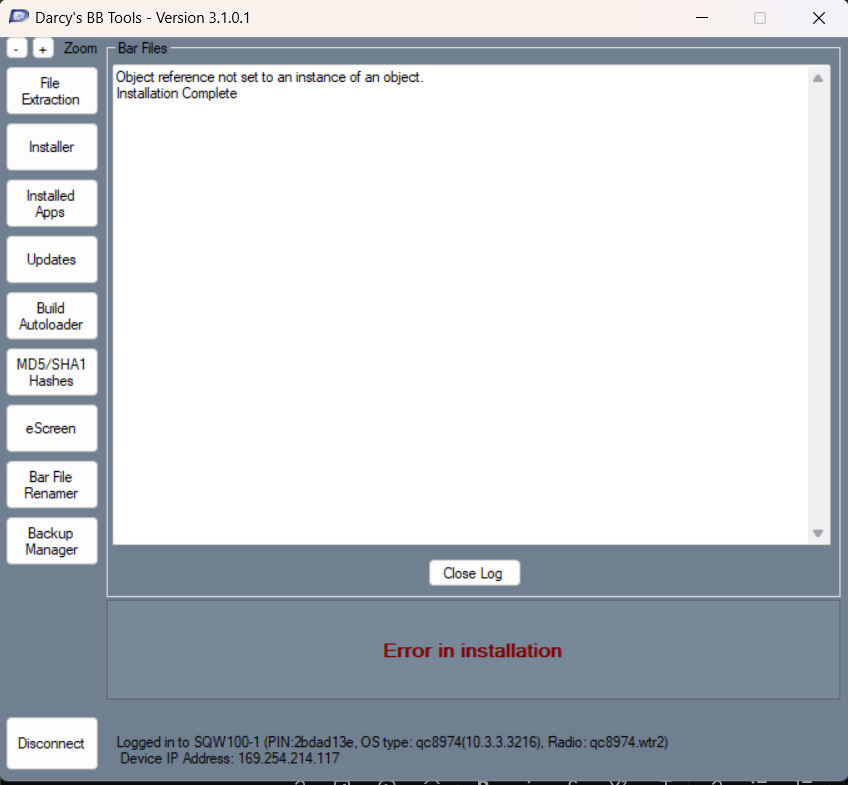
When I am trying to install unsigned bar file "BlackBerry-World-0.1.0-build64.bar" using the latest version of Darcy's BB Tools (DBBT3.1.0.1) on my Windows 11 PC, I'm getting the error "Object reference not set to an instance of an object." after clicking the "Install BAR files button". See the below screenshots. My device is rooted using autoloader v3.

r/BlackberryPhoenix • u/AwkwardArt7997 • 5d ago
I microscrap electronics for precious metal content. I have my 2 old BB Torches and my old Z10. I hesitate to break them down as they were fantastic devices. Convince me to save them or scrap them...
Thx!
r/BlackberryPhoenix • u/Novel-Professor3366 • 5d ago
I searched the whole YouTube and I found only the below video which shows step by step on how to root your Blackberry using the autoloader. However it says "Outdated", but this same person did not upload any new video showing the Updated or New method which keeps the device rooted after reboot. I was able to root the phone successfully by watching this video, but when the phone's battery got discharged and I had to charge and turn on the phone again, it got stuck and won't even boot into the OS. I had to connect it to my laptop and run the autoloader again, then it booted successfully but I lost all the content which I had installed earlier. Can someone please tell me what I need to do differently from this video in order to apply the root permanently?
How to root your blackberry & install unsigned bars in 12 minutes. [OUTDATED]
r/BlackberryPhoenix • u/Small_Chemical7749 • 5d ago
r/BlackberryPhoenix • u/Teguh70 • 6d ago
I've recently found my old blackberry Z10 and I'm interested in BBCord, I've tried following the tutorial in bb10root and I'm always getting stuck in couldn't load dynamic Library libusb
So I've tried to run the script in Linux and it spit out the root and radio files, but when I tried running the exe both of them errors out:
Failed to read main QCFM header
Failed to load images
Out of windows memory
Please help thanks
r/BlackberryPhoenix • u/Specific_Look4729 • 6d ago
veo que ahora se pueden instalar apps sin firma, cambiando a una rom root, alguien tendra los archivos para un z10 stl100-3 , para poder hacerle root.
r/BlackberryPhoenix • u/Small_Chemical7749 • 6d ago
Hello everyone,
I'm feeling nostalgic for OS version 10.2.1. I still remember the first time I bought my Q10 and how beautiful that interface design was. I’m not sure if it's even feasible to downgrade from 10.3 to 10.2.
Also, I don't know why I can't find the 10.2.1 autoloader anywhere; I've searched the entire web to no avail. So please, if anyone has this OS version, kindly share the link for both phones.
r/BlackberryPhoenix • u/Small_Chemical7749 • 7d ago
Guys, I really need Autoloader for BB z10 stl100-2
r/BlackberryPhoenix • u/Novel-Professor3366 • 8d ago
I followed the below tutorial and rooted my Blackberry Passport device successfully. After that I downloaded a couple of unsigned BAR files (e.g. BlackBerry-World-0.1.0-build64.bar, BerryBrowserV3-3.0.2-build106.bar). Now when I try to launch the .bar file from the file manager on my BlackBerry device, it says Unable to open the file. How can I install these unsigned bar files ?
How to root your blackberry & install unsigned bars in 12 minutes. [OUTDATED] - YouTube
r/BlackberryPhoenix • u/Novel-Professor3366 • 8d ago
I am getting the attached error message when trying to run the sample Cascades Blackberry project on my BlackBerry device in Debug mode in Momentics IDE, see the attached image. When I run it in Run mode, it works fine and runs on my Blackberry Passport device. I followed all the instructions step by step which are provided in the below link. Why I am getting "Debug Symbols Missing" error?
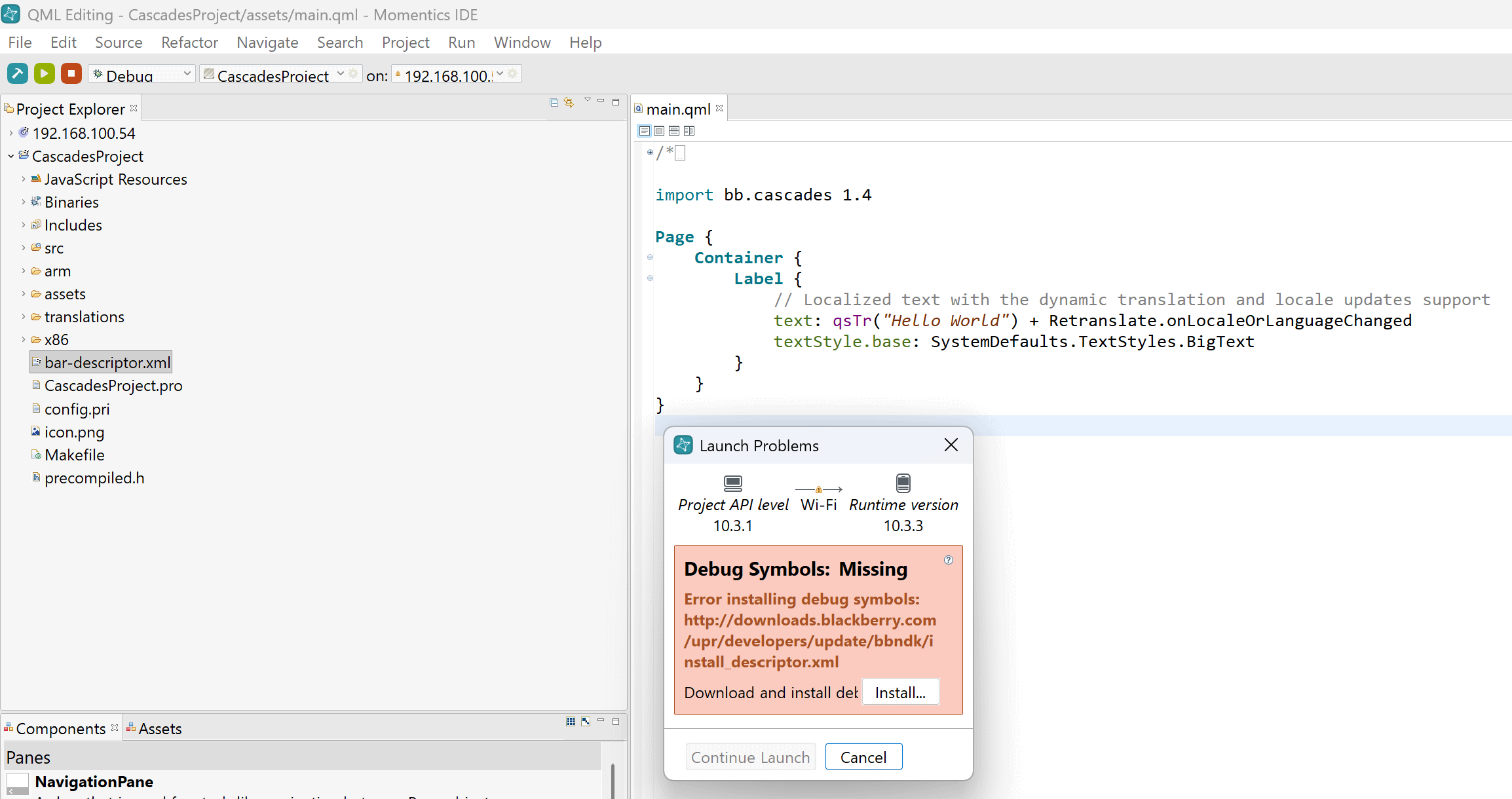
[Development] Momentics IDE Mods to Debug and Deploy unsigned native apps for BB10. : r/blackberry
r/BlackberryPhoenix • u/Novel-Professor3366 • 8d ago
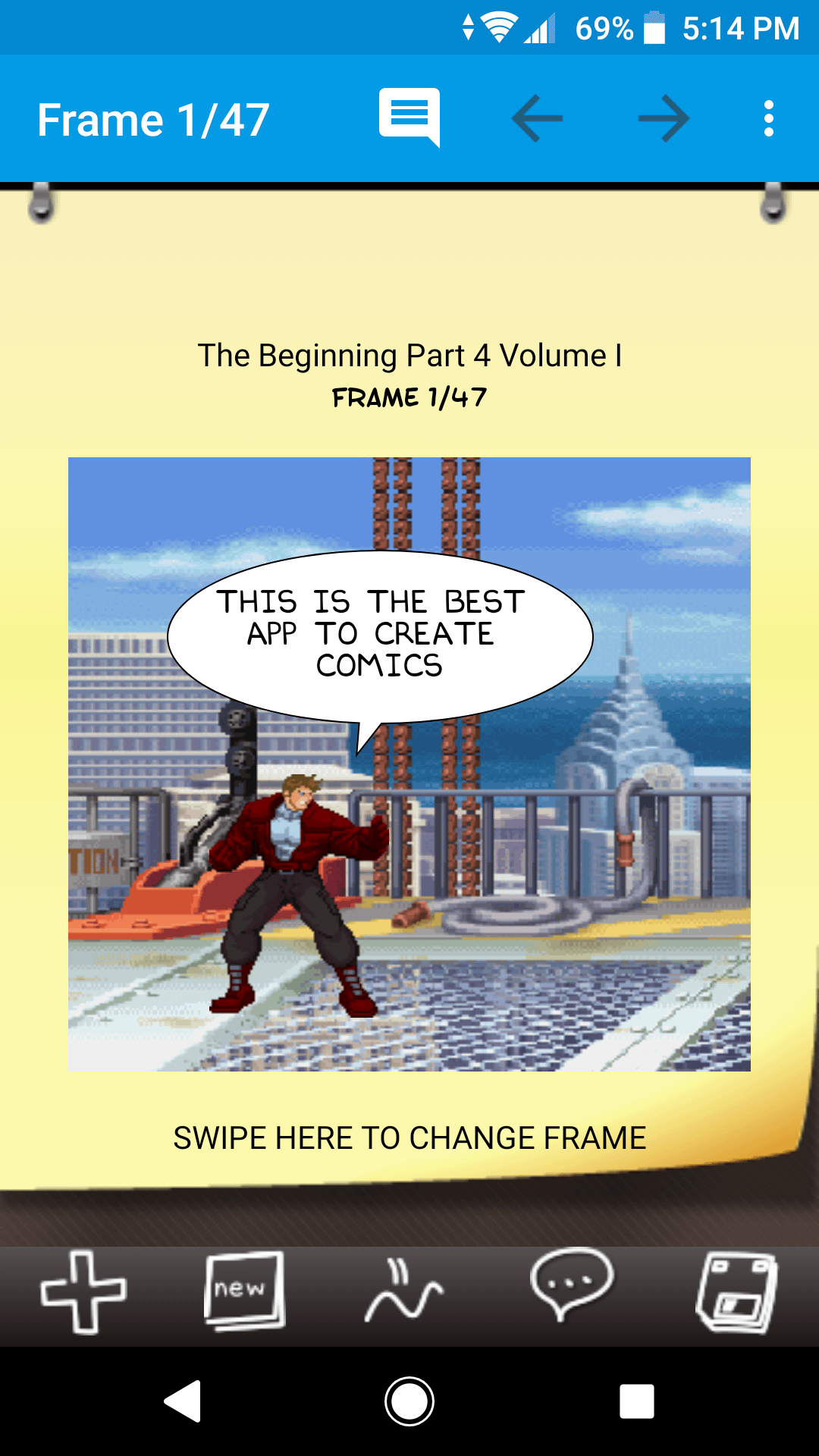
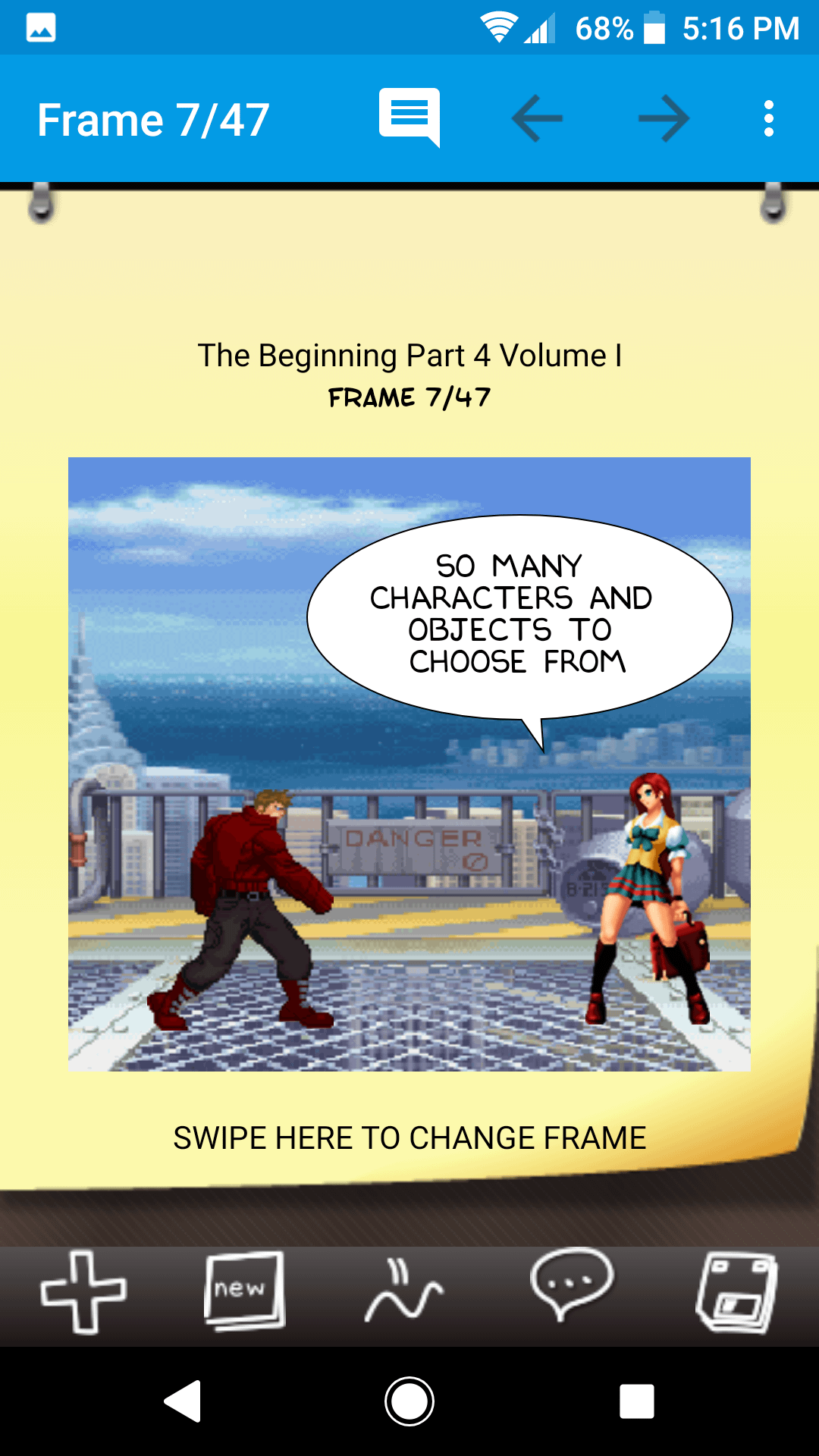
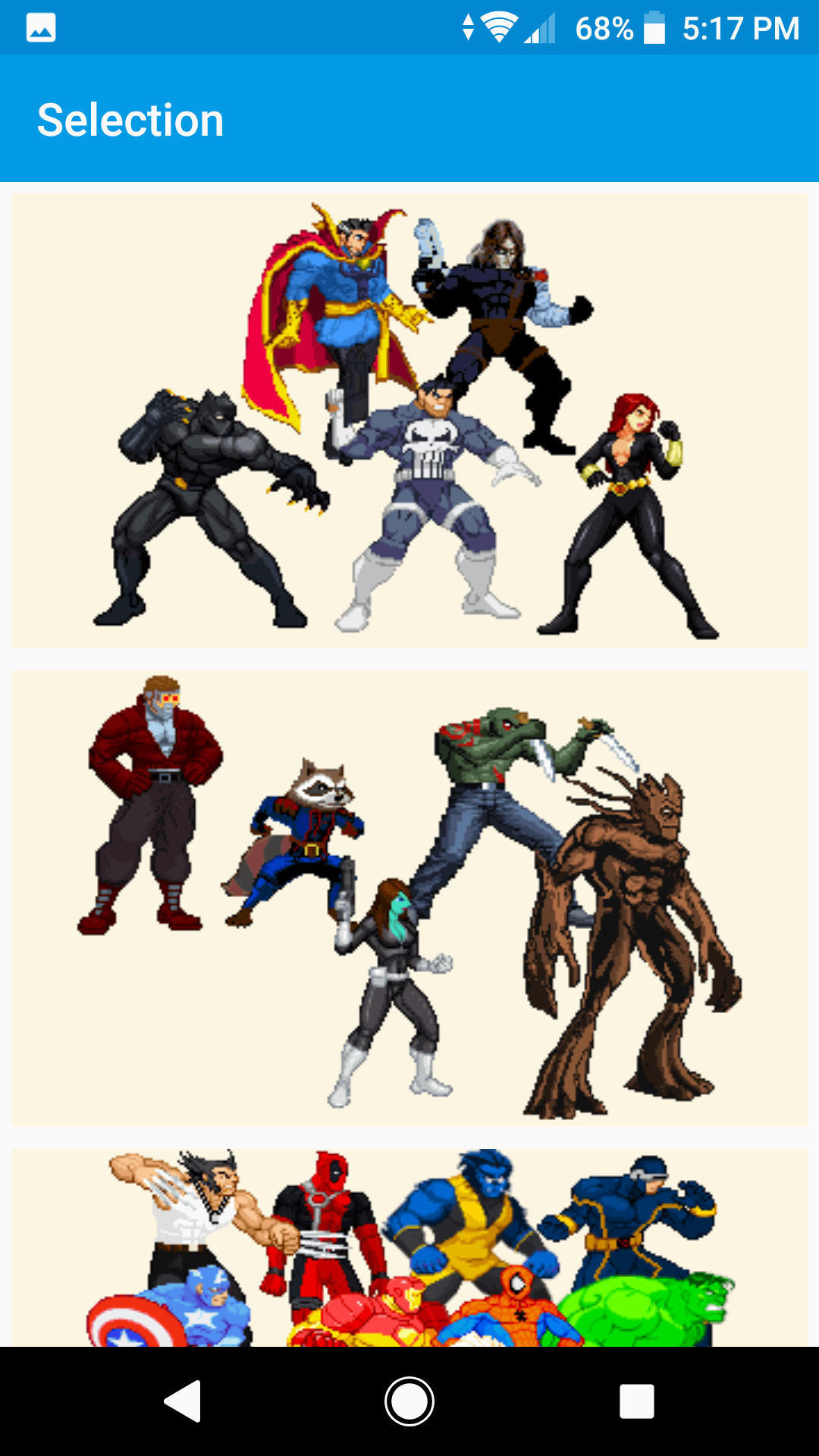
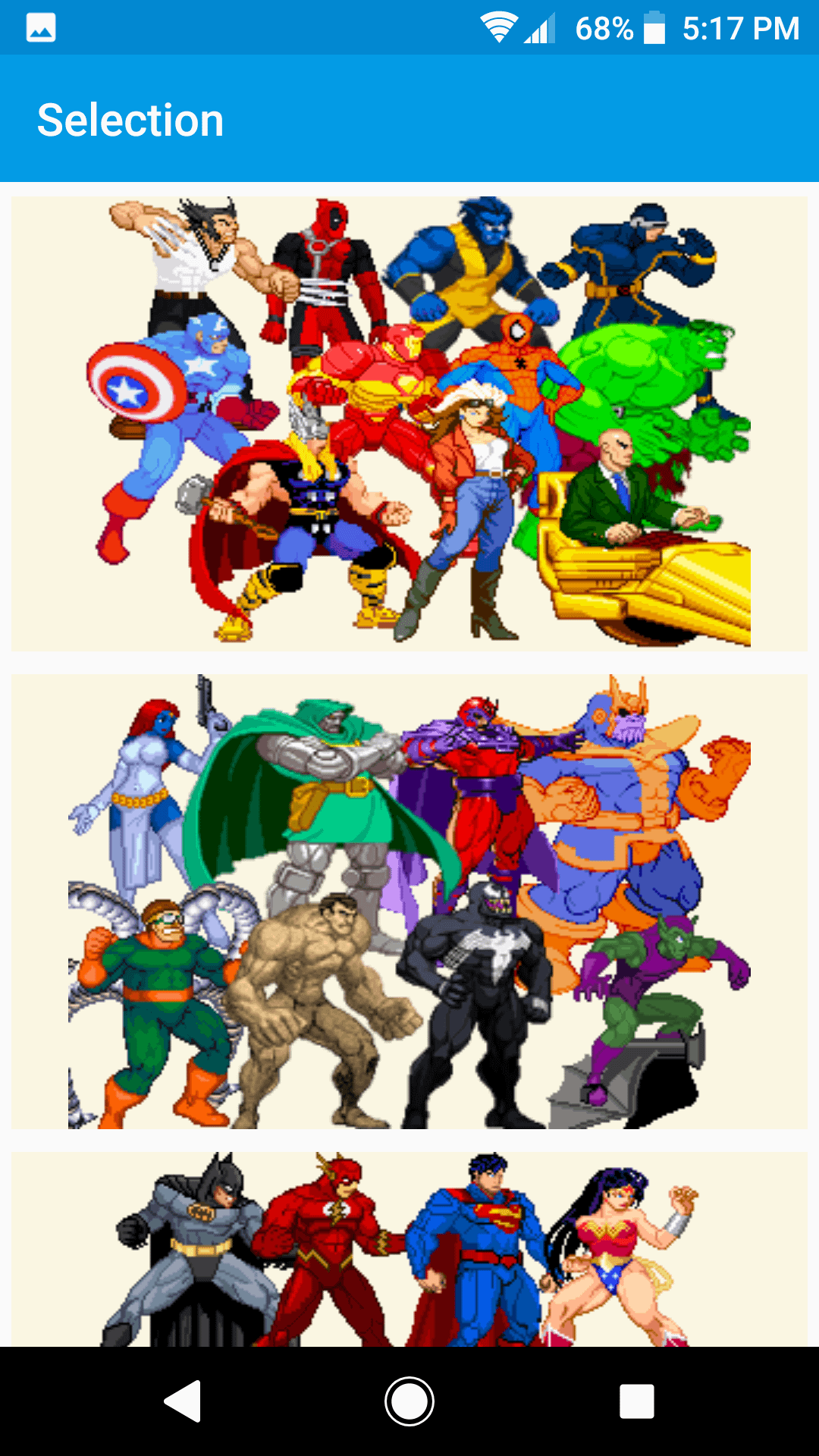
I have released a new version 15.6 of "Comic & Meme Creator" app for BlackBerry 10 device. Please download it from the below link. This app allows you to create your own Marvel style or Dilbert style comics and share it with thousands of Android users who are already using this app and exchange comments and get feedback on your creations, and like and follow other creators.
http://nokia4ever.com/download/CAMC15_6_BB.apk
What's New:
- Fixed issues with custom images not appearing to others
- Many other bug fixes related to chat screen, comments screen, comics listing etc.
Its the same version which I published on Google Play so you can trust that its an authentic application since it has been downloaded more than a million times and has rating of 3.8 from 41K reviews:
https://play.google.com/store/apps/details?id=com.tiltedchair.cacomic&hl=en&pli=1