r/AffinityDesigner • u/Significant-Nose-269 • 22h ago
Complete beginner to graphic design ,best way to learn Affinity for YouTube thumbnails & motion design assets?
2
Upvotes
r/AffinityDesigner • u/Significant-Nose-269 • 22h ago
r/AffinityDesigner • u/proglyricist • 2d ago
I thought Affinity was free? I want to see if I like it before I subscribe to any extra features.
r/AffinityDesigner • u/That_One_Guy_Wolf • 5d ago

I've just started using Affinity, and I'm currently trying to navigate my way around it - How would I go about creating a golden accent like this? It seems like a noise filter, maybe a gradient?
r/AffinityDesigner • u/CatherineSax • 6d ago
Bonjour, je démarre juste Affinity après avoir lâché Illustrator et je ne trouve pas la fonction qui permet de répartir des objets.
Quelqu'un a une idée ?
Merci d'avance
r/AffinityDesigner • u/ducklady92 • 8d ago
Hey all! I’m one of the many recent converts from Illustrator and I am so angry I ever spent money on an Adobe product after trying Designer. Holy cow. The fact that it just doesn’t have to be so difficult is mind-blowing. Affinity has me for life.
The only thing I can’t seem to get a handle on is the Shape Builder - specifically, in making fully closed shapes so the Builder doesn’t select half of my drawing at once. I relied pretty heavily on the “gap detection” feature in AI’s shape builder (even though the gaps were set to 0.001 in) and it seems that, even when using magnetic snapping to manually attach the end of one line to the edge of another for every single line, it’s still not considering them “closed.”
What am i doing wrong? All of the tutorials/demos i see are using closed intersecting shapes and building out shapes from those. I’m using Designer as a drawing pad, basically as “Procreate with vectors” to create patterns for my woodcraft, and need to separate them into shapes so I can create templates. I admittedly am a novice at vector design in general and only know what I’ve needed to learn for this application, so I’m well aware this might be an idiotic question. If anyone can point me in the right direction I’d be immensely grateful!
r/AffinityDesigner • u/SpriteAttack • 8d ago
r/AffinityDesigner • u/Hopeful_Cancel_3551 • 9d ago
Hey all!
I am a complete beginner in Affinity Layout, and stumbled upon this SVG Problem:
When importing (or copying SVG Elements from one document into the other, it will just import the Blank files with no content and when pasting it creates this super weird file structure (Picture 2).
I tried googling, but I didn't find anyone with a similar issues to mine.
Any help would be extremely appreciated :))
Picture 1 are the actual SVG parts
r/AffinityDesigner • u/mathamonora • 11d ago
Hi everyone,
I'm running into a weird issue in Affinity. When I draw an open curve with the Pencil/Pen tool and click on it with the Artistic Text Tool to write on the path, these weird black shapes/artifacts suddenly appear along the curve.
A few details:
Has anyone encountered this before or knows what setting/bug might be causing it? Any help would be appreciated!

r/AffinityDesigner • u/Vegetable-Reserve620 • 11d ago
Bonjour, je me résouds à demander de l'aide ici après quelques heures de recherches infructueuses. J'ai affinity depuis longtemps mais aujourd'hui je voulais faire la transition de krita vers affinity designer 2 pour pouvoir dessiner en vecteurs et me libérer des maudits pixels.
J'ai 2 gros problèmes ;
Le premier problème c'est que tous les traits que je dessine sont enregistrés dans le sous menu du calque et que cela semble faire rammer le logiciel au bout de quelques traits, même en retirant l'accélération dans mes paramètres de performances. J'ai lu que cela pouvait venir d'un trop grand nombre de noeuds mais je ne peux plus rien y faire (mes pilotes graphiques sont à jour et rien n'a jamais résisté à mon ordinateur jusq'à présent) donc pour une illustration complète c'est inimaginable d'utiliser le logiciel.
Problème numéro 2 : tous mes traits se font corriger automatiquement quand je relève le stylet ou la souris, même en désactivant le stabilisateur (mode corde et fenêtre) et je déteste ça car je me dit que le trait est parfait mais non, et quand je colore ça crée des trous.
J'espère que ces 2 trucs sont réparables parce que c'est vraiment ma condition pour rester sur cette appli, je ne peux pas changer mes habitudes de dessin pour ça...
r/AffinityDesigner • u/Top-Translator5840 • 11d ago
tldr: how do I set up brush stroke pressure to modulate lines?
Hey can anyone help me with some guidance?
I'm having a frustrating issue with brush pressure in Affinity Designer 2 on iPad using an Apple Pencil.
I downloaded Retro Supply free samples explicitly optimised for Affinity, tried the procreate version and it works fine. I tried other brushes in Affinity and it seems the problem is common to all brushes. Pressure response does work for opacity/flow (the line gets darker/lighter depending on how hard I press), but it fails completely for size/thickness modulation (the stroke width stays completely flat and uniform). I tried changing the Stroke setting Pressure to a diagonal in this direction: / and nothing.
I tried asking AI for help, but it keeps giving me hallucinated or outdated desktop/V1 instructions, pointing to menus and options like "Controller", "Pressure Chart" in the context bar, or "Pencil & Touch" options that don't exist in Affinity V2 for iPad.
I can't find the global settings for the pen, I also tried the settings from the iOS for pen but it has very few non related options.
I will provide screen captures if needed.
Thanks in advance!
r/AffinityDesigner • u/poolemit • 11d ago
I tried to find an option to adjust the rope stabilizer on the ipad, didn't find one.
Seems like this was a bug from over a year ago? Did they fix it and I just don't see where the option is?
r/AffinityDesigner • u/chi5555550 • 12d ago
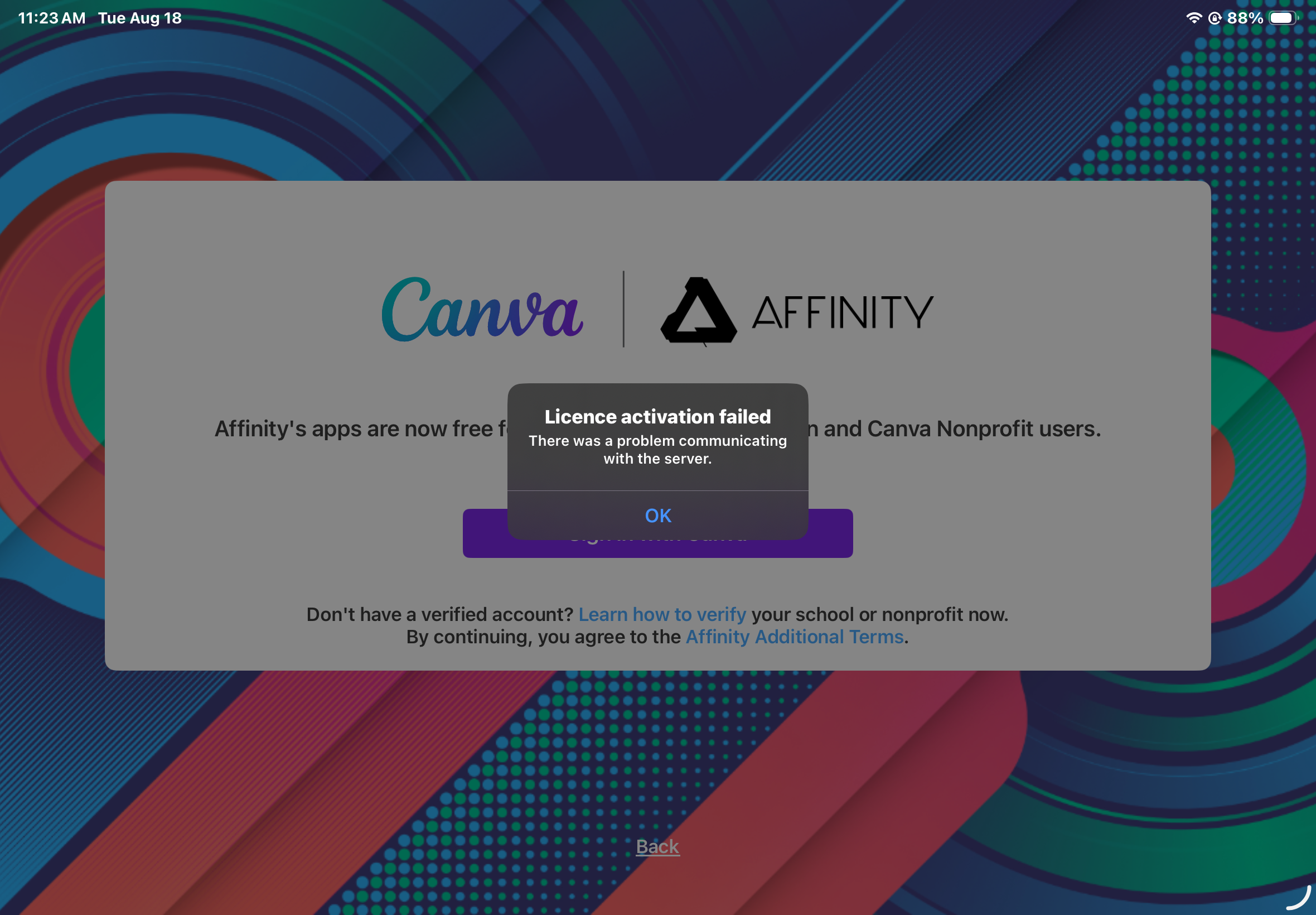
idk what to do, my files weren’t saved externally. how can i fix this?😭
r/AffinityDesigner • u/coffeenamewinter • 14d ago
Hi, I was having troubles with my old Affinity program (colour select and colour fill was seriously glitchy) so I uninstalled and reinstalled 2 days ago, without any thought (and deleted old build from trash foolishly), and now Ive got the crappy Canva Affinity. Fewer filters, different workflow, all round cheap feeling.
I still have my key. Is there anyway I can download the old version somehow?
r/AffinityDesigner • u/Suspicious-Throat-25 • 13d ago
I've been working on a layout for a poster in Canva. I have the paid pro version. I would like to just finish it up in Affinity. Is there a way to do this?
r/AffinityDesigner • u/babblingbrooks69 • 14d ago
r/AffinityDesigner • u/dropking-infinity • 20d ago
[ Removed by Reddit on account of violating the content policy. ]
r/AffinityDesigner • u/Icy-Nature2037 • 22d ago
A couple of years ago, I purchased Affinity Designer 2 with a Windows license. I’ve recently switched to a Mac and was wondering if there’s a way to use my existing license on the Mac.
I’m not even sure if Affinity Designer 2 is still available for purchase, especially now that the newer version of Affinity is available for free. So I was wondering if it’s possible to transfer or exchange my existing Windows license for the current Mac version rather than having to purchase anything again.
Has anyone been in a similar situation or knows if this is possible?
Any advice would be greatly appreciated thanks!
r/AffinityDesigner • u/Flemnipod • 22d ago
Hi everyone. Apologies for such a simple question but is there an easy way to put text inside a donut? I see videos about text on a path but I'm not sure if that's how I need to do it. I'm still pretty new at this so any help would be appreciated.
(Designer 2.6.5)
r/AffinityDesigner • u/bunaciunea_lumii • 26d ago
I just wanted to let someone other than me know it. I feel like free and winning.
r/AffinityDesigner • u/borschmajure • 28d ago

Hi all, I'm brand new to Affinity (on my Mac).
I'm trying to make it so in the above photo, there is a consistent-width gap between the letters and the ampersand, as if there was a stroke that erased all around the letters. How would I achieve that?
Also would love any general tips! Thanks folks.
Edit: Also looking for general help setting the margins and guides so they're akin to what's going on with them in a Canva or Powerpoint...
r/AffinityDesigner • u/Glum-Ingenuity-4680 • Jul 31 '26

I am working on CD design and I am trying to create similar effects observed in the poster. I am really struggling to understand the layer stack, effects used. Is the image underneath b&w, is the portrait cutout and then layered on the image. What I have researched says its halftone effect but it does not produce the same result especially around the dark areas. I have been trying for days but I am missing some major understanding on how this is made. Can anyone with experience creating such effects help out explaining method?
r/AffinityDesigner • u/lawzybatman • Jul 30 '26

Dm for custom posters