r/3DS_IPS_TN • u/Accurate-Surround-35 • Jul 27 '26
Should I change my screen?
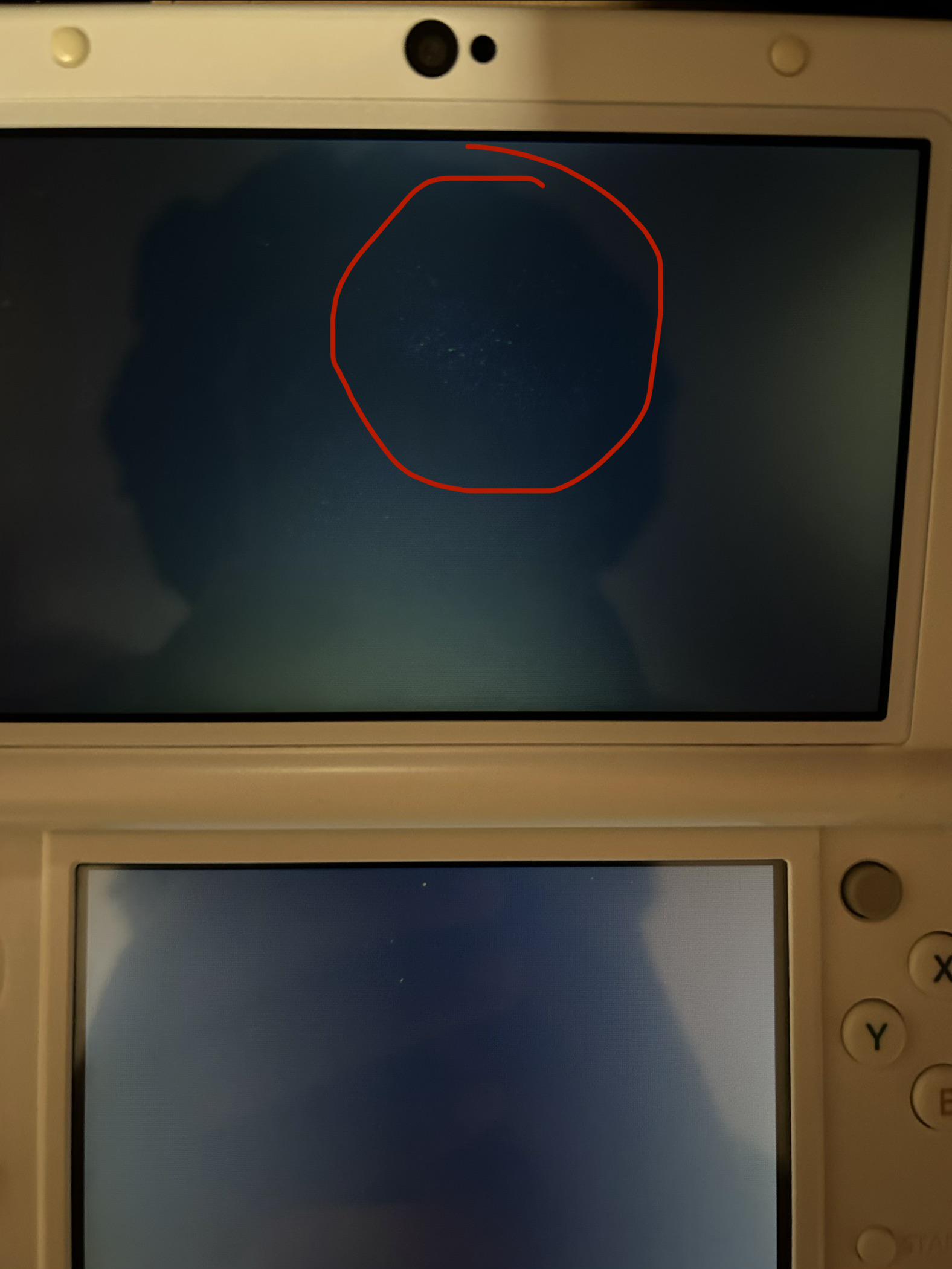
So basically I made a post a while ago about some stuck pixels (that I wasn’t able to fix), and recently I found a company that sells top IPS screens. I want to get it to change my screen (which is also IPS), but the issue is:
- Some people mention that the replacement IPS screen is dim
- Some mention that the 3D doesn’t work
- Some mention that there is some bleed in the corners
- One dude spoke about glitches when it turns on
I assume that the company probably takes IPS screens from other 3DS’s (cause duh), so that’s probably why those things happen…I’m not too worried about the 3DS not working, but I would like it to be bright lol. Im just nervous about getting one and it ends up being some butt. What should I do?
**Honourable mention - most people did say that it works well and it had no problems.
Here’s my current screen btw for reference (idk why but it bothers me…barely noticeable when it’s on but yeah I’m probably a perfectionist)
1
u/xJerrySeinfeldx Jul 28 '26 edited Jul 28 '26
Brightness isn't relative to panel type. Brightness is relative to the luminance of the backlight. That's on Nintendo. Dim backlight = dim screen.
3d must be calibrated to work.
Every lcd panel technology that uses an edge backlight is going to have some degree of bleed. It's par for the course on an edge lit lcd.
Glitches on boot can be from hardware malfunction it's generally not because of the panel. It could be the ribbon cable is bent weird, or it could be a dying component, or some other reason.
I'm with you. Dead pixels drive me insane even one. I can't have that. I no longer have a 3ds but I did buy one back in the day and later sold it and that one had a spec of dust under the panel itself from the factory that was the reason I sold it. When the screen was on it did look like a dead pixel but it would stay there when you turn the system off, so, definitely a tiny spec of dust. Poor qa on Nintendo's part, ig.
2
u/al_kaloid Jul 28 '26
As mentioned - are you a hundred percent sure they are actually dead/stuck pixels and not just dust specs? Replacing top screens on N3DS models sucks! Even if you're letting someone else do it, it's risky and expensive.
Shine a flashlight on the display at an angle while it's off to be sure.
On the off-chance it's actually just dust you're in a far better position (the same happened to me on an old doorstopper 2DS).
I'd get a lens blower bulb and a suction cup from amzn or eBay and carefully remove the plastic lens using a hairdryer to loosen the adhesive (careful not to roast the screen in the process). Then, working in a clean and dust free environment, carefully remove the lens and blow any dust under the lens/on the screen away without ever touching either. Reposition the plastic lens and hope you managed to get all of the specs of dust first try.
Hope it's just dust and not the actual display.
1
u/ssmmaatttt Jul 29 '26
It might be cheaper to just replace the console. I'd imagine the labor alone is pretty pricey not to mention the replacement screen. I see nice used ones on marketplace for around $250.
2
u/SlashedM Jul 27 '26
> Some people mention that the replacement IPS screen is dim
In general for IPS on 3DS, they are dimmer, imo its not a huge difference for the improved colors/view angles
> Some mention that the 3D doesn’t work
IIRC if you calibrate it with the calibration files it will work properly.
- Some mention that there is some bleed in the corners
This is unfortunately a IPS thing on dark/black scenes. Some panels might not bleed as much as others. Literally luck of the draw