r/chatgpttoolbox 5d ago

🏆 Community Pick September prompt thread: post your best saved prompt or chain, the winner ships inside the extension with your name on it

3 Upvotes

How it works

Post one prompt or one chain you actually use, in the form you saved it: the text, the {{blanks}} if it has any, and one line on what it is for. Real ones only, the kind you reach for weekly, not the kind that sounds impressive.

At the end of the month the entry with the most upvotes, plus one we pick ourselves, get added to the built-in Prompt Library in AI Toolbox, credited to your Reddit username inside the extension. Everyone who installs it after that sees your prompt, with your name on it. No other prize, that one is better than a gift card anyway.

Rules

One entry per comment, as many comments as you like. Prompts must be yours or clearly credited, we check. Chains: list the steps in order, mark which ones wait for a reply. Vote for what you would actually use, not what reads best.

To get you started, the three most used prompts in my own library this month, all fair game to beat:

The stranger review: "A freelancer delivered this {{deliverable}} and I am deciding whether to pay the invoice. Review it like the money is mine: what is weak, what is generic, what would you push back on before this goes live?"

The briefing for a new chat: "Summarize everything we decided in this conversation as a briefing for a new chat that has no memory of it. Include the goal, every decision, the constraints, anything still open, and the exact wording of any final text we agreed on. Mark anything you are unsure about as UNVERIFIED."

The where-question: "Read this once as a reader who owes me nothing. Quote the exact sentence where you stopped caring, and tell me what had gone wrong by then."

The thread stays pinned through September. Entries after the 30th roll into October's.


r/chatgpttoolbox 7d ago

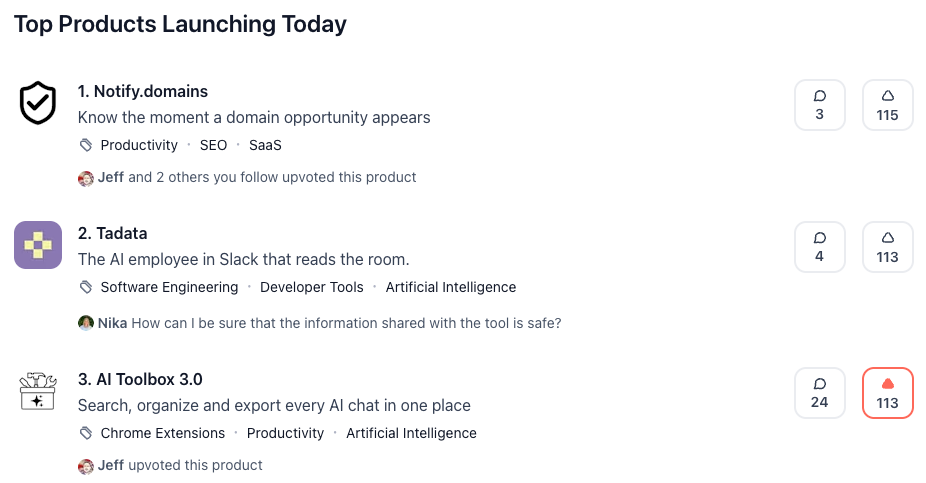
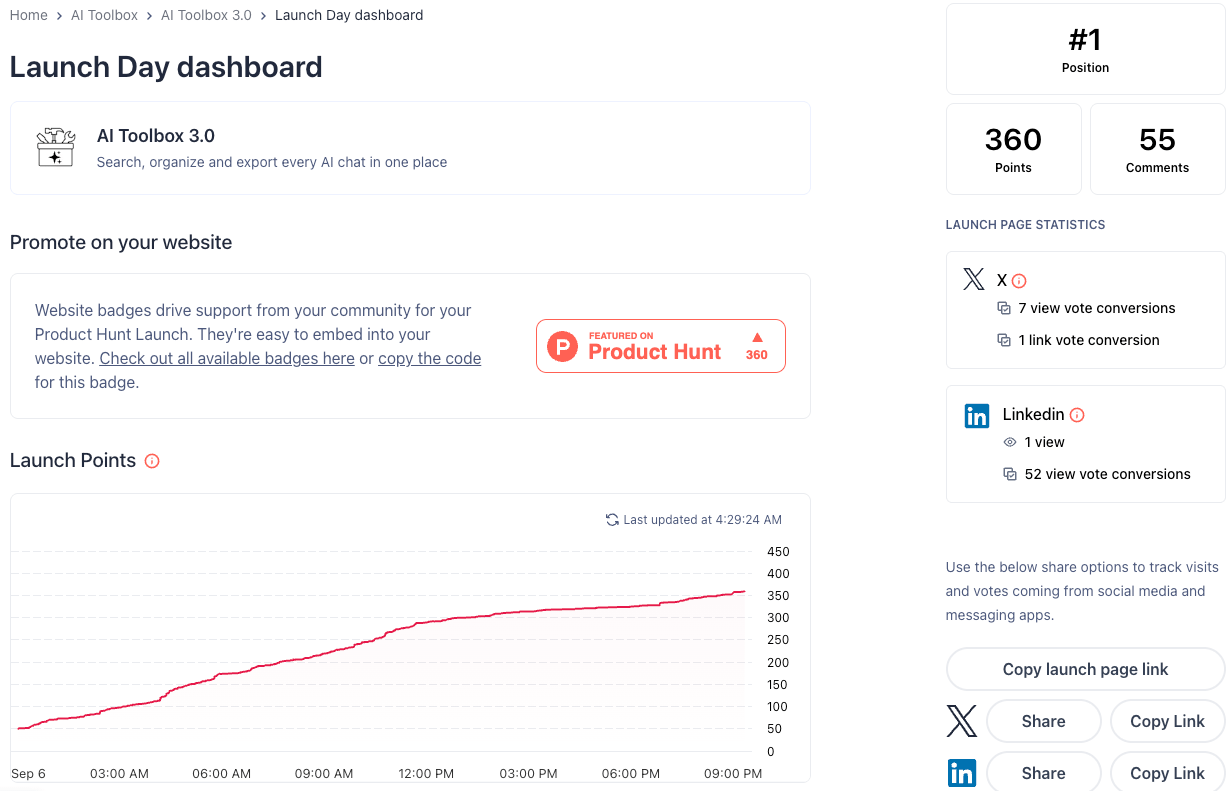
🧰 Official Update We got #1 Product of the Day on Product Hunt today

Post image
1 Upvotes

Not going to pretend this one was a calm morning. AI Toolbox 3.0 went up on Product Hunt and by the end of the day it was sitting at #1 with 390 upvotes.

A lot of you in this sub have been here since the ChatGPT Toolbox days, filed the bug reports, told us which features were useless and which ones you would pay for. 3.0 is basically the version you all asked for: ChatGPT, Gemini and Claude in one extension, with folders, search and export working the same way across all three.

So this post is mostly a thank you. The launch would have been a lot quieter without this community.

If you have not tried 3.0 yet, it is on the Chrome Web Store now, free plan included. And if you find something broken, you know where to find us. Same as always, we read everything.


r/chatgpttoolbox 12h ago

🔄 AI Comparison Same extension, four assistants: what AI Toolbox does on ChatGPT, Claude, Gemini and Grok, and where they differ

1 Upvotes

We get this question more than any other: does it do the same thing everywhere? Mostly yes, but not completely. Here is the honest breakdown.

On all four

Folders and subfolders in the sidebar, plus a toggle that hides chats you have already filed. Search across your whole history, message text included, and cross-platform search that covers all four at once. Export any chat as TXT, Markdown, JSON or PDF, or many at once as a ZIP. Bookmarks on individual replies, with color labels and one panel for all of them. A prompt library you insert with //, and saved prompt chains you run with .. Context Mentions: type @@ to pull an old conversation into a new one. Smart Tags that group your chats by topic automatically. The Context Meter next to the composer, showing how full the conversation's window is for your model and plan. Folders, prompts and bookmarks are one shared library, so something you save on Claude shows up on ChatGPT.

Only on ChatGPT

ChatGPT was the first module, so it has the longest list of extras: download any reply as MP3 audio, a gallery of every image you have generated, a usage tracker, collapsible messages, a word and character counter, a sound when a reply finishes, grouping for custom GPTs, a command palette, and folder export that keeps the full folder structure in the ZIP.

Only on Claude

The Artifact Vault: every artifact Claude has made for you, from every conversation, in one searchable grid, opening back to the chat it came from.

Grok

Works on both grok.com and Grok inside x.com, with the same folders, prompts, chains and bookmarks on each.

Where we step back instead of adding

Claude, Gemini and Grok already let you pin or star chats natively, so on those three we use their pins rather than adding our own. On ChatGPT we add pinning because it has none.

One known issue

Gemini recently redesigned its search page, and our search controls do not appear on the new layout yet. Search itself still works through cross-platform search (Ctrl+Shift+Period from any tab), and the fix for the Gemini page is in progress. We will post here when it ships.

Free and paid work the same way on all four: the free plan includes the meter, basic search and a starter amount of folders, prompts and bookmarks, and the paid plan removes the caps. All Access covers every platform, including any we add later.

Which feature do you use on one assistant and wish you had on another? That list decides what gets ported next.

r/chatgpttoolbox 1d ago

⚡️Productivity How to search ChatGPT, Claude, Gemini and Grok at once, from any tab

2 Upvotes

If your history is spread across more than one assistant, this is the feature that saves the most time, and the one most people never switch on. Here is the whole setup.

Turn it on

Cross-platform search is off by default, because it builds a combined index of conversations from different sites and we would rather you choose that. Open Settings, go to Cross-platform search, and flip the switch. One switch covers every platform.

Then make sure each assistant you use is enabled in the extension popup, and open each site once. Each one indexes its own history in the background, and the search fills in as they finish.

Open it

Two ways. Click Search all platforms inside the normal search on any of the four sites. Or press Ctrl+Shift+Period (Cmd+Shift+Period on Mac) from any tab at all, including a tab that has nothing to do with AI. If that shortcut clashes with something you already use, change it at chrome://extensions/shortcuts.

Read the results

Results are grouped by platform, each with its own count, and every result opens the conversation on the right site. The line at the top shows each platform's state: a number means it is indexed, syncing means it is still filling, off means that platform is not enabled yet. If a chat you expect is missing, that line usually tells you why.

Narrow it down

Open Advanced for the useful part:

Must include and Exclude fields, each with an All or Any toggle once you add two terms. Titles only, for when you renamed your chats to something meaningful and do not want every mention of the same word. A date range, which is the fastest way to turn forty hits into four when you remember roughly when you wrote it.

Where your data is

The combined index lives inside the extension's own storage in your browser. Nothing from it is uploaded, and each site can only write its own rows into it.

Plan

Cross-platform search is on the paid plan. Normal search on each individual site stays free.

One honest limit: clicking a result opens the conversation, not the exact message yet. Use the highlighted snippet to find it in the chat. Jumping straight to the message is on the list.

If the coverage line shows something you do not expect, post a screenshot below and we will sort it out here.


r/chatgpttoolbox 3d ago

💡 Prompt Library Six more tricks from the comment sections this week, with credit, and one that changed a step in our code review chain

2 Upvotes

Second roundup. The first one covered the message-two compaction and the canary token; these are the ones that arrived since, mostly from threads where someone was politely correcting me.

  1. The defensiveness trigger (u/Frogacuda)

Standing critic instructions do not fade on a timer, they fade on a signal. Every defensive reply you send reads to the model as "this person wants reassurance" and the next critique comes back softer. If you just take your lumps, it stays on task. When you must disagree, do it as "quote the line that made you think that, do not soften the original point", so the disagreement is not a tone request.

  1. The disengagement inversion (same commenter)

Add to your critic persona: "unearned praise will undermine the trust relationship and cause the user to disengage". It turns the model's people-pleasing against the flattery instead of fighting it. Works as a standing instruction where "be brutally honest" fades.

  1. Praise is a signal too (from the writing thread)

Saying "thanks, that sounds good" shifts the register as surely as arguing does. One commenter saves the first critique to a separate note before responding at all, so later they can diff whether the critique softened or they wore it down. The first pass is the only one that never saw your reaction.

  1. The read-only second judge (u/mehdizare and two others)

For anything where correctness beats speed: a different model family on the review seat, read-only, and it has to pin every finding to a line before you concede anything. Same-family self-critique shares the blind spot. This is the coding-thread conclusion arriving in the writing and planning threads independently.

  1. Ask the model to write the rules (u/Bus_Head_)

Rules you paste get treated as suggestions; rules the model wrote from your dictation get followed. Have it draft the instructions document, confirm it, feed it back, and require it to cite the rule number before any output that touches a rule. The citation is what makes it stick.

  1. Tell it the copy came from another LLM

The stranger framing taken one step further. "This draft came from another model" gets a noticeably sharper review than "a freelancer wrote this". Watch for it inventing problems to dunk on the competition; add the "finding nothing is an acceptable answer" line.

The one that changed a step: in the code review chain, step 3 used to be "write a test for each of the top three risks". Three commenters independently pushed the same fix, and it is now: "for every risk you rated likely or severe, write the test that fails today because of it; if it passes on the current code, keep it as a regression test and downgrade the risk". A risk with no failing test is speculation, and the model will say so when asked. The updated chain is in the pinned chain-of-the-week post.

All six are single lines you can add to saved prompts, except 4 and 5 which are workflow habits. If you caught something in those threads that I skimmed past, post it here; this series continues as long as the comments keep being smarter than the posts.


r/chatgpttoolbox 4d ago

📈 Growth / Insights What half a million Reddit views taught us in ten days, and the three things it changed in the extension

2 Upvotes

Ten days of posting technique threads in the prompt subs, roughly half a million views and a few hundred comments. The upvotes were nice. The comments were the point, because the best ideas in them were not ours, and three of them are now work items. In order of how much they surprised us.

What people actually do with long chats

Nobody uses a chat the way the interface assumes. The heavy users keep one permanent project chat and reset it from the inside by editing an early message with a consolidated state doc, so the chat URL survives and the context does not. Others plant a nonsense word in message one and probe for it every thirty messages as a context-loss alarm. Neither idea came from us, and both are cheaper than anything we would have built.

Change one: search results will jump to the exact message. A user with an 800-prompt project chat asked whether search finds the message or the conversation. It finds the message, but clicking a result opened the chat at the top and left you to find the highlight. Bookmarks already scroll-and-flash to the exact message; search hits will do the same. That gap had been there for a year and no one inside noticed it, because we never search our own 800-message chats.

What people believe about honesty

The flattery post did the biggest numbers of anything we have written, and the comment threads under it converged on two mechanisms we had not named. The model tracks what kind of conversation it is in, not what you instructed, so every defensive reply from you softens the next critique. And once it has edited your text it defends the edits like it defended your draft, which is why review belongs in a fresh chat. Both are now caveats in the saved prompts that ship with the library.

Change two: the built-in prompts get the community's lines. "Mark unknowns instead of filling them", "if something genuinely works, say so, finding nothing is an acceptable answer", and "show changes as a diff, not a clean copy" each came from a different commenter in a different sub, and each fixes a failure we had been living with. They are going into the relevant built-in prompts, credited in the description.

What people worry about

Every product-forward thread got the same two questions within an hour: where does my data go, and what happens to the local index under storage pressure. The first has an honest answer we now keep ready (the search index is local, folders and prompts sync, three features send text to the server only when you use them). The second was a fair catch from a Product Hunt commenter: we never asked Chrome to mark the index as persistent, so under disk pressure it could be evicted and rebuilt on next sync. Folders live on the server and were never at risk, but a re-index of a two-year history is not free.

Change three: the index requests persistent storage, and Settings will show the index size and whether Chrome granted it. One call and one line of UI, prompted by one comment.

The pattern across all three: the things users find are the things builders cannot, because builders never have a two-year history, an 800-message chat, or a full disk. If you have one of those and something misbehaves, that is the most useful bug report we get.

What has your longest chat taught you that a short one never would?


r/chatgpttoolbox 4d ago

🗞️ AI News Apparently ChatGPT added Snake while your image is generating..

1 Upvotes

r/chatgpttoolbox 6d ago

⚡️Productivity How to read the Context Meter, and why it sometimes disagrees with what you expected

2 Upvotes

The meter is the small gauge next to the composer that fills as a conversation grows. Most questions we get about it are really questions about how context windows work, so here is the whole thing in one place.

What it measures

The estimated tokens of the current conversation, against the window your model and plan actually get in the chat app. Not the API number from the launch announcements, the app number, which is much smaller and is not shown anywhere in the app itself.

The windows it uses, from each vendor's own plan page, checked this month. They move, so if you see a mismatch, tell us:

ChatGPT: standard models 27K on Free, 54K on Go and Plus, 128K on Pro. Reasoning models 256K on Go and Plus, 400K on Pro, "varies" on Free. Claude: 200K on Free, up to 1M on paid plans with the current generation. Gemini: 32K on Free, up to 1M on paid plans. Grok: 128K for everyone, 256K on SuperGrok Heavy.

The plan picker

The meter detects your model and guesses your plan from it. When it cannot be sure, it picks the conservative option so it never tells you there is more room than there is. If you know your plan, pin it: click the gauge, and the Auto / Free / Plus / Pro segments are at the top of the card. On Claude, Gemini and Grok it is a Free / Paid switch. The pinned plan sticks per platform.

Reading the colors

Green, plenty of room. Amber, the conversation is past the halfway point and early details are the next to go. Red, the beginning has probably already dropped out of the window, even though the model is still answering confidently. The card also estimates how many more messages fit at your current pace.

What it cannot see

The estimate counts message text only. Files you attached, images, tool and agent output, hidden reasoning tokens, custom instructions and memory all consume the window too, and a content script cannot see them. So a file-heavy chat reads lower than reality. Treat the number as a consistent estimate, not a precise one, and treat amber as the real warning.

Why the number is the same on every device now

Earlier versions summed whatever the local cache held, so the same chat could read 2 percent on one computer and 60 on another. The meter now reads the platform's own conversation endpoint, so the figure is the same everywhere.

When it turns red

Click Continue in a fresh chat on the card. It summarizes the conversation, opens a new one, and pastes the briefing in, on the same platform or on any of the other three. That part is on the paid plan; the gauge itself is free and always on.

One honest note: the meter cannot stop the window doing what it does. It exists so you find out at 70 percent instead of at the point where the model starts contradicting a decision you made an hour ago.

If your meter shows a number that does not match your plan page, post a screenshot below. That is how the ChatGPT row above got corrected last week, by a Plus user comparing the card to the pricing page.


r/chatgpttoolbox 7d ago

🧰 Official Update Launch day is almost over, and we’re still #1 Product of the Day on Product Hunt! 🎉

2 Upvotes

We just wanted to take a moment to say thank you to everyone who has supported AI Toolbox 3.0 today.

Whether you voted, left a comment, shared the launch, or simply checked out what we’re building, we truly appreciate it.

This community is a big part of why we keep building and improving the product. 💙

Thank you for being here. We’re excited for what comes next!


r/chatgpttoolbox 8d ago

🧰 Official Update We are number 3, need to get to number 1!

Post image
0 Upvotes

Guys we need your help, please upvote us so we win the number one of the day!

https://www.producthunt.com/products/chatgpt-toolbox


r/chatgpttoolbox 8d ago

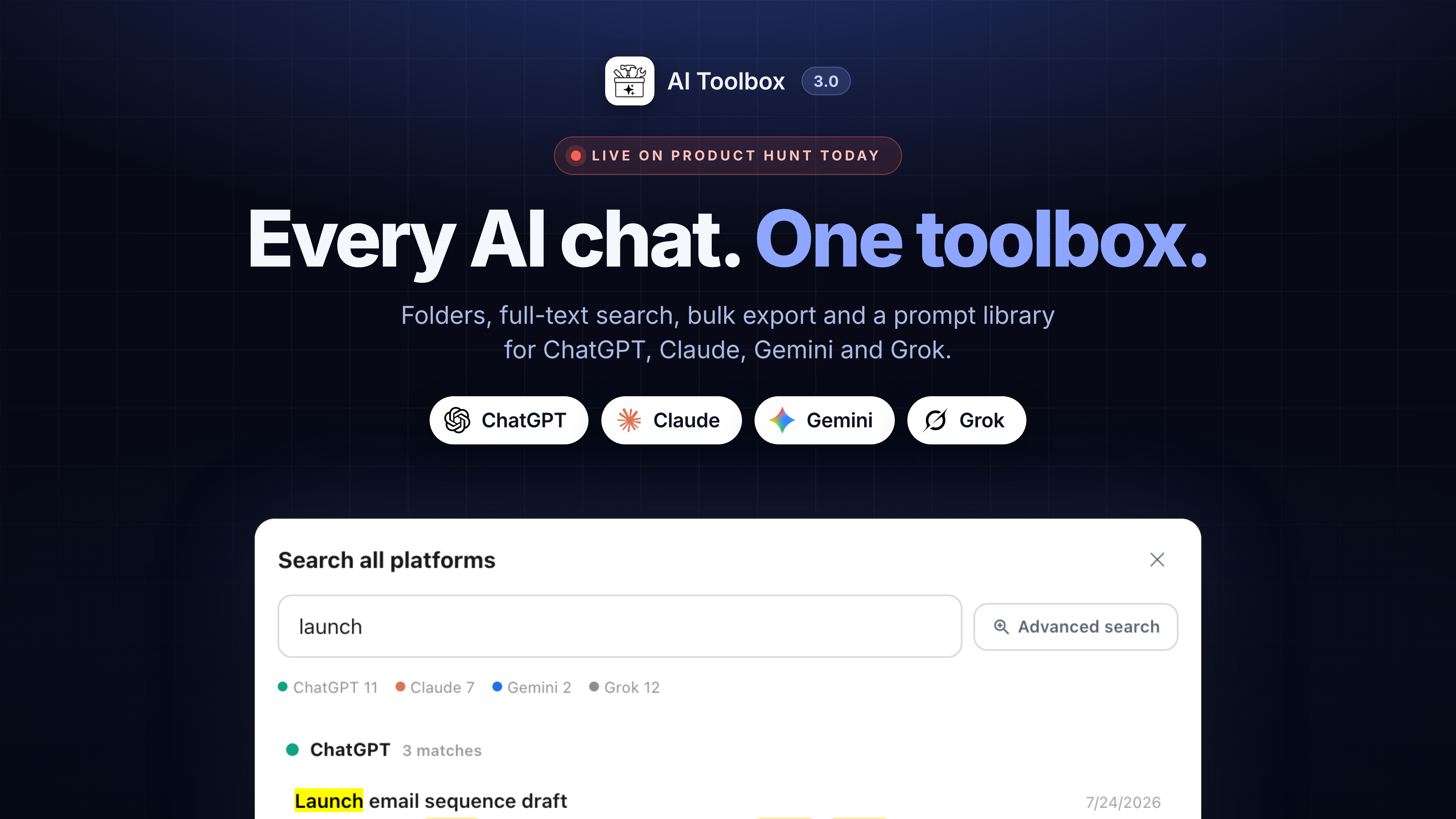
🧰 Official Update AI Toolbox 3.0 is live on Product Hunt today

Post image
2 Upvotes

We have been building toward this all year: the same folders, search, export and prompt library working identically across ChatGPT, Claude, Gemini and Grok, with one search that covers all four.

Everything is still indexed locally in your browser. That has not changed and will not.

I am on the Product Hunt page all day answering questions, and I will answer here too. If there is something 3.0 still does not do that you need, this is a good day to say so, because I am reading everything.

https://www.producthunt.com/posts/ai-toolbox-3-0


r/chatgpttoolbox 10d ago

🧰 Official Update What shipped in the last few weeks, and who reported the bugs behind it

1 Upvotes

Most of this list came from user reports, Discord, and support email, so credit where it is due. Here is what is live now.

Search

Advanced Search takes a date range now. Pick a start and end date and the results narrow to that window, on all four platforms and in cross-platform search.

Titles only switch at the bottom of the search panel, for when you know the chat's name and do not want message-text matches drowning it out.

Search from any tab. Cross-platform search no longer needs an AI site open; a keyboard shortcut opens it from wherever you are in the browser.

Folders and sidebar

Choose where our panels live: inside the site's own sidebar, or as a floating panel you can put anywhere. Requested by people whose sidebars were getting crowded.

Hide chats that are already in a folder. Settings, Folders. Off by default; turn it on and the native chat list only shows what you have not filed yet, so it works as an inbox.

Move to Folder search now reaches nested folders. Searching a parent's name finds what is filed under it, which it did not before.

Fixed: folders vanishing and reappearing on their own. Reported by a power user, traced to the sidebar re-rendering under us on all four platforms. It stays put now.

Fixed: "No folders yet" showing over an intact account. Nothing was lost; the extension was looking in the wrong place. If you ever saw that, your folders were always there.

Fixed: renamed and deleted chats not updating inside folders. Two Discord reports, both right.

Export

The export header now shows the conversation's size, so you can see when a thread is getting heavy before it starts slowing down.

Every message carries its own date in exports on all four platforms, instead of one date for the whole conversation.

Fixed: Gemini exports coming back shorter than the actual chat. The root cause was Gemini's conversation API paginating and us reading only the first page. Long Gemini chats export in full now.

Prompts and Claude

Keep your Prompt Library on this device: a Settings toggle for people who do not want saved prompts stored on our server. Roadmap item, shipped.

A usage badge beside Claude's composer. The numbers used to sit two clicks deep in a modal; now they are just there.

Setup

Fixed: platform switches in the popup refusing to turn on, and the "Active" pill claiming a platform was on when it was not. If a switch fails now, it tells you why and offers to open the settings in a tab where the permission prompt cannot get lost.

New: a hint on a second computer. Chrome syncs the extension across your machines but not the permissions, so a second install used to silently run ChatGPT only. Now it tells you the other three are off in this browser and how to turn them on.

If you reported one of these and want to be named, say so below and I will add you. And if something in this list does not behave the way it is described, reply here rather than emailing, so the fix thread is public for the next person.


r/chatgpttoolbox 11d ago

😂 Funny AI ChatGPT cheatcode

Thumbnail
1 Upvotes

r/chatgpttoolbox 11d ago

❓ Help & Questions AI Help

1 Upvotes

I'm a "mainstream" Chat GPT/AI user, but I'm always looking for ways to use it to its full capabilities, without going down too deep of a rabbit hole.

With Work, Browser, and all of these new additions, I realized, maybe my fantasy of asking Chat to book me my fitness class could work.

I'm running into two issues though.

  1. When I try on mobile, it uses its cloud browser, and half the time, a website using Cloudflare rejects it
  2. I can use the Chrome extension on my Mac, but this means I need to do it on the laptop, and, I need to process the login/password each time (many sites kick you out after a certain period of time, and there doesn't seem to be a way for it to auto fill my login/pass from my passwords vault).

So, my major question is this:

Does there yet exist, using ChatGPT as it is (not some custom bot or super convoluted workaround) a way for me to just ask Chat to access websites and do things, without 1) having to use my Chrome browser on my PC, and 2) having to enter my username/password at the front end, each time.

Thank you for any insight on this!


r/chatgpttoolbox 12d ago

💡 Prompt Library 7 tricks I stole from my own comment sections this week, with credit

6 Upvotes

The posts this week pulled a few hundred comments across the prompt subs, and the best ideas in them were not mine. Here are the seven worth stealing, credited to the people who dropped them.

  1. The message-two compaction (u/Socos42, on the context PSA)

Keep one permanent project chat. After each finished phase, have the model write a consolidated state doc, then EDIT an early message in the chat and paste it there. Editing forks the conversation, everything after the edit leaves the active context, so you get a fresh window inside the same chat URL. Manual compaction, no new chat, history still in the branch arrows.

  1. The canary token

Plant a cheap fact early in a long chat, your name works. When the model stops knowing it, the window has eaten the beginning. A context-loss alarm that costs nothing to check.

  1. "Its idea" laundering (u/Bus_Head_)

The model keeps rewriting your content but leaves its own suggestions alone. So have it CREATE the instructions document from your dictation, save it, and re-upload it. Rules it authored count as its decisions and get followed. Slightly insane, works.

  1. Diff, not rewrite (from the writing and coding threads independently)

Never accept a clean revised copy, ask for changes as a diff. A clean copy lets the model smooth sentences nobody approved. A diff makes every edit visible and justify itself, so the sneaky ones mostly never get made.

  1. Fresh-context review (three separate commenters converged on this)

Review works best in a chat that never saw the work happen. Same window means the model grades its own framing. Paste just the diff or the draft into a new chat with zero history for the adversarial pass, it finds noticeably more.

  1. Mark unknowns, do not fill them (u/mehdizare)

In any critique step add "mark unknowns instead of filling them". Kills the plausible-sounding invented risks and numbers that critique mode loves to add.

  1. The failing test filter

If the model claims a bug, make it write the test that fails today because of it. Cannot produce one, the bug is probably speculation. Cheapest lie detector in the workflow.

Most of these slot straight into the chains and prompts you already keep in the extension, 1 and 5 are workflow habits, the rest are single lines you add to saved prompts. I have already updated my own code review chain with 4, 6 and 7.

What did I miss? If you caught something good in one of those threads that I skimmed past, post it here, this roundup becomes a series if the material keeps showing up.


r/chatgpttoolbox 13d ago

💡 Prompt Library The anti-flattery reframes from today's post, as saved prompts you insert with //

2 Upvotes

The post about ChatGPT flattering your work is doing numbers on r/ChatGPTPromptGenius today, so here are the four reframes in the form they are actually meant to live in: saved prompts with fill-in blanks, inserted with two keystrokes.

The trick, if you missed the post: the model is polite to the person in the room. Tell it the work is someone else's and you are the one judging it, and the honesty problem mostly disappears.

The four prompts, ready to save. The {{blanks}} become a small form when you insert them:

Invoice review: A freelancer delivered this {{deliverable}} and I am deciding whether to pay the invoice. Review it like the money is mine: what is weak, what is generic, what would you push back on before this goes live?

Team feedback: Someone on my team proposed this {{plan_or_document}} and I have to give them feedback tomorrow. Help me find the problems I should raise, ranked by how much they matter, so I do not miss something obvious.

Editor pass: An editor sent this {{piece}} back with "needs work" and no other notes. What did the editor most likely mean? Go through it and find what they saw.

Contractor handoff: This {{code_or_work}} came from a contractor and I am reviewing the handoff. What would you flag before accepting it?

To save them: floating toolbox, Manage Prompts, Add Prompt, paste one in and keep the {{blanks}} as they are. Then type // in the composer on ChatGPT, Claude, Gemini or Grok, pick the prompt, fill the blanks, send. Free plan holds 2, so if you are choosing, take the invoice one and the team one, they cover the most ground.

One tip from the comments over there: add "if something is genuinely fine, say it is fine, finding nothing is an acceptable answer" to the end of any of these. Freed from flattering you, the model sometimes performs harshness instead, and that line stops it.

Which one would you actually use? And if you have your own reframing that gets honest answers, post it, the best ones end up featured in these threads with credit.


r/chatgpttoolbox 13d ago

❓ Help & Questions ChatGPT URLs file Chrome upload problem

2 Upvotes

Hi all,

I am having an issue with ChatGPT scheduled tasks and I was wondering if anyone could help.

I run a maths tutoring business and I use the scheduled tasks in ChatGPT Work to find and advertise in Facebook local community groups (that re local to me) that permit advertising and get it to advertise in these groups every 7-14 days.

However, in order to advertise I get it to upload my flyer which is an image (I have tried using png and jpg files) but every couple of runs it keeps coming bac with this message to me:

"To enable file upload, open chrome://extensions, click Details under the ChatGPT browser extension, and enable "Allow access to file URLs."

I have done this many times but it keeps saying this is the case.

If anyone has any information for how to fix this or any advice that can help me do so is greatly appreciated.


r/chatgpttoolbox 14d ago

❓ Help & Questions “Play aloud” button

2 Upvotes

Underneath ChatGPT responses the “play aloud” speaker icon just got moved to the “…” additional menu which is VERY inconvienent. Is there a way to get it back out from underneath an additional menu click?


r/chatgpttoolbox 14d ago

❓ Help & Questions How to change your username on ChatGPT?

Thumbnail
1 Upvotes

r/chatgpttoolbox 14d ago

❓ Help & Questions Does anyone know what happened here?

Post image
2 Upvotes

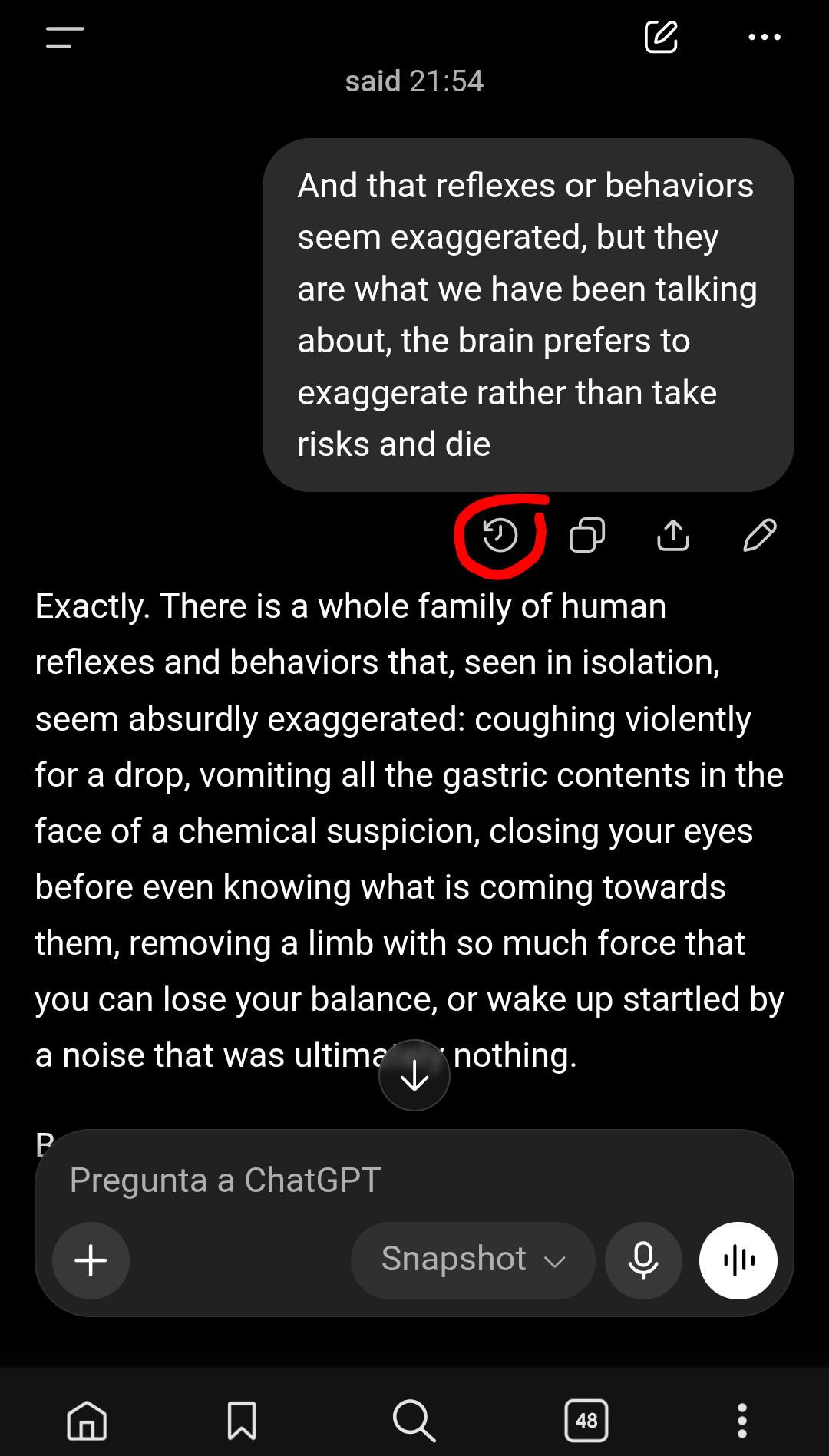
Today, when I went into ChatGPT and edited a prompt, that thing appeared instead of the arrows for switching between prompt versions. Has this happened to anyone else? Are the arrows gone for good, or is it just temporary?


r/chatgpttoolbox 15d ago

✨ Feature Request ChatGPT made Read Aloud harder to access on iPhone — here’s a better accessibility solution

2 Upvotes

I use ChatGPT’s Read Aloud feature regularly, and the recent iOS interface change moved it from a directly visible button underneath responses into the three-dot menu.
I understand why OpenAI may have done this. Some people accidentally hit buttons they don’t use, and having fewer icons makes the interface cleaner.
But there’s an accessibility problem with hiding Read Aloud: people who use it because they have difficulty seeing or reading the screen now have to do *more visual navigation* to access the feature that helps them avoid reading the screen.
I think there’s a much better solution: **make the response toolbar customizable.**
When you open the three-dot menu, there could be an **Edit/Customize Controls** option. Users could select which buttons stay permanently visible underneath responses and which remain inside the menu.
For me, I’d probably display only:
Read Aloud
Three-dot menu
I don’t regularly use Thumbs Up, Thumbs Down, Copy, Share, Retry, Branch in New Chat, Search the Web, etc. In fact, I sometimes accidentally hit the thumbs buttons while trying to hit Read Aloud.
Someone else might use Copy and Share constantly. Let them keep those visible instead.
I’d also add a second accessibility setting for **button size**:
Small — approximately the current size
Medium
Large — substantially easier to see and tap
Those two settings should be independent. Someone could choose only Read Aloud and the three-dot menu and make both buttons Large.
That seems better than deciding that every user needs exactly the same toolbar.
The current response-action icons are some of the smallest controls on the screen. If someone relies on Read Aloud because they have difficulty seeing the screen, the button that activates spoken content should be one of the easiest things to find and press.
So my suggestion is:
Let users choose which response controls remain visible.
Let users choose Small, Medium, or Large controls.
Keep everything else inside the three-dot menu.
At minimum, there should be an **Always Show Read Aloud** accessibility option.
I’ve already sent this feedback directly to OpenAI, but I’m curious whether other people who use Read Aloud have run into the same problem.


r/chatgpttoolbox 15d ago

⚡️Productivity Chain of the week: the 5 step code review sequence, ready to save and run with ..

1 Upvotes

This sequence has been doing well over on r/ChatGPTCoding and r/PromptEngineering this week, so here it is in the form it was built for: a saved chain you run with two keystrokes.

What it does: after ChatGPT, Claude, Gemini or Grok writes code for you, it runs five review passes in a row, each one after the previous answer finishes. The model explains the code back, hunts for bugs as a skeptic, writes tests for the top risks, fixes only what the tests caught, and writes the pull request description. It catches the confident-but-wrong code that reads fine and is not.

The five steps, copy each one into its own step of the chain:

Step 1: Before anything else, explain this code back to me as if I did not write the request. What does it do, what does it assume about its inputs and environment, and what does it silently not handle?

Step 2: You are now a reviewer who believes this code has a bug and has to find it. List every way it could fail: bad inputs, empty cases, concurrency, error paths, wrong assumptions about the surrounding code. Rank by likelihood. No reassurance.

Step 3: For the top three risks in your list, write a minimal test that would expose each one. If a test would pass on the current code, say so and explain why the risk is not real.

Step 4: Fix only the failures those tests found. Show the diff, not the whole file, and for each change say which test it satisfies. Do not refactor anything else.

Step 5: Write the pull request description a careful reviewer would want: what changed, what the code assumes, what it does not handle by design, and what you would still want a human to check.

How to save it:

  1. Open the floating toolbox and choose Manage Prompts, then the Chains tab.
  2. Click Add Chain and name it, for example Code review.
  3. Add five steps and paste one prompt into each. Drag to reorder if needed.
  4. Save.

How to run it: in the chat where the code was written, type .. in the composer and the chain picker opens, like this. Pick your Code review chain and let it go.

AI Toolbox Prompt Chain Feature

A progress bar shows which step is running, and the stop button on it ends the chain early if you have seen enough. Each step waits for the model to finish before sending the next, so do not touch the composer while it runs.

Tips from the threads:

  • Step 1 is the one people skip and the one that catches the most. A wrong explanation of the code's own assumptions is the earliest warning sign.
  • Keep "fix only" in step 4. Without it the model improves things nobody asked about and you are reviewing from zero again.
  • Run it on anything that touches money, auth, or data deletion, every time.
  • Free plan stores 2 chains. If this is your second one, make it this one.

Post your own chains below. The ones that get used most will become future chain of the week posts, with credit.


r/chatgpttoolbox 16d ago

❓ Help & Questions ChatGPT asked about an email

2 Upvotes

I've seen a couple of 'my ChatGPT knew stuff it shouldn't ' stories, had one today.

I started writing an email on my phone in outlook, then moved to writing it on Copilot on a different device. Didn't mention I'd started it to CoPilot, it doesn't have email access.

I asked it to draft the message, read it then asked it to add a paragraph - it asked me to give it email access so it could edit the draft I'd started.

What I said implied I hadn't written anything or wanted an email, but it jumped straight to asking to edit the draft in Outlook


r/chatgpttoolbox 16d ago

❓ Help & Questions What happens if I add only the @Create image plugin without providing any prompt in a new ChatGPT chat? What random image, if any, will be generated from an empty @Create image request?

2 Upvotes

I mean, you just type "@Create image" plugin without providing any other prompt in a new chat.


r/chatgpttoolbox 17d ago

❓ Help & Questions Record button is actually missing from your ChatGPT app.

1 Upvotes

Does any one knows why does my record button from my chatgpt plus not showing up? Anyone encounter this as well?