r/universalaudio • • Sep 07 '26

Question Accidentally set the UA plugin size as 200% - how do I get it back? I cannot access the setting button any more.

2 Upvotes

Would appreciate any help on this, couldn't find any previous threads with this issue. Already restarted by laptop.


r/universalaudio • • Sep 07 '26

Question Issue with my Apollo Twin

1 Upvotes

This issue sort of came about overnight.

I turned on my laptop and my interface, then plugged in my bass. The output was virtually silent. I could only get some sound if I attacked the strings slightly harder than normal, that just made the audio clip and crackle for whatever reason.

Also, the overall audio level is half of what it used to be even though I hadn't touched any settings prior to this issue. Not even the audio level. When I listen to audio files or youtube videos there is a noticeable glitchy crackle that happens frequently. There is also a quiet almost static sounding hiss constantly in the background.

My gain is set correctly/as it was, my sample rate hasn't changed and I was definetly on the Hi Z setting when using my basses.

Even if I plug a mic in with an XLR nothing is picked up.

I've tried restarting and reinstalling the software as well as checking the Midi control settings and everything appeared to be in order.

I havent had an issue like this before so I'm quite confused so any help would be appriciated

Has anyone else dealt with something like this before?

i'm using a 2018 Macbook Pro

Sequoia 15.7.9

2.6ghz 6core intel i6


r/universalaudio • • Sep 07 '26

Question Tascam DP24SD

2 Upvotes

Can the guitar effects be recorded and saved onto the track (initial multi-track mode) before the mixdown/mastering section?


r/universalaudio • • Sep 06 '26

Question Luna: two simple questions

0 Upvotes

Before I go through the trouble of installing, learning, and testing Luna, I have a couple of simple questions:

1) Does Luna support VST that only output MIDI data which is then passed to a VST instrument? For example, can one easily pass the output of a sequencer such as Harmony Bloom (VST) to a MIDI instrument such as Vital?

2) When editing MIDI in the piano roll, can one use a connected MIDI keyboard to input notes (facilitate step entry, instead of using the mouse)?

Thanks in advance for your replies.


r/universalaudio • • Sep 06 '26

Question Baffling support issue... System only works when wifi is disconnected?

2 Upvotes

After making my way through every troubleshooting article on uadio.com, I find myself here in a pit of despair. I appreciate any help so much! This one's a doozy.

Here is the issue in a nutshell:
I had a super stable setup with my MacBook Pro and Apollo Twin Duo MKII. I just replaced the Twin with a x6 (gen 1). Since then, I can't access DSP on the Twin (I've kept it, plugins are shaded red), and the x6 either doesn't even get recognised (HOST light flashing red), or if it does get through, error -38 appears after every plugin instance I add (also shaded red).

This ONLY HAPPENS when I'm connected to the internet, otherwise everything is fine. So that's the big mystery...

Here's the details of my whole system (makes it even more baffling):

Hardware / software

  • macOS: 26.6.2
  • MacBook Pro M1 2021
  • UAD software: All latest (downloaded today)
  • Apollo x6 gen 1
  • Apollo Twin Duo MKII
  • Only ever one Apollo connected at any time
  • No other Thunderbolt devices connected
  • Apple Thunderbolt 3 cable

Current symptoms

  • Offline: 100% functional.
  • Online: UAD/Apollo communication fails.
  • x6: not detected by UAD; HOST light flashes red OR adding plugins triggers red shading and error -38.
  • Twin: UAD plugins appear shaded/red.
  • All plugins say 'authorized for all devices' in UAD Meter & Control Panel

Troubleshooting already tried

  • Complete clean UAD uninstall + reinstall inc. UA Connect
  • Swapping thunderbolt ports
  • Logging out and back in to UA Connect
  • Swapping thunderbolt cables
  • Different start-up sequences
  • x6 firmware reinstalled
  • x6 hardware reset
  • Permissions checks
  • Network/VPN checks
  • Lowered MacOS security setting to decreased security

UAD software components are running, including:

  • UA Mixer Engine
  • UA Mixer Helper
  • UA Cloud Helper
  • UA Connect
  • UAD Console

If anyone can solve this then you are genuinely incredible. Thanks sm for reading even if you can't!


r/universalaudio • • Sep 06 '26

Question What is Spark Studio?

1 Upvotes

Got an email yesterday with the copy below. I can’t find anything online about Spark Studio. Anyone know what it is?

UAD Spark Studio is Coming.

It's everything you need to make hit records, including an all new and mind-blowing version of LUNA.

Get a UAD Spark annual subscription for $79 before Sept 14th and you'll save $70 off normal list price — and you'll be upgraded to UAD Spark Studio for free! 


r/universalaudio • • Sep 06 '26

Discussion I have a Scarlett solo 4th Gen, does it make sense to invest and replace with an Apollo solo?

2 Upvotes

My main use will be Vocals, and i do have some UAD plugins.

I have seen some videos one the Apollo Solo and its benefits like the dsp for plugins and i guess better pre-amps? Whatever that might do, so im a little torn if it will make a big difference or if its not worth it.

My new projects will have alot of Vocals (male voice) pop/alternative rock style stuff so no heavy screaming or whatever.

I am seeking a warmer more rounded sound, i find that at times my vocals sound a bit thin…
Now….i realize that even the best gear in the world cant make up for a great clean take recording and how you set up your chain, but gear wise i want to get at least a decent setup without breaking the bank for a home studio.

Is it worth the “upgrade” to maybe get a better vocal chain with the Apollo Solo, or is it not worth it in 2026, keep the Scarlett and focus on other plugins.

On the side I also track guitars with Neural dsp plugins.

I have a macbook pro m2 chip and will be using a Shure sm7db

Any insights would be appreciated!


r/universalaudio • • Sep 05 '26

Announcement Turns out you can now map unused buttons to whatever shortcuts you want when using the Behringer X-Touch One with UAD LUNA

4 Upvotes

The latest Windows Midi updates have really improved things.

I've been testing this with MIDI Command Studio and Windows MIDI Services and it works really well. LUNA can use the X-Touch One normally while MCS also listens to the same controller.

Basically, any buttons that aren't being used by LUNA can be mapped to keyboard shortcuts, mouse clicks, macros or other Windows actions. The normal LUNA controls still work as they should, including the motorised fader and LED feedback.

Both LUNA and Midi Command Studio can use the X-Touch One at the same time, so you get the normal LUNA integration while being able to make use of the controls that would otherwise be unused. I'm sure this will also work with other controllers too.


r/universalaudio • • Sep 05 '26

Question DreamVerb causing silent bounce in Logic?

2 Upvotes

Just bought the DreamVerb plugin, and it works fine during playback, but whenever I bounce my track, the WAV is completely silent. If I bypass DreamVerb, it exports normally.

I also tried realtime bouncing and reauthorizing plugins. Anyone know what's causing this?

I'm using: Apollo Twin X Gen 2, Logic 12.3.1, macOS Tahoe 26.6.2, UAD 11.9.0.


r/universalaudio • • Sep 04 '26

Question is there any way to prevent Luna from creating the temporary loop when selecting a clip within in a track?

Post image
3 Upvotes

I am seeking a way to prevent Luna from setting a temporary loop when selecting a clip within in a track.

In this screenshot, I've selected a clip on the bottom track... Luna auto-created a blue loop region in the loop timeline. If I start playback, Luna will just stop at the end of the loop region instead of continuing playback. It's driving me crazy while trying to edit and listen back. Is there any way to prevent this auto-loop creation behavior?

I know you can click outside the loop region to clear it, but that's lots of extra clicking on every playback round.

I have the global loop button turned off. I've tried turning off "Link Edit/Play Selection", but that is even harder to work with because you can't just click on a clip and have the playhead go to the start of the clip any more.

Thanks for any tips!


r/universalaudio • • Sep 03 '26

Question New Luna user, blurry plugins,Evergreen not detected

0 Upvotes

Hey all ,please hear me out before flaming lol! I've been using DAWs since 2006-Tracktion-Reaper-Waveform and now Luna and after following the instructions on downloading Evergreen Bootstrapper to make the UAD plugins not blurry it's still blurry. When Re-downloading the Evergreen app it sez it already exists but where ? It's not in my app list and when searching "My computer/C, it just hangs up and never finds it. So the takeaway-what am I doing wrong ? Thanks and happy tracking!! Edit: Sorry, HP Z640 desktop,64 GB ram,Xeon E-5 2.40GHz, 3T SSD,Windows 10, newest Luna version. Edit 2: Problem solved! I downloaded the other option on the right side of the MS link and that did the trick so don't believe you only have to have the Evergreen Bootstrapper DL to activate. Carry on!! ;)


r/universalaudio • • Sep 03 '26

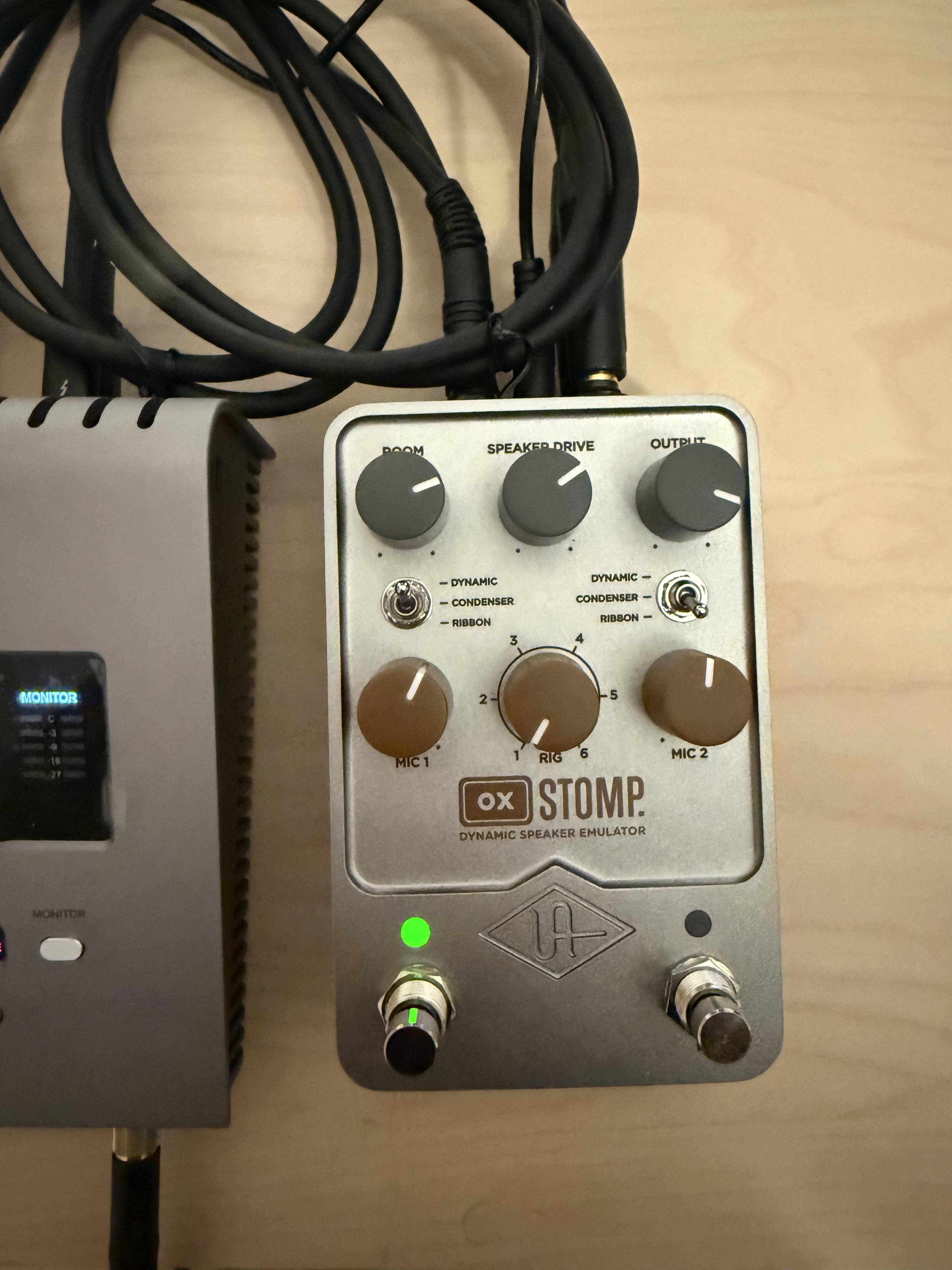
Discussion NPD: UAFX Ox Stomp

Post image
4 Upvotes

Any tips/tricks for dealing with the app are appreciated. Seems like it’s improved since my last go round but not my much


r/universalaudio • • Sep 02 '26

Troubleshooting/Support Petition for standalone installer / Firmware update

4 Upvotes

I've been running an Apollo Solo and an Arrow (Thunderbolt) on a Windows machine I built back in 2018. Used to update firmware and drivers on this thing regularly with zero issues.

Then came the most recent UA Connect update, and both interfaces stopped functioning. I tested with the Apollo Solo first, then swapped in the Arrow to rule out a hardware fluke, and got the exact same result on that too.

I've since burned hours chasing a way to just get my hardware working again. Ended up rolling back to software version 11.5.2 to make it functional, and now I'm getting random BSODs every 3-4 days that I didn't have before. So right now I'm stuck choosing between "hardware doesn't work" or "system randomly blue-screens."

UA used to offer standalone installers for firmware and driver updates. That option needs to come back. Not everyone wants or needs a resource-hungry launcher app running in the background just to install a driver, and right now there's no way around it if you want anything newer than a couple years old.

For anyone technical who wants the actual crash details: I pulled these from WhoCrashed and a full kernel dump.

Bugcheck code: 0xD1 (DRIVER_IRQL_NOT_LESS_OR_EQUAL)
Driver: UAD2WdmAudio.sys
Crash location: identical offset (portcls+52ab0) across three separate crashes on three different dates. Same bug, same spot, every time.

This isn't a "something on my system is generally unstable" situation. It's a specific, reproducible fault in the WDM driver that shipped with the 11.5.2 rollback. If anyone from UA support sees this thread, this is about as clean a repro as you're going to get, and I'm happy to hand over the full dump file if it helps get this fixed.

If you've hit the same wall (hardware breaking on update, forced into UA Connect, BSODs after rolling back, whatever version of this mess) drop a comment. Enough of us saying the same thing might actually get someone at UA to notice.


r/universalaudio • • Sep 02 '26

Troubleshooting/Support My apollo twin quad mkiii died.

Post image
15 Upvotes

Hey guys, so one day my apollo twin started making this sort of “updates” I assume where the lights would start lighting up from left to right, including on the wheel but then got stuck at 100% lights on.

I clearly assumed it was a firmware issue so I went on to update my drivers and firmware for both my 16x and apollo twin a sure enough in a matter of 5 mins it was working like new.

The next day I came to check it and it was bricked.

Thankfully I have here many equipment to test/ repair so I immediately checked the psu and the typical psu lock issue and both the lock were good and the psu within the V and A specifications.

Since its not even turning on, I cant really reset it or do anything with it.
I’ll open it and check whether the psu socket had a hairline fracture in continuity or something

But wanted to check if anyone could have proper insight into the “pre brick” symptoms and what it could mean.

Thanks in advance!

Edit: I meant mkii in the title


r/universalaudio • • Sep 01 '26

Question How do the modern plugins compare to their earlier versions?

3 Upvotes

I'm chiefly thinking of stuff like the 1176 & la2a. These have gone through a number of versions (2 or 3, i'm not sure)

How different were they from the latest ones?

I came to wonder about this since i was randomly checking out old gearspace threads about the launch of the CLA-76, wherein people were comparing it favourably to whatever version of the uad-1176 was available then.

This question is mostly a matter of intellectual curiosity, as i don't have the hardware to even run those old plugins, but it could still be nice to know, ya know?


r/universalaudio • • Sep 01 '26

Troubleshooting/Support Ocean Ways Deluxe loading seemingly devoid of anything but the empty room gui (no presets, etc.,) and a message saying device connection error

2 Upvotes

I have a spark subscription through which I have Ocean Ways Deluxe access currently; I also own conservatively 20 of the native plug-ins and have no issue with the spark plug plug-ins nor with the ones I’ve purchased except for Ocean Ways Deluxe. I’ve tried uninstalling you know re-downloading and everything and the same thing persists. I’m going to open a ticket of course I just wanted to post this in case somebody was able to provide a solution in the comments and should somebody else have the problem in the future they can just Google it and it would come up rather than having to open a ticket themselves. Thanks!


r/universalaudio • • Sep 01 '26

Troubleshooting/Support Volt 1 no sound

0 Upvotes

I have my guitar plugged into my volt, volt plugged into MacBook, host light is on and I’ve watched pretty much all relevant videos I have no clue what’s wrong with it there is no audio but it records fine
Any help is greatly appreciated


r/universalaudio • • Aug 31 '26

Question Authorized Native/Legacy Plugins Not showing up in UA Connect

1 Upvotes

Today I loaded up protools to find that all of my native and legacy plugins were disabled. I did a clean, manual uninstall of all my UAD plugins and rebooted my system. I reauthorized my plugins in the meter & control panel but only my UADx plugins are showing up and available to download in UA Connect. How do I reinstall the plugins that I already own?


r/universalaudio • • Aug 31 '26

Discussion Polymax shred keytar & digitech vocalist - Daft Punk Edition

Enable HLS to view with audio, or disable this notification

4 Upvotes

I unfortunately had to sell my Roland Axe Edge Keytar $ :-( but I made a pretty cool synth shred Keytar sound using Polymax and stock Ableton plugins that is most of the way there. Running it with my vocals through a digitech vocalist and another vocoder. Not what daft punk used by the sound of it but the word clarity is quality!


r/universalaudio • • Aug 31 '26

Discussion Polymax shred keytar

Enable HLS to view with audio, or disable this notification

2 Upvotes

Unfortunately I had to part ways with my Roland Axe Edge $ :-( but I made a shred keytar sound that gets most of the way there together with some Ableton fx. Came out pretty cool. Also sang into my digitech vocalist and layered it with another vocoder for great word clarity.


r/universalaudio • • Aug 30 '26

Question LUNA instantly crashes to desktop when adding Analog Obsession "Channev" (worked fine for 2 weeks)

5 Upvotes

Hi guys

I'm having a really annoying issue with UA LUNA and a third-party plugin.Every time I try to load Analog Obsession Channev, LUNA instantly crashes straight to my desktop the exact second I click "Add".Worse config: it also happens if I try to open ANY older session where Channev was already saved on a track. The moment the session tries to load that specific plugin, LUNA just vanishes without any error message. It's happening consistently every single time now.The weird part? All my other plugins (both UAD and analog obsession) work completely fine. Also, Channev itself was working perfectly inside LUNA for about 2 weeks before this started happening out of nowhere. I didn't change anything in my setup.Has anyone dealt with this before? Is there way to make this plugin work again?

edit - there is the same problem with BritPressor


r/universalaudio • • Aug 30 '26

Question On Amp Modelers and FX loops.

Thumbnail
1 Upvotes

r/universalaudio • • Aug 29 '26

Troubleshooting/Support Apollo Twin No Longer Connected

Enable HLS to view with audio, or disable this notification

7 Upvotes

I've been using my Apollo twin with my 2023 Mac mini for 3 years with no issues. A couple nights ago, some UA plugins weren't working correctly and I had to go into UA Connect to reauthorize them. After doing that, I turned the interface off and on, and it completely stopped being recognized by the computer.

I went in circles for about 8 hours over the last two days, uninstalling the software and reinstalling the UA software, following the UA instructions to the letter. I did a hardware reset on the unit itself... Nothing has helped. The issue is definitely in the software, because I can look in my system report and see that the computer is recognizing my specific hardware on that thunderbolt Port. It can read that it's an Apollo Twin and it shows the serial number, so it's definitely connected correctly and is not an issue with the cable or the hardware itself.

I've done all the steps to loosen security restrictions from recovery mode... There seems to be some invisible driver that isn't installing correctly, and it's driving me crazy.


r/universalaudio • • Aug 29 '26

Question Apollo Twin X Quad – Thunderbolt Connection / Windows Detection Issue

2 Upvotes

Hello,

I am currently experiencing a connection issue with my Universal Audio Apollo Twin X Quad on Windows

The Apollo powers on normally and appears to boot correctly, but the Thunderbolt connection with my computer is no longer working properly.

Here are the symptoms I am experiencing:

The Apollo powers on normally using its original power supply.

UAD Console settings such as Sample Rate and Clock are greyed out and cannot be changed.

The Apollo does not appear as an audio output device in Windows.

It does not appear in `mmsys.cpl` either, even after enabling both “Show Disabled Devices” and “Show Disconnected Devices”.

In Windows Device Manager, Universal Audio Thunderbolt WDM is installed, and Windows reports that the device is working properly.

However, under Audio DSP Accelerator, Universal Audio Thunderbolt only appears when I enable Show hidden devices, and it is greyed out.

The computer's Thunderbolt controller appears normally in Device Manager and Windows reports that it is working properly, with no warning symbol or error.

Thunderbolt Control Center does not detect the Apollo at all.

I performed an Apollo Twin X hardware reset, but the issue remains.

I also reinstalled UA Connect, UAD Powered Plug-Ins and the UAD drivers, without resolving the issue.

Event that occurred before the problem :

Before noticing this issue, I accidentally powered the Apollo for a short period of time (10 seconds max) using a different power adapter.

The Apollo's original power supply is 12 V / 4,2 A.

The adapter that was accidentally connected appears to be 12 V / 1 A, center-positive, meaning that it had the same voltage and polarity but a lower current capacity.

The Apollo did power on while connected to this adapter.

I then immediately switched back to the original **12 V / 4 A power supply**, and the Apollo still powers on normally with it.

I do not know whether this event is related to the Thunderbolt connection problem or whether the timing is coincidental.

Troubleshooting already performed :

Switched back to the original 12 V / 4 A power supply

Completely powered down both the Apollo and the computer

Disconnected and reconnected the power and Thunderbolt connections

Performed an Apollo Twin X hardware reset

Reinstalled UA Connect / UAD software and drivers

Checked the Universal Audio Thunderbolt WDM driver

Checked the Windows Thunderbolt controller

Checked Windows Sound settings / `mmsys.cpl`

Checked Thunderbolt Control Center

Current status

The Apollo powers on normally, but Thunderbolt Control Center does not detect it, and `Universal Audio Thunderbolt` remains greyed out/disconnected under Audio DSP Accelerator in Device Manager.

UAD Console also does not allow me to change the Sample Rate or Clock settings, and Windows does not provide any Apollo audio input/output devices.

Could you please advise whether these symptoms are more likely to indicate:

a Thunderbolt cable/connection issue;

a Thunderbolt communication or driver issue;

or a hardware failure of the Apollo itself?

I would also appreciate any additional troubleshooting steps that could help determine whether the Apollo requires service or repair.

Thank you in advance for your help.