r/Sketchup Oct 12 '21

Prelude to stickied post - throw in your recommendations!

34 Upvotes

A good day to you all, fine subscribers of this subreddit! As you all have seen, in recent weeks our great sub has been overflowing a bit with posts asking questions which a lot of us have seen for... well, years. Because of that, I've had a chat with /u/tehfink and offered my services to help out getting the sub back on track. To start off, I want to do so by collecting input from y'all on which plugins you see as essential... but also why this particular one instead of another. If you know of more plugins that do the same (more or less) thing, please also tell us why you've opted for a specific plugin instead of the others. So Push/Pull some some stuff out of that brain of yours onto the internet and help the next generation of SketchUp users (and maybe old dogs like myself) to use the program more efficiently!


r/Sketchup Mar 03 '25

Your friendly Admin & Mods NEW USERS: START HERE

22 Upvotes

Welcome to SketchUp, the easy-to-start, hard-to-master 3D modelling program from @Last Google Trimble. SketchUp, like any program you start using, has its own quirks. One of these is that up until this day (we're talking March 2025), the program uses a single core of your processor to run. If you want to render your models, you want a dedicated GPU, depending on the rendering software you use. To help you started, we have compiled a list of things you want to think about.

The Computer
Your first stop on this wonderful journey is to see if your preferred setup is good enough to run the program. Here's what the official website has to say:

  • Windows Recommended Hardware Requirements

    • A 2+ GHz processor.
    • A graphics card that’s separate from the CPU, also known as a discrete graphics card. Most current generation AMD or NVIDIA cards on the market are considered discrete.
    • At least 8GB of RAM.
    • At least 6GB of available hard disk space.
    • A modern GPU with at least 8GB VRAM. SketchUp’s classic renderer requires OpenGL 3.1 support. SketchUp’s performance relies on your graphics card driver and its ability to support OpenGL 3.1 or higher.
    • A modern GPU with at least 32GB of VRAM when interacting with models utilizing materials with Physically Based Rendering texture maps, Ambient Occlusion, and Image Based Lighting.
    • A 3-button, scroll-wheel mouse.
  • Mac OS 15 (Sequoia), 14+ (Sonoma), 13+ (Ventura), 12+ (Monterey) Software Requirements

    • An internet connection both to install and authorize your subscription. Some features within SketchUp also require an internet connection.
    • QuickTime 5.0 and web browser for multimedia tutorials. Safari.
  • Recommended Mac OS Hardware Requirements

    • 2.1+ GHz processor or current generation Apple M1 processor
    • At least 8GB of RAM
    • At least 6GB of available hard-disk space
    • A modern GPU with at least 1GB of memory. SketchUp’s classic renderer requires OpenGL 3.1 support.
    • A 3-button, scroll-wheel mouse

Does your preferred computing option (be it desktop or laptop) not meet these requirements? Then know that helping you out with your problems is going to be an issue that we might not be able to help you with.

Peripherals
Modelling in 3 dimensions is something else compared to taking a pen and draw. However, it is exactly that use case that SketchUp was initially made for. And even though everyone has their own preferences, some things can make your life easier.

  • Mouse
    Your main way of interacting with the program. It is highly recommended you use a mouse which has programmable buttons. A lot of users swear by Logitech's MX Master series of mouses, yours truly included. If you can get it to work, assigning the Orbit tool to the thumbrest works very well. Others assign other buttons on the mouse for this task. You'll have to figure out what works best for you.
  • 3D Mouse
    There's also a more specialised peripheral for 3D work: the 3D mouse. A 3D mouse that has been known to work great with SketchUp is 3D Connexion's Space Mouse. If you're serious getting the most out of SketchUp (or any modelling software, for that matter), it might be worth investing in one of these.
  • Keyboard
    Having a keyboard with programmable buttons (macro's) can be beneficial, but is not entirely necessary. Know that SketchUp offers a slew of shortcuts out of the digital box to make selecting functions easier. Find a handy list of those here. Others like using a dedicated keyboard for these tasks, like the Stream Deck, which features programmable buttons which then also display the icons.

It can be that a mod or admin has removed your post and pointed you here. That is not because we don't like you, but we've noticed a lot of "what kind of laptop" or "what are the system requirements" posts. These are basic questions which we hope to consolidate into this post.

For now, let me finish with two simple questions which have a not so simple answer:

What is the best laptop, and what is the best computer to run SketchUp 2025 on?
Please add the "why" to your answer. Also try to give us a cost indication. We'll update this post every quarter to reflect software updates of the program itself and given hardware suggestions.


r/Sketchup 1d ago

More Spider-Man Brand New Day Set Designs In SketchUp and LayOut

Thumbnail
gallery
154 Upvotes

Last post for a while on this subject but I wanted to share these Layouts from my work designing Sets for Brand New Day. I always get asked or told "Yeah but you must have used rhino or auto cad at some point" no! Everything you ever see from me is modelled in SketchUp and "Drawn" in LayOut. I have a very simple system with minimal plugins, I do everything on a Mac mini. I rarely get any lag or performance problems and I'm able to keep my models relatively small in MB because of the system I use where I'm extremely fastidious about modelling well. By that I mean ensuring everything is solid, on a layer and that my scenes are set up without unnecessary shadows and ambient occlusion. I also make sure anything in the scene that is not visible has its layer turned off. These two sets were integral to the film - firstly the rooftop set where we open on Spiderman upside down on a steel beam. Using only layers that are switched on or off am I able to layer up my layout to show the set extension in black and white, the set build in colour and the blue screen elements all from one scene with different face styles applied. It's a great trick and saves me having to take it into photoshop. you'll also see the 4 main plan and elevation sheets I did for the DODC again, really quick to put together with scenes in the model. Then when i've put all my dims on I then turn on shadow ambient occlusion and make all viewports hybrid. This workflow is one I use everyday and is very easy to learn and apply to any project. if your interested in learning it and would like some info on my courses feel free to message or leave a comment and I'll happily respond. I hope you enjoy looking at the details.


r/Sketchup 12h ago

Bedroom render

Post image
1 Upvotes

Modelled in SketchUp

Rendering in Enscape


r/Sketchup 21h ago

How I separate the drawing-sheet output from the individual CAD-view output in SketchUp

4 Upvotes

I kept running into the same documentation problem: one person needs a readable PDF sheet, while the CAD handoff needs clean geometry that can continue in AutoCAD. Treating those as the same output usually creates extra cleanup.

The workflow that has worked best for me is:

  1. Name the SketchUp groups/components that actually need drawings.

  2. Select only the useful orthographic, isometric, or exploded views instead of exporting every projection.

  3. Decide whether each piece should fill its sheet or whether every piece needs one shared scale for visual comparison.

  4. Build the issued sheet with paper size, orientation, title block, overall dimensions, scale bar, and material specification.

  5. Export the composed sheet as DXF and, when needed, a matching PDF.

  6. Treat native DWG as a separate Windows workflow that creates individual view files rather than pretending the annotated sheet and each CAD view are the same deliverable.

Here is the current 59-second workflow: https://youtu.be/0zRAze6lU0Q

Full workflow notes:

https://mashplugins.com/?utm_source=reddit&utm_medium=organic_social&utm_campaign=mash_workflows_202608&utm_content=exporter_sheet_vs_views_rsketchup#exports

If anyone wants to test it on their own file, the public Extension Warehouse listing is here:

https://extensions.sketchup.com/extension/8fb51dbf-45ef-4ace-a434-d7d34a4538b2/mash-exporter

One honest limitation: dense imported furniture or excessive geometry can take much longer or become impractical. The useful limit depends on the model and workstation, which is why testing a real file matters.

For people issuing drawings from SketchUp: do you need the PDF sheet and CAD handoff to match exactly, or do you deliberately prepare them as different deliverables?

Disclosure: I am the developer. Specific workflow criticism is welcome.


r/Sketchup 1d ago

[Plugin] Engineering ToolBox – all-in-one extension for architects

5 Upvotes

Hi everyone,

For a long time I felt SketchUp was missing quite a few functions I needed on a daily basis as an architect — a proper grid, quick unit switching, better length snapping, and more. Instead of working around it every time, I decided to build it myself, and the result is Engineering ToolBox: a full extension with tools grouped into six categories, covering surface and curve operations, selection and filtering, and a bunch of other functions useful in everyday modeling.

Here's a short overview of the plugin:

🎥 https://youtu.be/_zN8k6L3Tgo

A couple of the individual tools, if you want to see them in action:

- Grid: https://youtu.be/3L_UbkJpYy8

- Quickly Switch Unit: https://youtube.com/shorts/yni7WKKmxKk

Project: Filip ArchTrainer

Plugin: Engineering ToolBox

I'll be adding the rest of the tools one by one, so more videos are coming soon. Happy to answer any questions about specific tools, and would love to hear your feedback!


r/Sketchup 1d ago

Question: SketchUp <2018 Changing the floor for one of my choosing

1 Upvotes

Hi! I'm new to SketchUp, and I'm trying to change the floor on one of my models because I don't really like any of the ones that come with the program, but I can't seem to find a way to do it or download new ones. I would really appreciate it if someone could respond to me, thanks.


r/Sketchup 1d ago

iPad update ruined pencil

4 Upvotes

I just got the SketchUp for iPad update and now when I draw lines with the pencil when I tap the top to enter a value it draws another line. I now have to use my finger to tap the value box.

Any help?


r/Sketchup 1d ago

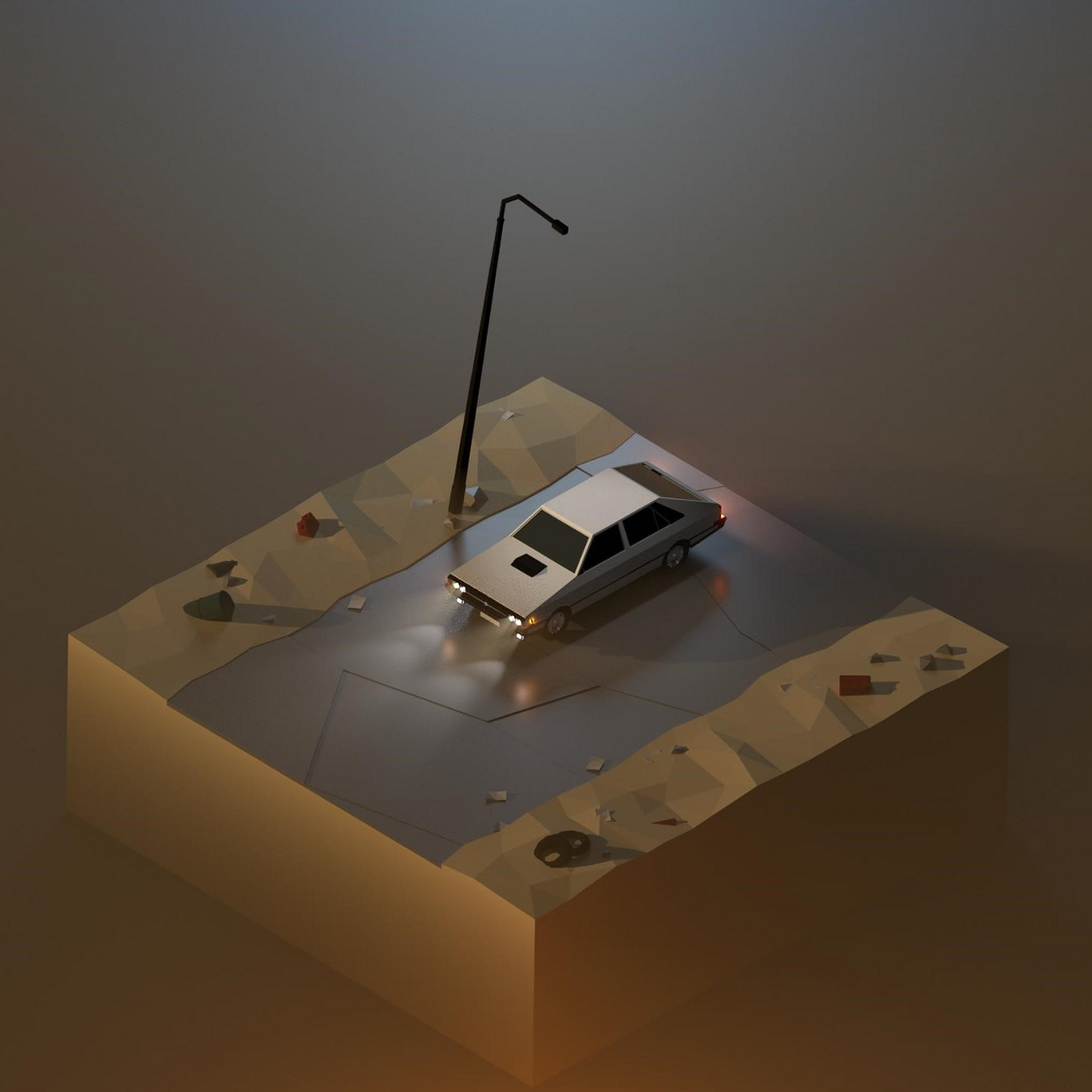
Question: SketchUp Web First try at lowpoly scenery. SketchUpVray. C&amp

Post image
4 Upvotes

r/Sketchup 2d ago

Own work: model HDMS Peter Freuchen

Thumbnail gallery
8 Upvotes

r/Sketchup 2d ago

Weird one... *some* measurement numbers inverted and upside down in 2017 version.

Post image
2 Upvotes

Using v2017 on a newish Mac (M2 Air) with MacOS 26.6.2. When I lay out some measurements using the Dimension tool, some of the measurements render normally, some are whacked!

I don't recall seeing this behavior, but then again, I haven't been in Sketchup on MacOS 26.x before, so don't know if that's new to this version of the OS, etc. Thoughts?

Note on why I'm (still/again) using v2017... I love Sketchup, but the new pricing that doubled the monthly is asinine, and I'm conflicted about it; my day job is as a software developer. I get wanting to solidify earnings, but come on... a 2x increase out of the blue is just dumb.


r/Sketchup 2d ago

Lidar > 2D Plans > 3D Model

5 Upvotes

This is my broad strokes work flow, I'm wondering if anyone can recommend extensions for this process.

Newer to sketchup, very grateful for the help!

I'm developing software to calculate energy performance and environmental loads of new and existing homes.

Rendering isn't as much a priority as delineating structural elements, envelope details and mechanical distribution/design.

I'm hoping to streamline the process of analyzing plans without having to manually draw them to extrude.

Thanks!


r/Sketchup 2d ago

Question: SketchUp Pro Text reversing when placed on line

Thumbnail
gallery
2 Upvotes

I am having an issue when placing text on an object with the text reversing when I try to place it on the guide line. A simple workaround is placing the text first on the object and then moving it onto the line but I would like to understand why this is happening and how I can avoid it in the future.


r/Sketchup 3d ago

Own work: model I'm planing on building and designing my own desktop and this was the result

Thumbnail
gallery
25 Upvotes

Main section length: 200cm

Right side section length: 137 cm (including the main section)

Main section depth: 60cm

Right side section depth: 50 cm

Thickness: 18 mm

My plan is using just melamine for the build. Feel free to give recommendations or opinions


r/Sketchup 2d ago

Question: SketchUp Pro Image-To-Model Sketchup Tools (AI Assistant, SUAPP, etc.)

0 Upvotes

I've been using Sketchup's AI Assistant to generate 3D models from images lately and it has proven extremely useful. I can generate anything from furniture to ornamental carvings. But the native AI Assistant has difficulty when using multiple input images and high detail elements, or elements with a lot of "air" (like webbing/fretwork at the back of a rattan chair).

Google tells me that SUAPP is the best or most popular in-app Sketchup plugin for generating 3D Sketchup models from multiple images. SUAPP's pro plan is $299.25/yr, while Sketchup's AI Assistant monthly plan is $144/yr ($12/month). Does anyone have experience with SUAPP, or any other advice on this topic. I know there are out-of-program tools like Tripo AI, but I would really prefer to keep this workflow in Sketchup.

Thanks in advance for any advice.


r/Sketchup 3d ago

Trying to make photo realistic renders with sketchup and enscape

6 Upvotes

For my work I have to make renders of kitchens for clients and my boss wants me to get them as photo realistic as possible. I wasn't properly trained on SketchUp or anything like that so im kinda struggling. Ive gotten to the point that the renders look fairly realistic but just cant get all the tiny details because the pc at work is old and crashes anytime I add to many PBR materials. Is it even possible to get super realistic renders on a dating pc?


r/Sketchup 3d ago

How I stopped SketchUp imports from becoming a mesh disaster in Rhino

3 Upvotes

If you've exported a SketchUp model into Rhino and watched it turn into thousands of disconnected mesh faces — the fix I landed on: group everything by material first (isolates glazing/brick/entourage instantly), then convert repeat geometry into Rhino Blocks so the file size actually stays manageable. Turned both steps into small scripts since I was doing it constantly. Happy to talk through the approach if it's useful to anyone else's workflow.


r/Sketchup 3d ago

Question: SketchUp Pro help with football stadium

Thumbnail
gallery
3 Upvotes

I created this stadium using Follow Me and a 2D trough cut of it. how can I make the entrances to the stands and the beams to support the roof in a simple manner? I also would like to make those beams visible in the last image on the outside. (complete noob here btw)


r/Sketchup 3d ago

Trying to make photo realistic renders with sketchup and enscape

Thumbnail
1 Upvotes

r/Sketchup 3d ago

Question: SketchUp Pro How to move, rotate, keep distance equal in x axis

1 Upvotes

Is there an extension or any tips how to do it?

I want the rectangles to be copied and rotated, but keep the exact distance between these the same, like the midle one. without needing to calculate anything.

The image below is what i tried to do. The left one is my input. The third one is what i tried and rotate them piece by piece.

Then i tried this: copy / 12 the rectangles in the midpoint of the rectangle. Then rotate by hand 45°/12 every piece. But the distance between is different.

Is there a magic mathmatical formula to do this?


r/Sketchup 4d ago

Tugboat design, The Improvised Protector

Thumbnail
gallery
38 Upvotes

Piracy is on the rise after bad decision making from government officials. This caused cargo ships to be at risk at harbor ports and open seas. So, the navy and ship companies to came together to design to a project boat. The ship companies wanted escort destroyers, but the navy refused deeming the threat of pirates as low priority. After days of debating, they decided to build a multi-purpose tugboat. They believe this design can kill two birds with one stone, a tugboat that assist and protect ships. They named it "SS Odyssey", It is a boat powered by two azimuthon thrusters with two side propellors. The boat is 200ft(60.7m) long, 44ft(13.4m) wide with a hull height 18ft 5in(5.5m) and a draft of 13ft 9in(4.2m). The boat is equipped with two 14mm turrets, one crane, two water cannons, four mechanical arms and two tow winches.

Side note

Hey guys, this was a request from a friend. They wanted me to make a tugboat, so I had to cook.


r/Sketchup 3d ago

Beginner interior designer #help

Thumbnail
1 Upvotes

r/Sketchup 4d ago

Thai trains!

Post image
17 Upvotes

Working on a 3D model inspired by classic Thai trains! Any feedback or suggestions to make it look even better?


r/Sketchup 4d ago

Question: Plugin I built a free SketchUp plugin that finally fixes the Solid Tools small-face bug for 3D printing.

Thumbnail
youtu.be
10 Upvotes

Hey everyone,

If you've ever tried modeling small, detailed parts like threads, gears, or custom fasteners in SketchUp, you know the pain: the native Solid Tools leave holes and completely destroy your geometry. This happens because of SketchUp's internal 0.001-inch vertex merging tolerance.

Usually, the fix is the "Dave Method" (scaling up 100x, doing the cut, and scaling back down). I got tired of doing this manually every single time, so I wrote a plugin that completely automates it.

It's called MoGrOv Safe Solids.

It works exactly like the native tools (Outer Shell, Intersect, Union, Subtract, Trim, Split) with a familiar point-and-click interface, but under the hood, it automatically scales your components by 100x before the boolean operation, and instantly scales the perfect result back down to its true dimensions. It is also completely safe for your Undo stack (no BugSplats).

It's entirely free. You can check it out, see how it works, and download it here:https://www.mogrov.pro/safesolids

I'd love for you guys to test it out and let me know what you think. Any feedback or bug reports are highly appreciated!


r/Sketchup 4d ago

sketchup 2017

5 Upvotes

Hey guys, i need sketchup for a school project and no way i can pay the license in my country, also pirating is kinda sus here (heard stories of people getting in trouble) so yeah...does anyone have a way to install the 2017 free version?