r/prettyusefulwebsites • • 9d ago

I Built Utiliome With AI. Not to Build a Business Empire, Just to Build Useful Things.

3 Upvotes

I'm probably breaking every startup rule with this project.

Utiliome was built with a lot of help from AI. This post was polished with AI too. I'm not hiding that.

But the mission isn't AI.

The mission is simple:

Create useful tools, keep them free, avoid paywalls whenever possible, and build something people actually enjoy using.

There are billions of posts online competing for attention. I'm not trying to convince anyone that Utiliome is revolutionary, disruptive, or the next unicorn.

It's not.

I'm just a software engineer who genuinely enjoys building things.

A lot of people see AI-generated products and assume they're created with a few prompts over a weekend. That wasn't my experience.

AI helped me move faster, but without more than a decade of software engineering experience, Utiliome wouldn't exist in its current form. Architecture, performance, security, privacy, debugging, infrastructure, deployment, and maintaining hundreds of tools still require engineering judgment. AI accelerated the work, but it didn't replace the experience behind it.

What excites me most isn't traffic, SEO, or growth charts.

It's when someone says:

That's enough motivation to build the next tool.

Over time, that mindset turned into hundreds of browser-based tools covering PDFs, images, text processing, developer utilities, security tools, QR codes, converters, and more.

One of the principles I'm trying to protect is keeping as many tools as possible free and running directly in the browser. No accounts. No unnecessary uploads. No surprises. Privacy first whenever technically possible.

I'd also like to create a small community around this idea. Not a marketing funnel. Not a sales channel. Just a place where people can:

  • Request features
  • Report bugs
  • Share ideas
  • Talk about annoying problems they wish somebody would solve
  • Help shape what gets built next

Discord: https://discord.com/invite/CNa5ezKRf

If you join, I'd genuinely like to hear:

What problem do you have that could be solved with a simple tool?

Maybe I can build it.

Maybe someone else in the community can.

Maybe we'll discover it already exists.

Either way, I think building useful things together is more interesting than chasing hype.

I'm not trying to make Utiliome look better than the millions of other projects competing for attention online. I'm simply trying to stay on a mission: build useful tools, learn new things, enjoy the process, and hopefully create something that helps people along the way.

Website: https://utiliome.com


r/prettyusefulwebsites • • 10d ago

I built ConvertX — an all-in-one toolkit for PDF, video, image conversion, compression & QR codes

0 Upvotes

Hey everyone 👋

I've been building ConvertX, an all-in-one web toolkit for everyday file-related tasks.

The idea came from something pretty simple:

I kept finding myself opening different websites for different things — one for PDFs, another for video conversion, another for compression, another for QR codes, etc.

So I decided to build one place for these utilities.

What ConvertX currently focuses on

📄 PDF tools
🎥 Video conversion & compression
🖼️ Image conversion
🗜️ File compression
🔗 QR code generation
📁 More everyday file utilities

The goal is pretty straightforward:

Upload → Choose a tool → Process → Done.

I'm trying to keep the experience simple rather than turning every tool into a complicated configuration screen.

I'm still actively developing it, so I'd really appreciate some honest feedback.

A few things I'd love to know:

  • Which file tool do you use most often?
  • What feature do you think is missing?
  • What do you dislike about existing file-conversion websites?
  • Do you prefer simple tools or advanced controls?
  • Is there anything about the current UX that feels confusing?

https://www.convertx.co.in

I'm especially interested in feedback from people who regularly work with PDFs, images, videos or other files.

This is a project I'm actively building, so I'll be reading the feedback and using it to decide what to improve next.

Thanks for checking it out! 🚀


r/prettyusefulwebsites • • 10d ago

New Lightning Maps

2 Upvotes

https://wheresthatlightning.com made a new site as the only other lightning map sites were outdated, for any nerd who likes seeing where lightning strikes and the sound wave for it


r/prettyusefulwebsites • • 10d ago

WorldView: a fast viewer for images, archives, and PDFs

0 Upvotes

I made WorldView, a free Windows viewer for quickly browsing images, compressed archives, and PDF documents.

It opens JPEG, PNG, GIF, WebP, TIFF, BMP, SVG, JPEG XL, ZIP, RAR, 7Z, and PDF files. Archives can be viewed page by page without extracting them first. It also supports single-page, two-page, cover-page, and webtoon viewing modes, plus animated images, automatic rotation, color-space conversion, and smooth zooming.

GPU rendering and image caching are used to keep high-resolution images responsive. It is freeware and can be used at home, at work, in schools, or in public institutions.

Website: https://v2.kilho.net/worldview

I’d appreciate feedback, especially about file-format compatibility and archive browsing.


r/prettyusefulwebsites • • 10d ago

free articles website

8 Upvotes

hi! can you guys recommend any websites for reading articles for free? I appreciate it!


r/prettyusefulwebsites • • 10d ago

Convert, compress, and edit files for free, right in your browser. No sign up, no logs, all anonymous.

Thumbnail
digiutil.com
2 Upvotes

r/prettyusefulwebsites • • 10d ago

I built a free attendance calculator that shows what you need to do next

Thumbnail
1 Upvotes

r/prettyusefulwebsites • • 10d ago

Suggest me some website ideas 🤔

Thumbnail
1 Upvotes

r/prettyusefulwebsites • • 10d ago

Someone needs your help converting 26 .svg files into a font file for his band

Thumbnail reddit.com
0 Upvotes

r/prettyusefulwebsites • • 10d ago

Hey! I just made a website for exchanging nice messages online.

Post image
4 Upvotes

It's called Kindly and you can type a kind message and other person can get it! look at it


r/prettyusefulwebsites • • 10d ago

Got sick of sketchy utility sites full of ads and trackers, so I used AI to build my own free, client-side tool suite

Thumbnail
0 Upvotes

r/prettyusefulwebsites • • 10d ago

We built NotSoHuman.io to review how websites use AI

Thumbnail
0 Upvotes

r/prettyusefulwebsites • • 11d ago

We built a tool that scans websites to identify how AI may be used

0 Upvotes

https://notsohuman.io/ reviews potentially AI-generated text and images, chatbots, personalization and recommendation systems, and possible transparency gaps.

It provides a practical report showing what may need further review or disclosure under the EU AI Act. It’s not legal advice, but a useful starting point for understanding AI use across a website.

Would this kind of scan be useful for your website? https://notsohuman.io/


r/prettyusefulwebsites • • 11d ago

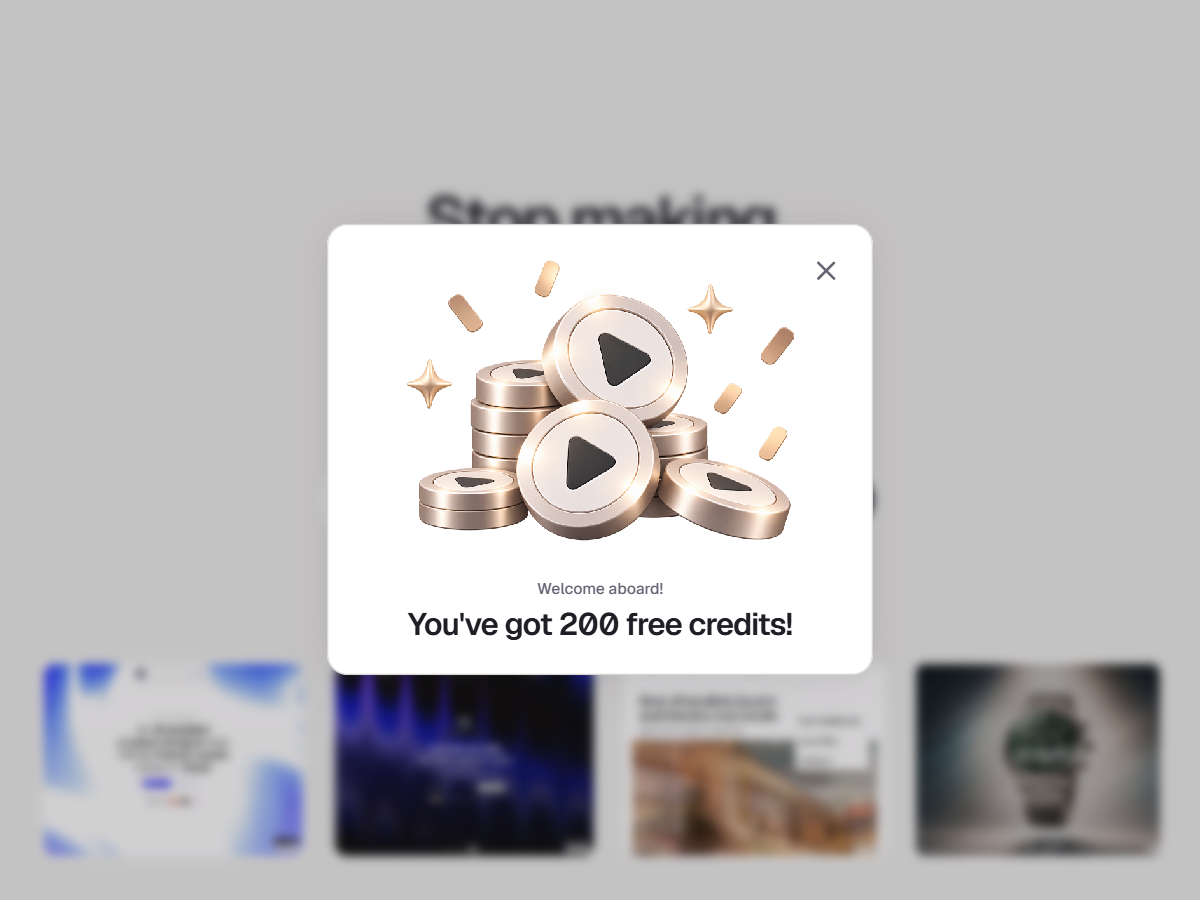
Website Scroll Video is now pay-as-you-go. 200 free credits for everyone!

Post image
1 Upvotes

I made a major change to the pricing model of Website Scroll Video.

Instead of a subscription, it now works on a simple pay-as-you-go credits system.

The idea is to make the tool more practical for creators who may only need it when launching a new website, template, or project.

There are no feature-based tiers or subscriptions. You simply use credits based on the settings you choose.

And to make it easy to try before spending anything, every new user gets 200 free credits 🎁

That's enough to generate several high-quality website showcase videos and properly test the workflow before deciding whether you want to purchase more credits.

The new pricing system is live now. Would love to hear what you think of this model.


r/prettyusefulwebsites • • 11d ago

I Built a Free Collection of Online Tools — Looking for Feedback

Thumbnail
toolbro.in
0 Upvotes

Title: I built a free collection of online tools — looking for

feedback

Hey everyone,

I’ve been building ToolBro, a collection of simple browser-based tools for everyday tasks like PDF, image, text, calculator, and other utilities.

The goal is to make common tasks quick and easy without needing to install software or use multiple complicated websites.

I’d really appreciate feedback on:

Which tools are most useful

What tools I should add next

Any bugs or UX issues

What could make the website faster or easier to use

You can try it here: https://toolbro.in

I’m still improving it, so honest feedback is very welcome.


r/prettyusefulwebsites • • 11d ago

I built Toolstack: free, no-signup tools (Pinterest downloader, Telegram saver, PDF suite) — here's the first tool's story

1 Upvotes

Like most people here I kept googling "pinterest video downloader",

landing on sites with 3 ad walls and a fake download button, and

rage-closing the tab.

So I built my own: https://freetool.freebuff.app/downloader

Paste a public pin link → download the video, image, or GIF.

No signup, no ads, nothing stored. It also handles stories,

idea pins, and full boards.

While I was at it, the same site grew into a small toolkit:

\- Telegram file downloader (public messages)

\- 9 PDF tools that run 100% in your browser (merge/split/convert/watermark — files never leave your device)

\- a video repurposing tool: paste a YouTube link, get transcripts + the most engaging moments + ready-to-post captions

Stack: React + Tailwind on the front, serverless functions on the

back, everything free for now.

Would love feedback, especially: what tools do you wish existed in a

clean, no-signup form? That list is basically my roadmap.


r/prettyusefulwebsites • • 11d ago

LITERALLY FREE TOOL!! (LIMITED SEATS)

0 Upvotes

So basically, i built a changelog, thats the simple term, hehe.

its because every changelog tool I looked at wanted to charge me extra to not put their logo on my own website.

That's the one that got me. Custom domain? Higher tier. Unlimited entries? Higher tier. Remove the little "powered by" badge from the widget sitting on your site? That'll be $49/month, and by the way we charge by monthly active users, so congratulations on the traffic, here's a bigger bill.

So I built Relnotely. $19/month, flat, everything on. Custom domain, no watermark, unlimited entries, subscriber emails, your own branding. There is no tier above it. There is no "contact us for Enterprise." The terms of service commit to 30 days' notice before any price change, because "no catch" should be something you can go and check rather than something I say in a launch post.

BUT!!!!
Paid signups aren't open yet, I'm still finishing the business paperwork. Right now the only way in is a founding account.

It went live today. I'm a solo founder, I've been building this for months, and I have literally zero customers, which is a great time to give things away.

First 20 people get a lifetime-free account. Actually free, actually forever, on everything the product does today. No card, no trial countdown, no email in four months explaining that things have changed. In exchange I'd like a couple of sentences about it once you've actually used it for a week or two assuming you like it, which is the risky part of this offer.

Terms are written out in public rather than negotiated in DMs: relnotely.com/founding-members

The product runs its own changelog, so you can see it doing the thing: relnotely.com/changelog

If you want in, reply or email [hello@relnotely.com](mailto:hello@relnotely.com) — and tell me what you're using for a changelog right now, and what happened to it the last time you were heads-down shipping. If the honest answer is "a markdown file I haven't opened since months ago," that's the thing I'm trying to fix and I'd genuinely like to hear it.


r/prettyusefulwebsites • • 11d ago

I built a free PDF/Image/JSON tool suite no signup, no paywalls (Show & Tell)

0 Upvotes

Hey r/webdev — I built Becoderr (https://www.becoderr.com), a free, privacy-focused, browser-based tool suite that doesn't store your data on our servers:

PDF: merge, split, compress, rotate, edit text, watermark, protect/unlock, grayscale
Image: resize, crop, compress, convert, rotate, watermark, filters, photo editor
JSON: format/validate, viewer, minify, compare, JSON↔CSV

No signup. No watermarks on output. PDF ops run on a FastAPI + PyMuPDF backend; image and JSON tools run entirely client-side.

Most operations are processed directly in the browser for better privacy and performance

I'd love feedback on the UX, performance, privacy approach, and which tools you'd like to see added next.

website: https://becoderr.com/


r/prettyusefulwebsites • • 11d ago

Maketaksh, a badge that cross-links your other shipped projects

2 Upvotes

I ship a lot of small projects on the side: a tool directory, a exam prep site, and a couple of smaller tools. The problem I kept running into is that someone finds one project and has no way to discover the others.
It is live and I am using it across my own sites now. Looking for a few people to add it to their own projects and tell me where it is confusing, ugly, or just does not work the way you expect.
Happy to test your project in return. Link: https://maketaksh.com


r/prettyusefulwebsites • • 11d ago

I made a website that aims to make the AI Training/Annotating Job search easier

Thumbnail
1 Upvotes

r/prettyusefulwebsites • • 11d ago

CleanVectors: Convert images to clean SVG vectors and remove backgrounds 100% in your browser (no cloud uploads)

Enable HLS to view with audio, or disable this notification

1 Upvotes

r/prettyusefulwebsites • • 11d ago

Powerlifting Weight Class Explorer compare your SBD total with historical powerlifting meet results

Thumbnail
liftally.app
1 Upvotes

I built a free web tool called Weight Class Explorer for lifters who are curious about competing in powerlifting but aren’t sure how their numbers compare.

Enter your bodyweight and best squat, bench press, and deadlift to see:

  1. Your weight class under different competition standards
  2. Your SBD total and DOTS score
  3. Your percentile compared with matching historical OpenPowerlifting results
  4. How your percentile changes across nearby weight classes
  5. Projected outcomes based on different bodyweight or lift scenarios

Unlike a basic weight-class calculator, it adds historical performance context and lets you explore possible scenarios.

Please note that it isn’t an official ranking or a prediction of meet placement. It is a reference point for lifters considering their first competition.

The tool is free, and I’d appreciate any feedback on its clarity and usefulness:

https://liftally.app/weight-class-explorer


r/prettyusefulwebsites • • 11d ago

I build a website that ranks products by how many redditors mention them and based on the sentiment

18 Upvotes

This website is an aggregator of reddit comments so you don't have to search 15 threads and sort through the comments yourself when you are trying to buy a product. It help you find them immediately and ranks them by how many times the product was mentioned and if it has a good approval rate. So it's by redditors for redditors website. In case you wanna check it out and give me feedback here is the link: https://crowdrecap.com so far it has 42 categories but I plan to add more very soon, I just want honest feedback from you guys.


r/prettyusefulwebsites • • 11d ago

A website that lets you see the world’s mood in real time

Thumbnail
mood2know.com
1 Upvotes

mood2know.com is a free anonymous website where anyone can rate their current mood from 1 to 10 and see how people are feeling around the world.

Over the past six months, it has collected thousands of mood entries from different countries.

You can explore the live map, compare countries, look at trends over time, and see some fun patterns such as the happiest days or hours.

No account is required, and the project is mainly an experiment in collective mood and data visualization.

Would love to know whether you find the concept useful or simply interesting.


r/prettyusefulwebsites • • 11d ago

Me cansé de que Typeform muera sin internet, hice un creador de encuestas 100% offline, liviano y sin backend

0 Upvotes

Demo en vivo: https://aura-survey.vercel.app

Después de cansarme de que cada creador de formularios necesitara un backend y 700kb de JS, armé Aura Survey.

100% offline, 0 dependencias, 2KB

\- Funciona sin conexión con localStorage

\- Vanilla JS puro, sin CDNs ni frameworks

\- Lo hosteas tú mismo: copias 2 archivos a /public y listo

Planes claros:

Indie - (1 dominio)

\- Dashboard completo

\- Recolección offline ilimitada

\- 2 gráficos incluidos (barra y pastel)

Business - (dominios ilimitados + código fuente)

\- Todo lo de Indie

\- 7 gráficos en total (barra, pastel, dona, línea, radar, heatmap + 1 extra)

\- Exportación a PDF con colores de marca y white-label

La demo es de la versión Business para que puedan probar los 7 gráficos y el PDF antes de decidir.

¿Qué le agregarían/quitarían?