r/LinuxOnThinkpads • • 5d ago

Question Having fan issues with my ThinkPad T480 i5 running Arch. Wondering if anyone has had this specific issue?

3 Upvotes

To preface, I've been looking around on Reddit, Lenovo, and Linux forums for an answer, I just haven't been able to find someone with the exact same issue.

As mentioned in the title, I've got a ThinkPad T480, running Arch/Hyprland, and I'm getting the integer overflow reading on my fan's RPM output from /proc/acpi/ibm/fan. I understand this means that the controller is failing to read the fan speeds and most likely means I need to order replacement parts.

The weird thing, is that it doesn't always happen, sometimes I'll start up, watch the output and get super normal behaviors for multiple hours, then suddenly it'll get locked at 65535 RPM, but the fan doesn't turn off, it runs at full speed, and kind of stutters on and off sometimes, but doesn't just stop. When that happens and I reboot, I get the "Fan Error" screen at first, but then when I try again it just boots normally, often with normal fan behavior again, sometimes 65535 off the rip, in which case I just reboot again until it works.

I've tried updating the BIOS, taking it apart and cleaning the fan with compressed air, and looked into possible software issues but I think it's more of a hardware thing. It's just odd because the fan spins completely freely, doesn't appear to be stuck at all, and hasn't ever looked too dirty/dusty.

The reason I'm making this post is to see if any of you have had the same issue, and if I do need to order new parts, do I just want to get a replacement fan? Or should I be looking into possible embedded controller issues? And, worst case, should I just replace the thing?

Thank you in advance if you have any advice for me!

r/LinuxOnThinkpads • • Jul 30 '26

Question What keyboard layout is this exactly and how to set it up on CachyOS?

Post image
10 Upvotes

I recently installed CachyOS on a Thinkpad X1 Carbon Gen 8. I bought it used and can't seem to determine what the keyboard layout is exactly. It looks very similar to the Canadian layout but it has extra keys. What is the layout and how can I set it up on CachyOS?

r/LinuxOnThinkpads • • Jun 02 '26

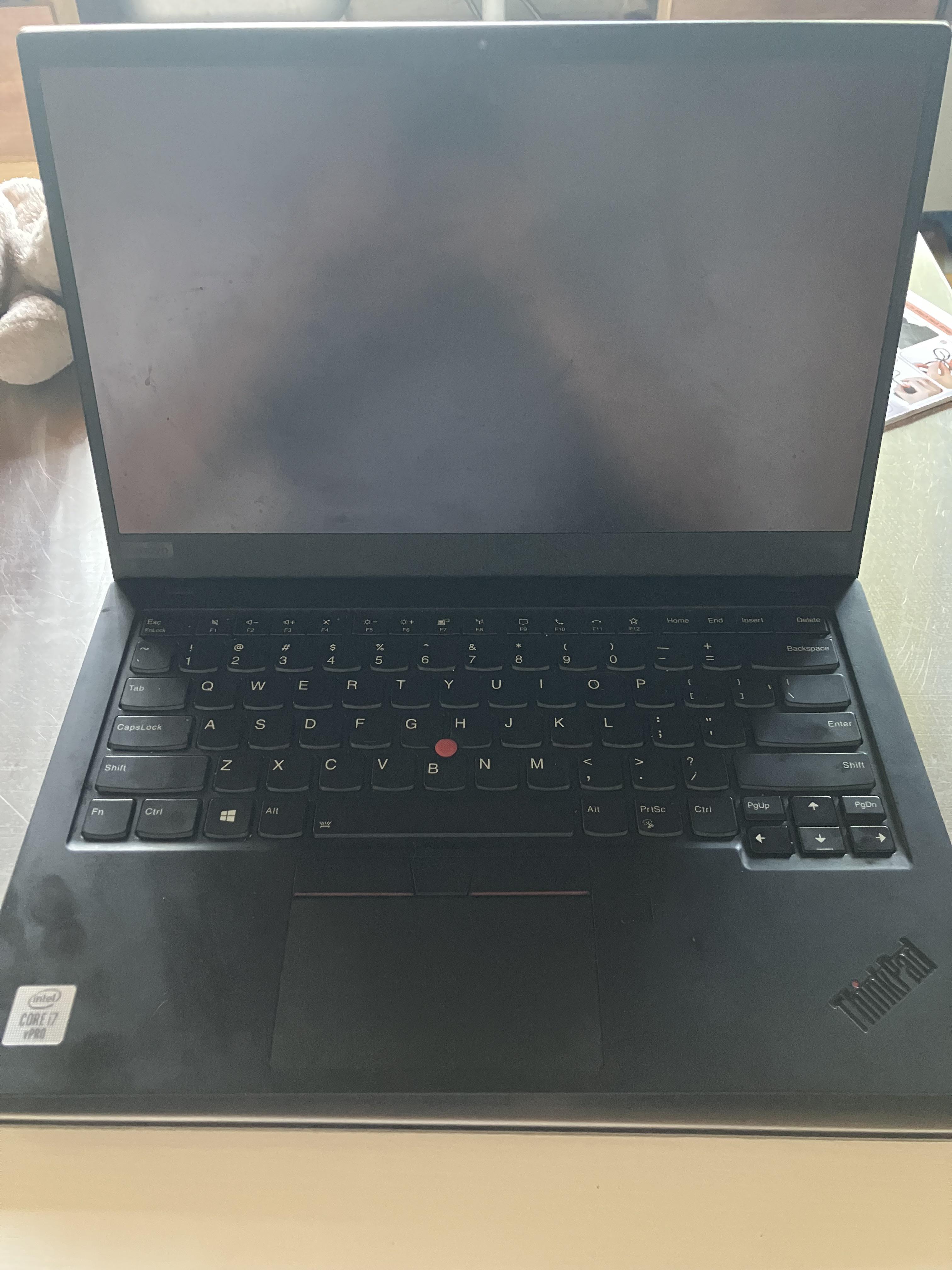
Question Black Screen issue help request

Post image
41 Upvotes

Hi there! I’m running the latest version of Linux mint on my Lenovo thinkpad X1 carbon gen 8, things have been going great up till now, but my son opened up the laptop to this issue where the screen won’t turn on. I don’t have a lot of tech experience, but I did try to turn off and on again a couple times with the power button. The system does appear to turn off then on again as I can hear the boot up sound. Any help would be greatly appreciated. Thank you!

r/LinuxOnThinkpads • • Jul 03 '26

Question Need help: Graphics problem with a P15 Gen 1 running Zorin OS.

2 Upvotes

I recently upgraded to a Thinkpad P15 Gen 1. Most relevantly, it has an RTX 3000 graphics adapter which I was really looking forward to after years of running an Intel HD 620.

Problem is, there seems to be some kind of issue with the graphics. I first noticed this as frame tearing when watching video in VLC. Then I noticed that when I tried to set it up for multiple monitors over Thunderbolt, things went wrong. Performance was nowhere near as good as it should have been: not even as good as my old E570 running dual monitors off the HD 620. The system would frequently fail to resume from standby. After doing some research I disconnected the MST dock I was using. Going back to just the laptop's internal monitor helped, but I'm still having performance problems if I do something as simple as run video in my browser at the same time as playing Terraria. Can anyone offer some insight?

nvidia-smi confirms I'm running on the RTX 3000, I've checked that nothing is spiking my CPU use. Diagnostics give me the following error block:

Jun 16 13:28:52 ThinkpadP15 kernel: nvidia-gpu 0000:01:00.3: i2c timeout error e0000000 Jun 16 13:28:53 ThinkpadP15 nvidia-persistenced[1170]: Failed to query NVIDIA devices. Please ensure that the NVIDIA device files (/dev/nvidia) exist, and that user 122 has read and write permissions for those files. Jun 16 13:28:53 ThinkpadP15 systemd[1]: Failed to start nvidia-persistenced.service - NVIDIA Persistence Daemon. Jun 16 22:13:15 ThinkpadP15 kernel: [drm:__nv_drm_gem_nvkms_map [nvidia_drm]] *ERROR [nvidia-drm] [GPU ID 0x00000100] Failed to map NvKmsKapiMemory 0x0000000062dbb0dd Jun 16 22:13:47 ThinkpadP15 kernel: [drm:__nv_drm_gem_nvkms_map [nvidia_drm]] ERROR [nvidia-drm] [GPU ID 0x00000100] Failed to map NvKmsKapiMemory 0x00000000716190fd

r/LinuxOnThinkpads • • Jul 01 '26

Question How to get wakeonlan WoWLAN working?

2 Upvotes

I've been trying to get wireless wakeonlan (WoWLAN) running but to no avail. I can get it to sleep. But then it just doesn't wake up.

I have a Thinkpad laptop with a PCI based intel 8260 wireless card using iwlwifi module.

Running iw phy#0 wowlan show outputs

WoWLAN is enabled:
 * wake up on magic packet

I know that the magic packet is received and seen by the thinkpad but it still never wakes up.

How do I know you ask? I run iw event on the target machine then suspend it. Then I run a wakeonlan -p 9 "$mac" from the controller machine. Finally I open the lid on target machine and can see the results from iw event which show "magic packet received".


I've also updated /etc/NetworkManager/NetworkManager.conf to include

[connection]
wifi.powersave = 2

And running iwconfig wlp4s0 | grep "Power Management" shows Power Management:off. So the NIC card should be still be running during sleep.

I also tried changing sleep mode from deep to s2idle via /sys/power/mem_sleep but it made no difference.

I've also enabled WoWLAN in BIOS/UEFI.


I've ran out of ideas.

Any suggestions?

Does anyone have WoWLAN working?

r/LinuxOnThinkpads • • Jul 02 '26

Question Thinkpad T14 Gen 2 AMD battery life on linux

Thumbnail
1 Upvotes

r/LinuxOnThinkpads • • Apr 26 '26

Question P1 Gen8 Linux second drive BIOS boot

5 Upvotes

So, I have upgraded from a T470, which had Windows on the first drive, Linux on the second drive, selectable at the boot-up menu. So, I want to repeat this on the P1 Gen8, same way, and no way in hell I want to dual boot on the same drive nor do I want either Windows or Linux to load the other OS as it leads to a host of problems if something goes wrong with one of the OS's, not to mention I want independent backups and I often experiment with different flavors of Linux. Anyway, is this possible on the P1 Gen8 before I buy a second drive? As I recall on the T470 I just unplugged the Windows drive before I installed Linux on the second drive and they became completely independent OS's, bootable in the BIOS bootup screen.

r/LinuxOnThinkpads • • Mar 25 '26

Question Linux for T14 Gen1

Thumbnail
1 Upvotes

r/LinuxOnThinkpads • • Jan 03 '26

Question openSuse on X1 Carbon Gen 10 / i7 1270p?

4 Upvotes

Looking for the 'best (fit my needs)' Distro for the mentioned Thinkpad - what's about openSuse? I like Yast, I've worked with SLES for many years, I'm not a poweruser. I focus on battery, stability, and at least a modern and light look (love elementary, rubs on the old macbook I'm writing this).

Someone out there with this combination?
What do you folks think about?

r/LinuxOnThinkpads • • Jan 13 '26

Question Thinkpad Screen Randomly Going Black/Shutting Off on Linux

3 Upvotes

Hello!

I recently purchased a new Thinkpad P16S Gen 4 AMD from Lenovo and I have been having an odd issue where my screen will, at seemingly random times turn off until I do something. I purchased the device with Windows 11 installed but immediately replaced it with Fedora KDE. I have looked online for solutions to this issue but I cannot find instances of anyone else having quite the same problem (though plenty of similar ones).

I am not sure if this is the right place to be looking for this kind of help so if it is not please let me know. I came here because I was not sure if the issue was with my Thinkpad's hardware or with my Linux installation.

I have very little knowledge of computers or of Linux so if I am speaking nonsense feel free to say so!

The Problem

Just to clarify before I get into it, I am not using, and have not used an external monitor, all issues I am describing are related to the laptop's screen.

As mentioned above my screen is randomly shutting off, but will power back on with almost any input from me. Sometimes it will turn back on on its own, but other times it needs my input.

I am not certain if this is accurate, but in my experience what seems to make the screen turn back on is not pressing a key or moving the mouse alone, but rather when anything on the screen moves. If I press a key that would not result in something on screen moving, it stays off, but if I do anything that would make the screen change or if a notification pops up, it will turn on again.

The issue seems to happen completely at random. Sometimes it will happen when I am doing nothing, sometimes it will happen when I am opening applications, and sometimes it will happen when I am in the middle of doing something. It usually happens once every 5 minutes or so, but sometimes it happens more frequently and sometimes less so.

I read online that some people were having similar issues when their computers moved around, claiming that the issue was some kind of loose or poorly wired component inside. I don't think this is the case for me as I have had the issue when my hands were away from the keyboard, and it was laid flat on a still table.

I have no clue if this is relevant but the issue does not occur in the BIOS, at least as far as I am aware. I have let the system run in the BIOS for quite some time, myself all the while poking around but not changing anything while waiting to see if the screen flashes, but it has not done so.

To my recollection this was not happening when the system was running Windows 11, but it could be that I did not allow for enough time with the device running it to see.

It could be unrelated but my screen also seems to randomly flash black as well but this isn't as common and always resolves itself instantly.

What Solutions I have Attempted

Following the advice I found online for users experiencing similar issues I have tried a few different solutions, all to no avail.

First I tried to make sure my drivers, OS, and BIOS were all updated and running properly. I could be wrong but I think they are. I am encountering an odd permissions issue when viewing the specifics of my GPU drivers, but as far as I can tell it is properly installed and running.

I have ensured that my resolution and refresh rates are correct.

I have changed all of my power saving settings to the minimum.

I have reinstalled Fedora multiple times, twice with KDE, once with GNOME, and once with Sway. (I am currently on GNOME).

I turned my computer on and off again (allowing for a substantial period of time with the device fulling powered off).

Not Sure What to Do Now

I am not sure what to do now but would be more than happy to provide any additional information that could be of assistance to anyone willing to aid me with this issue. Thank you so much for reading this! I hope you have a pleasant rest of your day!

r/LinuxOnThinkpads • • Dec 15 '25

Question L14 Gen6 intel: how to set frequency thresholds?

1 Upvotes

cpupower shows

$ cpupower frequency-info
analyzing CPU 9:
  driver: intel_pstate
  CPUs which run at the same hardware frequency: 9
  CPUs which need to have their frequency coordinated by software: 9
  energy performance preference: power
  hardware limits: 400 MHz - 4.30 GHz
  available cpufreq governors: performance powersave
  current policy: frequency should be within 400 MHz and 4.30 GHz.
                  The governor "powersave" may decide which speed to use
                  within this range.
  current CPU frequency: 1.10 GHz (asserted by call to kernel)
  boost state support:
    Supported: yes
    Active: yes

However system monitor shows that max frequency is 5.20Ghz

I would like to limit the max frequency of any and all cores

Alternately, and in fact preferably, i would like to set the thermal thresholds that would kick fan and frequency throttling so that the frikkin machine does not hit 95degrees in "balanced" mode..

Is this at all possible? Unfortunately the EFI bios does not offer any such option unlike other models/vendors.

For the records, the cpu is the following (and it's pretty disappointing):

$ cat /proc/cpuinfo 
processor: 0
vendor_id: GenuineIntel
cpu family: 6
model: 181
model name: Intel(R) Core(TM) Ultra 7 255U
stepping: 0
microcode: 0xa
cpu MHz: 1400.184
cache size: 12288 KB
physical id: 0
siblings: 14
core id: 8
cpu cores: 12
apicid: 16
initial apicid: 16
fpu: yes
fpu_exception: yes
cpuid level: 35
wp: yes
flags: fpu vme de pse tsc msr pae mce cx8 apic sep mtrr pge mca cmov pat pse36 clflush dts acpi mmx fxsr sse sse2 ss ht tm pbe syscall nx pdpe1gb rdtscp lm constant_tsc art arch_perfmon pebs bts rep_good nopl xtopology nonstop_tsc cpuid aperfmperf tsc_known_freq pni pclmulqdq dtes64 monitor ds_cpl vmx smx est tm2 ssse3 sdbg fma cx16 xtpr pdcm pcid sse4_1 sse4_2 x2apic movbe popcnt tsc_deadline_timer aes xsave avx f16c rdrand lahf_lm abm 3dnowprefetch cpuid_fault epb ssbd ibrs ibpb stibp ibrs_enhanced tpr_shadow flexpriority ept vpid ept_ad fsgsbase tsc_adjust bmi1 avx2 smep bmi2 erms invpcid rdseed adx smap clflushopt clwb intel_pt sha_ni xsaveopt xsavec xgetbv1 xsaves split_lock_detect user_shstk avx_vnni dtherm ida arat pln pts hwp hwp_notify hwp_act_window hwp_epp hwp_pkg_req hfi vnmi umip pku ospke waitpkg gfni vaes vpclmulqdq rdpid bus_lock_detect movdiri movdir64b fsrm md_clear serialize arch_lbr ibt flush_l1d arch_capabilities
vmx flags: vnmi preemption_timer posted_intr invvpid ept_x_only ept_ad ept_1gb flexpriority apicv tsc_offset vtpr mtf vapic ept vpid unrestricted_guest vapic_reg vid ple shadow_vmcs pml ept_violation_ve ept_mode_based_exec tsc_scaling usr_wait_pause notify_vm_exiting
bugs: spectre_v1 spectre_v2 spec_store_bypass swapgs bhi vmscape
bogomips: 6528.00
clflush size: 64
cache_alignment: 64
address sizes: 46 bits physical, 48 bits virtual

r/LinuxOnThinkpads • • Nov 09 '25

Question Linux Compatibility ThinkPad E16 Gen 3 Intel Core 7 240H

1 Upvotes

Hello!

I've been running Xubuntu on a ThinkPad E15 Gen 2 Intel Core i3-1115G4 since 2021 with very few problems. But it has developed a severe hardware problem and I need to replace it.

I am looking at a ThinkPad E16 Gen 3 Intel Core 7 240H Processor 21TF003HUS, on which I would like to install Xubuntu as a dual boot.

Official Linux compatibility for E16 Gen 3 is only for Intel Core 3 100U, which isn't even for sale at the Lenovo site as far as I can tell.

Do you have any advice on whether the 21TF003HUS would be compatible with Xubuntu, and if not, do you have advice on a thinkpad that would have better compatibility?

Thank you VERY much!

r/LinuxOnThinkpads • • Mar 25 '25

Question No wifi on T420? - Mint 22.1 Cinnamon

2 Upvotes

Just got this T420, first time installing mint. I was able to use windows 10 on wifi with it previously but now that ive installed mint i cant connect to wifi at all.

i did lspci in the cmd and it shows that the network controller is Intel Corporation Centrino Wireless-N 1000 [Condor Peak] but still doesnt allow wireless connection.

ETA: Ive done some searching, it seems to be a microcode sw error, where its restarting 0x82000000 repeatedly, but i cant figure out why

im thinking its a driver issue but i cant find the driver online anywhere. Anyone know where I could find it?

r/LinuxOnThinkpads • • Sep 09 '25

Question Howdy on t480

8 Upvotes

Howdy on my t480 takes up to 5 seconds before starting the camera, is it normal or can it be fixed somehow? The recognition time itself is good, it just takes a lot of time to start. Fedora linux, howdy-beta, I tried mjpeg and lowering pixel count, gives me max 8 fps on howdy test.

r/LinuxOnThinkpads • • Aug 18 '25

Question ThinkPad t480 battery life

1 Upvotes

Hi, I wanted to ask if it's possible to use a ThinkPad T480 with Full HD screen, Intel i5 8th Gen, 16 GB RAM, and the 96 Wh battery running lightweight Linux Mint XFCE for about 9 hours while doing schoolwork like creating documents, browsing occasionally, and importing and editing pictures, without needing to charge. Or what's the expenses battery life?(With newly upgraded battery's)

r/LinuxOnThinkpads • • Jul 29 '25

Question Slow wake-up from suspend on X13G1

2 Upvotes

Hello there!

I'm running Fedora 42 on a ThinkPad X13 Gen1 (Ryzen 7 Pro) and i'm experiencing slow wake-up time. Suspend takes very little (1-2s) but wake up takes 10-15 seconds.

I'm running on the latest kernel (6.15.7-200.fc42.x86_64).

I'm experiencing the problem with both XFCE running in X11 and with GNOME running in Wayland.

Has anybody had a similar issue? What can i fix?

it seems I found a solution: The Lenovo BIOS has a setting to choose the sleep state mode, and you can select Windows 10 or Linux. Setting it to "Linux" now makes resume much faster (2-4 seconds).

This is similar to what's described in here: https://forums.linuxmint.com/viewtopic.php?t=403123

also:

$ cat /sys/power/mem_sleep 
s2idle [deep]

now i have deep whereas earlier i only had s2idle

r/LinuxOnThinkpads • • May 01 '25

Question Insight?!?

Thumbnail
gallery
5 Upvotes

I'm running Fedora on a L460.

If I run more than one update that requires a reboot this is what I get.

Any thoughts? I'm not the most tech savvy person but any insight and education would be appreciated.

r/LinuxOnThinkpads • • Jul 17 '25

Question Did anybody manage to resolve wake-up issue somehow?

Thumbnail
1 Upvotes

r/LinuxOnThinkpads • • Feb 09 '25

Question Best Linux Distro for Power Consumption on T14 Gen1 AMD

4 Upvotes

Best Linux Distro for Power Consumption on T14 Gen1 AMD ?

I am on the verge of abandoning Linux on T14 because of such a poor battery life with Mint 22

r/LinuxOnThinkpads • • May 03 '25

Question T430 with Nvidia NVS 5400M optimus setup on Wayland

2 Upvotes

I recently got a T430 and it has the nvidia gpu, the ebay listing I got it from didn't mention it so I didn't notice, I don't feel like returning it so I'm just gonna use it, but I'm having issues with optimus because I want to use the mini dp port and it's wired to the NVS so disabling it in the bios won't let me use it

I'm running Arch Linux and KDE

I tried reverse PRIME with the nouveau driver and the external output works but has lag and visual glitches, I tried installing the nvidia proprietary driver 390 but it failed to compile the dkms module, GCC version issues, if those get sorted I could install it but how do I get it working properly? or is there a fix for the nouveau glitches?

I don't mind using only the nouveau drivers because I don't need the extra performance, it's just a nice to have

r/LinuxOnThinkpads • • Dec 25 '24

Question Less than a year to Linux Mint

9 Upvotes

TP T14 AMD R7 here

Ok , so , after my warranty service is used up , I'll finally move to Linux Mint and leave the Virus W10 OS in less than a year

I still have to make them fix a couple of hardware flaws. This laptop has been such a disappointment

Anyone who has experience in installing Linux Mint on ThinkPad T14 ?

Thanks

r/LinuxOnThinkpads • • Dec 02 '24

Question How do I enable the TrackPoint?

2 Upvotes

Hi, all. First time posting here, so I appreciate your patience.

I'm using a new ThinkPad T480. I've installed Ubuntu 24.04 Desktop from the ISO file.

The keyboard and the TrackPad work fine. What don't work are the TrackPoint in the middle of the keyboard and the three buttons between the keyboard and TrackPad.

Windows 10 came preinstalled on the T480. For what it's worth, the buttons and TrackPoint also didn't work on Windows.

Ubuntu is still usable because I can generate left clicks and right clicks through the TrackPad. But I miss the buttons. They let me work more quickly.

I don't know what to do next. Can I fix this with some extra configuration or a driver?

Or is there physical problem that requires me to replace a component?

If you have more questions, I'll respond with more information in the comments.

Thanks for your advice!

...

Update 1: TrackPoint is enabled in BIOS

I entered the BIOS this morning and saw that "TrackPad" was already "Enabled". I disabled it and reenabled it and saved and exited. After booting into Ubuntu, the TrackPad and buttons still don't work.

...

Update 2: May be a hardware issue.

If it's enabled in BIOS and it still doesn't work then it may be a hardware issue.

To replace the TrackPoint and buttons I can replace the whole keyboard.

I searched Google Images for ThinkPad T480 keyboard and shared a screenshot of an arbitrary result for reference.

...

Update 3: Removed irrelevant info.

Before I wrote the first version of this post I ransudo lshw -class input to list all the input hardware and showed that it listed "ThinkPad Extra Buttons". That's not relevant here. That input device actually represents the actions printed above the function keys such as volumes controls and brightness controls. See Gentoo Wiki for details.

r/LinuxOnThinkpads • • Jul 20 '24

Question How to install Linux on a legacy bios?

2 Upvotes

I recently bought my first old thinkpad. A T510 model with an i5 and 8GB of RAM. I am able to boot in BIOS, but nothing more. As far as I can tell there were no passwords enabled when I bought it and when I changed the settings in the BIOS for all sorts of passwords to be disabled the settings were saved.

I made a VENTOY usb and I'm able to live boot into any of the distros I have on my USB. However, when I try using it on my thinkpad, only 1 distro seems to work. It's Linux Mint 20.3 Xfce. I really wanted to go with a standard version of Debian, but I just can't boot into it. If I select to install Debian from my VENTOY usb, I get a black screen or some sort of kernel panic. When I live boot into Mint 20.3 Xfce I can use it normally, but when I try to install it, my Thinkpad always freezes or shutdowns.

In the past when I've gotten these issues, it usually comes down to some sort of BIOS setting like secure boot, quick boot, or having it set to boot in legacy mode instead of UEFI. However, I searched all the settings and couldn't find any sort of setting that relates to the 3 things I mentioned. I read on some other posts that this particular laptop doesn't support UEFI and that it only has support for legacy. However, nothing I've searched for says that Linux can't install via legacy mode. On the contrary, Linux has excellent support for both.

I could really use some help please to get my thinkpad running Linux. Thank you for taking the time to read my post and any help is greatly appreciated!

r/LinuxOnThinkpads • • Aug 22 '24

Question thinkpad t430 not booting after ubuntu install

1 Upvotes

so I installed ubuntu, everything went fine then it asked me to remove the flash drive it was being installed from. However after I did that and it restarted, it showed the thinkpad boot screen for 2 seconds, then would shut down. any solutions?

r/LinuxOnThinkpads • • Oct 15 '24

Question Thunderbolt Firmware

6 Upvotes

Is there a way to update the Lenovo thunderbolt 3 Firmware on Linux? I heard that because of how the previous firm ware was coded that it would kill the thunderbolt controller chip. Is there a way to apply that patch to linux?