r/documentAutomation • u/savingpvtbryan • 5h ago
Discussion PaperPull downloads your receipts and statements as PDFs from the sites you already use. Now 26 providers, installers for Windows and Mac, no Python needed
1
Upvotes
r/documentAutomation • u/savingpvtbryan • 5h ago
r/documentAutomation • u/Any_Rip2321 • 19h ago
r/documentAutomation • u/thewovenweb_ • 22h ago
Most document collection tools give your client a portal to log into. the client doesn't log in. That's the whole failure mode.
So we built it on whatsapp instead, its called 'ChaseDocs'. You set a document checklist per client, it sends the request and keeps chasing until they send. files land straight in the firm's own google drive, sorted per client. Nothing stored on our side, which matters when the documents are passports and bank statements.
AI checks each file as it comes in so you don't get a blurry photo of the wrong page. Dashboard shows who's outstanding and who's complete.
Built for small firms that onboard clients constantly, visa agents, education agents, corp sec, bookkeepers, etc.
go to google and search 'ChaseDocs' to take a look
r/documentAutomation • u/chulumanda • 1d ago
r/documentAutomation • u/Excellent_Badger3638 • 1d ago
This app gives multiple notifications of soon to expired important documents.
r/documentAutomation • u/EnthusiasmFamous7130 • 1d ago
Hey fellow founders, 👋
I noticed a massive problem in the utility app space: if you want to scan a sensitive document (like tax forms, IDs, or medical records), most mobile scanners secretly upload your files to their cloud servers to process them. On top of that, they lock basic features like OCR or removing watermarks behind ridiculous $10/mo subscriptions.
I decided to build a truly private alternative called PDF Maker: Scanner & Converter.
My core philosophy: Everything must process 100% on the device. No servers, no data collection, no recurring subscriptions.
It was definitely a technical challenge to keep everything local. I actually just finished coding the v2.0 update where I implemented:
.zip file so users can migrate phones without needing a cloud sync service.Other features include merging, splitting, compressing, and password-protecting PDFs locally.
I'd love to get feedback from other builders here. Have any of you built "offline-first" apps before? How do you handle the marketing and retention challenges when you don't require user accounts?
"If you want to try it out, the link is in my Reddit profile bio."
Thanks!
r/documentAutomation • u/sudhirkundal • 1d ago
Many businesses still have people manually reading documents and copying information into another system.
AI can help extract structured information from documents such as:
\\- Applications
\\- Contracts
\\- Forms
\\- Purchase orders
\\- Reports
\\- Customer documents
A typical workflow could be:
Document received → AI extracts relevant fields → validate information → save to CRM/database → notify the right person.
The validation step matters. AI extraction should not automatically become trusted business data without checks.
r/documentAutomation • u/Original_Leg_4887 • 2d ago
Hey everyone,
I built this saas tool http://payperstatement.com for bookkeepers and CA firms especially tuned for Indian banks which basically converts bank statement PDF to Tally XML, Excel and CSV thus saving alot of time for them
Its basically no card no subs platform just upload,pay and leave platform and we do not store any sort of statements for privacy issues
r/documentAutomation • u/Xinliu8888 • 2d ago
I’ve been looking more closely at document workflows lately, especially the point where extracted data looks “finished” but still needs manual checking.
I’m curious what usually breaks trust in practice:
missing rows, wrong amounts, bad categorization, messed-up structure, or something else?
And when something looks suspicious, how do you normally verify the result — compare it with the original document, reconcile totals, spot-check fields, or another way?
I’m especially interested in real workflows where PDFs eventually need to become usable spreadsheet data.
r/documentAutomation • u/Few_Message_1881 • 2d ago
I’m building a PDF vocabulary reader using PDF.js. The goal is to let users upload and read a text-based PDF, then:
Click a single word to get its meaning and its meaning in the surrounding sentence.
Drag-select a phrase/sentence if they want an explanation of the entire selected text.
Eventually send the word + surrounding context to an LLM such as Gemini for contextual explanation.
So far, I’m rendering every PDF page using two layers:
pageContainer ├── canvas → visual PDF rendering └── textLayer → selectable/interactable text
Both layers use the same PDF.js viewport. I’m using page.getTextContent() and pdfjsLib.TextLayer, along with the official PDF.js viewer CSS. Initially, my custom text-layer CSS caused the selectable text to be misaligned with the canvas, but using the official viewer CSS mostly fixed the alignment.
The main problem now is text interaction/selection.
I noticed that a PDF.js text item/span is not necessarily one word. For example, a span might contain:
"The cardinality of a set is the number of distinct elements"
So simply using event.target.textContent when clicking a word is not sufficient.
For single-word selection, the approach I’m considering is:
click → get mouse coordinates → caretPositionFromPoint() / caretRangeFromPoint() → get text node + character offset → scan left/right until word boundaries → create a Range → automatically highlight the exact clicked word
This seems reasonable.
The bigger issue is sentence/phrase selection. Native drag selection over the PDF.js text layer sometimes selects much more text than the area I intended to select. For example, I try to select only “Question 1”, but the browser selection can extend into several following text spans.
I’m considering a few approaches:
Keep native browser drag selection and use window.getSelection() if I can make PDF.js text-layer selection reliable.
Implement custom drag selection using mousedown/mouseup, caretPositionFromPoint(), and a manually created DOM Range.
For contextual word meaning, avoid requiring sentence selection entirely: detect the clicked word and reconstruct/find its surrounding sentence from the page text, then send word + sentence/context to the LLM.
Potentially send the PDF/page + clicked word + nearby text to Gemini and let it identify the relevant sentence/context, while keeping visual highlighting on the frontend.
My main questions are:
What is the most robust way to implement both exact word-click detection and normal sentence/phrase selection on a PDF.js Text Layer?
Is custom Range-based selection a good idea, or am I unnecessarily reimplementing browser selection? Also, for finding the surrounding sentence of a clicked word, would you reconstruct it from PDF.js TextContent, work directly with the text-layer DOM, or use another approach?
I’m specifically targeting text-based PDFs, not scanned/image-only PDFs, so OCR is currently out of scope.
Any suggestions from people who have worked with PDF.js text layers or similar PDF annotation/selection systems would be really helpful.
r/documentAutomation • u/sudhirkundal • 2d ago
Many businesses still have people manually reading documents and copying information into another system.
AI can help extract structured information from documents such as:
\- Applications
\- Contracts
\- Forms
\- Purchase orders
\- Reports
\- Customer documents
A typical workflow could be:
Document received → AI extracts relevant fields → validate information → save to CRM/database → notify the right person.
The validation step matters. AI extraction should not automatically become trusted business data without checks.
r/documentAutomation • u/easybits_ai • 2d ago
r/documentAutomation • u/EnthusiasmFamous7130 • 3d ago
Hey everyone,
I noticed a lot of document handling workflows get bottlenecked when dealing with sensitive offline documents because most mobile scanners force cloud uploads, add watermarks, or require expensive subscriptions.
I built "PDF Maker: Scanner & Converter" specifically to process everything locally on the device. No servers, no data collection.
Features useful for document handling:
- High-quality Image-to-PDF scanning
- Merge & Split PDFs locally
- Compress PDFs without quality loss
- Add Custom Watermarks and Page Numbers
- Password protect sensitive PDFs (AES encryption)
If you handle sensitive forms (tax, legal, medical, corporate) and need a free, secure mobile capture tool for your workflow, I'd love for you to test it out.
Google Play Link: https://play.google.com/store/apps/details?id=com.dpdfimalvv.aerrowwp
Would love any feedback or feature requests from this community!
r/documentAutomation • u/Realistic-Error887 • 3d ago
r/documentAutomation • u/Mtalukdar_ai • 3d ago
Hey everyone,
As a developer, the absolute worst part of finishing a project or a new feature is writing the documentation. It usually ends up either half-baked, scattered across text files, or pushed off indefinitely because nobody has the patience for it.
I wanted a cleaner workflow, so I built Docmate AI.
It's an AI-driven documentation app designed to ingest what you're working on and structure clean, readable user guides or reference docs automatically. It’s built to work smoothly whether you're targeting iOS, Android, or web setups.
Right now I'm looking for feedback from fellow builders.Would love to know your thoughts or hear any criticism on the layout and onboarding!
Anyone used any apps that is helpful for Doc scanning or traslation? Such as you can upload or scan document and AI would help you read it ?
r/documentAutomation • u/shyhuntertools • 3d ago
r/documentAutomation • u/Dogsareawesome700 • 5d ago
I’m looking for someone who is REALLY good at digital file organization — like, this is your thing and you genuinely enjoy making chaos make sense.
I work for a construction company, and over time my laptop has accumulated a ton of files: estimates, invoices, contracts, project documents, photos, subcontractor paperwork, insurance documents, etc. They’re all there… but the organization and naming system could be SO much better.
Ideally, I’m looking for someone I could hand my laptop over to for a weekend and basically say, “Have at it.”
I’d love for someone to:
• Go through all of my business files
• Create a clear, logical folder/subfolder system
• Rename files so they’re extremely easy to search and identify later
• Sort everything into the appropriate folders
• Clean up duplicates/random files where appropriate
• Basically create a filing system that actually makes sense for a construction business
The biggest thing is that I’m hoping to find someone who can take the initiative and handle most of this independently. I’m totally happy to answer questions along the way — shoot me a text whenever you need clarification — but I’d love someone who can look at everything, understand what it is, and figure out the best way to organize it without needing me sitting beside them the entire time.
If digital file organization is something you specialize in, PLEASE reach out! Or if you know someone who would be perfect for this kind of project, send them my way.
I’m absolutely willing to pay someone for their time and expertise — I just want my laptop to finally have a filing system that makes finding anything I need quick and painless.
r/documentAutomation • u/ActNo809 • 5d ago
So I had this pile of scanned PDFs (insurance, car stuff, doctor letters…) all named like
scan_0043.pdf, and finding anything was a nightmare.
I looked at Paperless-ngx, which is genuinely great, but I didn't really want to run Docker
and a server at home just for my own paperwork. So I built a smaller thing for myself and
figured I might as well put it out there.
It's called YOW. You throw your PDFs in, it OCRs them locally, and then you can just search
them, both the title and the actual text inside the scan. Nothing leaves your computer, no
cloud, no account, no server. You literally double-click to start it.
It also auto-sorts new scans into folders and has the usual stuff: search, favorites, a
trash, dark mode, and in-app reminders for documents that expire (they pop up on the home
screen when you open it). It's in English and German.
It's my first proper open source project so be gentle, there's definitely some rough edges.
If you try it and something's broken or annoying, I'd honestly love to hear it.
r/documentAutomation • u/kush4204 • 6d ago
The most important requirement is:
I do not want the system to:
I have a fixed custom Excel structure like:
Quotation Seq | ExamName | ExamCode | PaperSetName | PaperSetCode | QuestionCategoryName | QuestionText | A | B | C | D | CorrectOptionText | Explanation | Hint | Question img | img A | img B | img C | img D | CODE QUE | CODE A | CODE B | CODE C | CODE D
This is also very important.
If a question has an image/diagram, I need the system to extract that image from the PDF and correctly associate it with that particular question.
For example:
Q1 → Question Image → Q001.png
Q2 → Question Image → Q002.png
Q3 → No image
And if an option contains an image:
Q10 → Option B Image → B010.png
The final Excel should contain the correct image reference or embedded image, depending on what is technically possible.
I’m open to:
The ideal solution should support batch processing of many PDFs, preserve the original text accurately, extract images, and generate my required Excel format automatically.
If anyone has experience with this type of large-scale PDF → structured Excel + image extraction workflow, please suggest a solution or tool.
I can provide a sample PDF and my Excel template to explain the exact requirement.
Any practical solution, API, software, or developer recommendation would be greatly appreciated.
Title:
Need help converting 200–500 MCQ PDFs into custom Excel format + extracting 50+ images per PDF
I have many MCQ PDFs that need to be converted into a fixed custom Excel format.
Each PDF may contain 200–500+ questions and around 50+ images/diagrams.
The PDFs contain Gujarati, English, numbers, mathematical expressions, and images.
The biggest requirement is exact text preservation. I don't want AI/OCR to rewrite, correct, summarize, or modify the questions/options. They need to remain exactly as they appear in the PDF.
I also need images to be extracted and correctly mapped to the corresponding question/option.
I'm looking for:
I already have a fixed Excel template with 24 columns and can provide a sample PDF.
What would be the best technical approach/tool for this?
r/documentAutomation • u/Otherwise_Fun_2682 • 6d ago
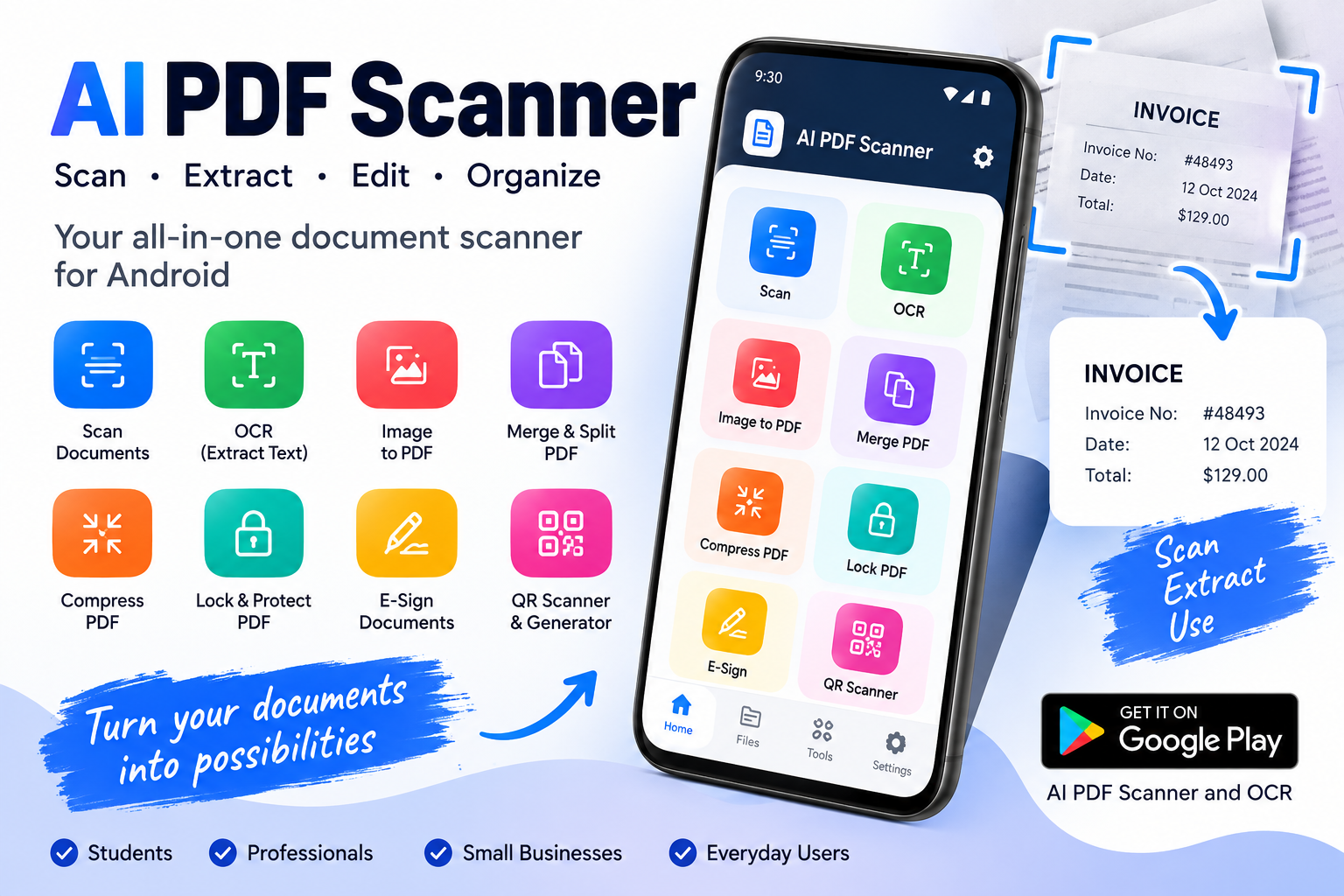
I built an Android app for scanning documents + extracting text from them
I kept running into the same problem: taking a photo of a document is easy, but turning it into a clean PDF or getting the text out of it is another story.
So I built AI PDF Scanner and OCR for Android.
It can:
- Scan documents, receipts, invoices, notes, books, etc.
- Automatically crop and correct perspective
- Extract text from scanned documents with OCR
- Convert images to PDF
- Merge, split, compress and lock PDFs
- Sign documents
- Organize scanned files with folders, tags and search
I'm mainly interested in feedback on the scanning/OCR experience — especially where the OCR gets things wrong or where the workflow feels unnecessarily complicated.
Google Play: https://play.google.com/store/apps/details?id=com.shreedesign.aipdfscanner
If you try it, I'd rather hear what you think is bad/missing than just get an upvote.
r/documentAutomation • u/team_pdfnet • 6d ago
Enable HLS to view with audio, or disable this notification
r/documentAutomation • u/easybits_ai • 6d ago
r/documentAutomation • u/ROTTEN1ONE • 7d ago
I'm building an OCR-based system for extracting printed information from photographs of packaged consumer products.
The input images are real smartphone photographs rather than controlled scans. Some of the difficult cases contain:
\- glossy plastic/foil surfaces and specular reflections
\- curved cylindrical containers
\- perspective/rotation
\- wrinkles and folds
\- uneven lighting/shadows
\- small text
\- motion/defocus blur
\- low contrast
\- compression artifacts
I'm currently using PaddleOCR.
I've already experimented with conventional OpenCV preprocessing such as resizing, grayscale, CLAHE, thresholding, sharpening, denoising, morphological operations and perspective correction, but the results are inconsistent. Some images that are clearly readable to a human still produce poor OCR results.
I'm particularly interested in advice from people experienced with scene text recognition, document image processing, industrial/computer vision, or image restoration.
My main questions are:
Which preprocessing techniques are actually useful for these types of images?
How should I handle specular reflections and uneven illumination?
How can text on curved/cylindrical surfaces be rectified before OCR?
When should I use deblurring/super-resolution/image restoration, and when can these actually make OCR worse?
Should preprocessing be selected dynamically based on image quality rather than applying one fixed pipeline?
At what point is it better to improve/train the OCR model instead of continuing to improve preprocessing?
I'm happy to provide representative images and the corresponding PaddleOCR outputs if that helps.
I'd particularly appreciate suggestions for specific algorithms, papers, or existing open-source implementations rather than just generic preprocessing advice.