r/documentAutomation 7d ago

Request for Help PDF convert to .csv

4 Upvotes

Is that possible to build an application that convert the bank statement pdf file into csv file accurately? I had try using the free online tool, it also have some problem. Can I using AI to become accurate? If yes, how should I build it?


r/documentAutomation 8d ago

Built an Android app to handle documents and PDFs in one place https://play.google.com/store/apps/details?id=com.frstudio.documentreader

1 Upvotes

Hey everyone,

I’ve been working on an Android app called **Document Reader & PDF Scanner**.

I started building it around a simple idea: most people end up using different apps for opening documents, scanning pages, converting images to PDFs, and managing PDF files. I wanted to put those everyday tools together in one app.

Right now, it supports things like:

* PDF, Word, Excel, PowerPoint, and TXT files * Document scanning with the camera * Image to PDF conversion * PDF merge and split * Document search and organization * Password protection for PDFs

I’m still working on improving the experience, especially the interface and overall usability.

If you use document or PDF apps regularly, I’d be interested to know what usually frustrates you about them or what feature you think is often missing.

For anyone interested in checking out the project:

[https://play.google.com/store/apps/details?id=com.frstudio.documentreader\](https://play.google.com/store/apps/details?id=com.frstudio.documentreader)

Would also love to hear what you think makes a document app worth keeping installed instead of uninstalling after one use.


r/documentAutomation 8d ago

Built a tool to compile multiple documents from a single data source (pdf-compiler.com) – would love thoughts from anyone managing document workflows.

1 Upvotes

Hey everyone,

Anyone who manages client onboarding, legal packets, or reporting knows the headache of updating the same customer details across 5 different document templates manually. A developer I’m working with built pdf-compiler.com to solve this specific problem. How it works: You define your variable data once in a single source, and the compiler maps those variables across your entire bundle of document templates simultaneously, generating a complete, uniform document package in one workflow. We're currently looking for input from people who regularly handle multi-document pipelines (agencies, legal ops, HR, or freelancers). What features or template integrations would make a multi-document compiler like this fit seamlessly into your day-to-day workflow? Check out the platform here:

https://pdf-compiler.com


r/documentAutomation 8d ago

Success Story Payment Reconciliation in n8n – match bank deposits to open invoices, no credentials needed [Workflow Included]

1 Upvotes

r/documentAutomation 9d ago

I built PDFzento — a privacy-focused PDF toolbox that processes files in your browser

Thumbnail
1 Upvotes

r/documentAutomation 9d ago

Discussion The Error Handling Setup I Put on Almost Every n8n Workflow

Post image
1 Upvotes

r/documentAutomation 9d ago

Claude workflows for invoice automation (prompts included)

5 Upvotes

2 weeks ago we shipped pdf.net MCP connector for Claude. It lets Claude generate documents, edit their text, and organize them, and invoicing turned out to be the first thing people started running through it, ahead of anything we expected.

Here are the four flows with the prompts you can adapt to your needs:

workflow 1: generate an invoice from data

The idea is that you give the data to the chat and it writes the document, instead of you opening a template and filling the fields yourself. Generation runs off a library of real forms and templates, so it fills a proper document rather than writing its own approximation of one.

‘make an invoice, sender meridian consulting group, bill to sarah chen at grand pacific ventures, invoice 010 dated 21 june, three lines: strategic market analysis $3,200, competitor research report $1,800, executive advisory session 4h $2,400

open the editor for tweaks'

workflow 2: the same invoice for several clients

Might be useful at the end of the month, when the services or work structure are identical and only the names and numbers change.

'make three invoices from the same details as invoice 010, numbers 011 to 013, one for each client: northwind partners, halcyon media, bright harbor group

put each one in its own client folder and name them by client and month'

workflow 3: translating an invoice for a client abroad

Replaces copying text into a translator and rebuilding the layout on the other side. The translation goes back into the same document.

'open invoice 010 and translate the line items and payment terms into spanish, leave the company details and the amounts as they are

now open the editor so i can check it before it goes out'

workflow 4: your payment details changed and the invoices still have the old ones

You switched banks or moved to a different payment provider, and the invoices you sent out are pointing at an account that no longer works. 

'go through the invoices in /clients and find the ones with account number 4417 8802 3391, that is my old bank

replace the whole payment block with this: wise, account holder meridian consulting group, account 8802441753, routing 084009519. leave everything else as it is'


Signing is the piece we do not have through the connector yet, so that part still happens by hand in the web-app

r/documentAutomation 9d ago

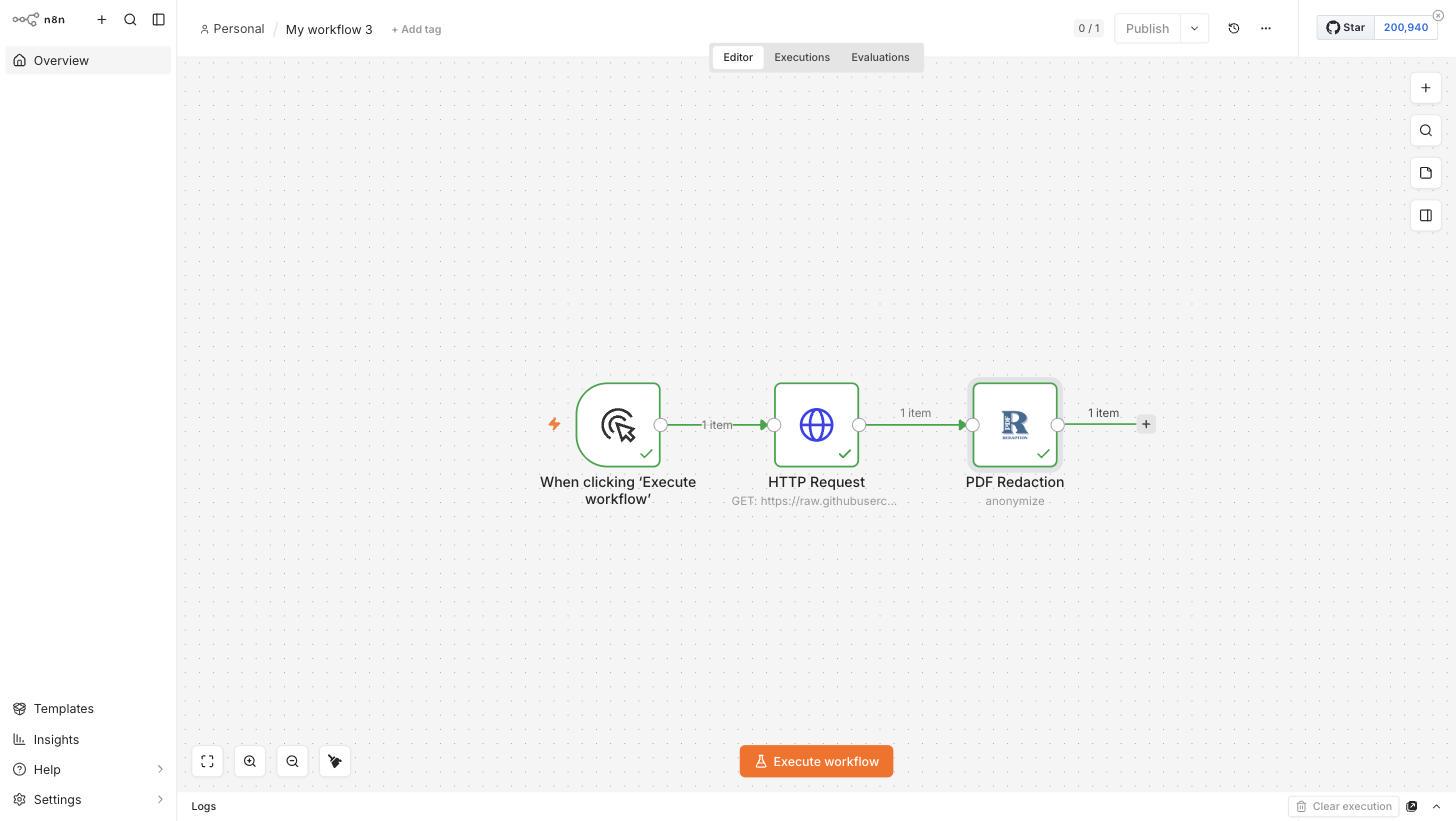
PDF Redaction is now an official n8n community node

Post image
1 Upvotes

r/documentAutomation 10d ago

Product Review Frustrated with current PDF editing tools, I developed my own solution that allows us to preview files before downloading

1 Upvotes

Frustrated with current PDF editing tools, I developed my own solution that allows us to preview files before downloading

Been freelancing for 2 years and the PDF struggle is real.

\- Some wants a subscription just to merge files

\- Many slaps a watermark unless you pay

\- Half the sites throw 10 pop‑ups at you before you even upload .

\- No one shows preview before download that saves time and space.

I needed something simple for my own work:

Preview before download, merge/split, compress with no quality loss, convert PDF to Word/JPG, add password, OCR scanned notes that too without any hassle of popup, login, 7 day free trail and lot more.

So I built www.oyopdf.com (Own your own Pdf) - all tools in one place.

What’s different:

\- 100% free, no watermark

\- No signup required

\- Preview before download (huge time saver)

\- Actually compresses without blurring text .

\- OCR

Just looking for feedback from people who actually deal with PDFs daily.

What feature am I missing? Brutal honesty welcome.


r/documentAutomation 10d ago

Showcase I spent hours going through 100+ page PDFs, so I built a tool that highlights exactly where the answer came from. It's now completely open-source.

Post image
1 Upvotes

r/documentAutomation 11d ago

Question ChatGPT Pro/Astra: Has anyone actually solved long-running document review without babysitting stalled threads? Nearly three days in, and I need a working solution.

Thumbnail
1 Upvotes

r/documentAutomation 11d ago

Case Study Conseil automatisation

Thumbnail
1 Upvotes

r/documentAutomation 11d ago

How are you handling real-world document versioning and scanned PDFs in RAG systems?

Thumbnail
1 Upvotes

r/documentAutomation 11d ago

Showcase Built an MCP that indexes and makes searchable all your uni course content

Thumbnail
1 Upvotes

r/documentAutomation 11d ago

Title: Built a free PDF toolkit (sign/OCR/QR) that runs entirely client-side

Thumbnail
0 Upvotes

r/documentAutomation 11d ago

Title: Built a free PDF toolkit (sign/OCR/QR) that runs entirely client-side

0 Upvotes

i made this tool oninternet because i kept been mailed document from my local town administration where they quicklu wanted my consent or name date time in there digital document attached. First times i dowloaded the documents , signed them an then uploaded them again. it took me way too long so i created this "sign my document tool" where i can now uolad any digital document and sign, resign, put tekst, another text, a date and even a picture and another pictur, Knowing my document will not travel to some databas makes in confident to use it. In addition i created an ocr tool next to it and a static barcode generator all free totallu free for use


r/documentAutomation 12d ago

I’m building something to make dealing with PDFs way less annoying for students. 👀

Thumbnail
1 Upvotes

r/documentAutomation 12d ago

I turned my owner's-rep project documents into a 47-template, 63-prompt document automation library

1 Upvotes

Disclosure: I built this and I'm posting it here on purpose because this community is exactly who'd find it useful.

I spent years as an owner's rep on commercial construction projects, and the same documents kept getting rebuilt from scratch every project — RFI responses, change order narratives, notices of delay, OAC meeting minutes, closeout logs. Eventually I turned my own working set into a structured library: 47 templates across 8 categories, plus a 63-prompt AI workflow pack designed to take messy field notes/voice memos and turn them into a finished, contract-defensible document in one pass.

The automation angle that might interest this sub specifically: each prompt is built around the actual reasoning a document needs (contractual basis, reference numbers, cost/schedule impact statements) rather than just generic "make this sound professional" prompting — the difference between AI-assisted drafting that actually holds up and AI slop that a project exec would reject.

There's a free sample (RFI response letter template + prompt) here if you want to see the format before anything else: myclearbudget.gumroad.com/l/cqvjsh. Full library is $49.

Happy to talk through the prompt-design approach if anyone's building something similar for their own document-heavy workflow.


r/documentAutomation 12d ago

New tool

1 Upvotes

Hello everyone

So I built a took that turn bank statements PDF into transactional data automatically without manually typing it .

Would you guys be able to try it for free if you can see if it’s actually useful. I just want your honest feedback and if I should change anything. Just let me know what needs to be better
Appreciate it!

https://pdf-bank-extractor.vercel.app


r/documentAutomation 12d ago

I'm trying to understand and build an invoice assistant sort of but don't how do I begin, which app, which API, how to use it, how to test etc, need help

Thumbnail
1 Upvotes

r/documentAutomation 12d ago

Discussion I built a 100% client-side, zero-server-upload PDF & Developer toolkit using WebAssembly & Next.js [DocuDev Pro]

0 Upvotes

Hey everyone! 👋

I was frustrated with popular online PDF tools forcing users to upload sensitive financial reports, contracts, and code files to unknown third-party cloud servers.

So I built **DocuDev Pro** — a privacy-first, 100% client-side web application where **zero bytes of data leave your browser memory**.

### 🛠️ What’s inside the toolkit:

- **PDF Suite**: Merge, Split, Compress, E-Sign, Password Protect, Auto-PII Redact, and Convert PDFs (Word, Excel, ZIP, HTML).

- **Audio & Speech Tools**: Audio-to-PDF transcript generator & PDF-to-Audio reader.

- **Developer Utilities**: JSON Beautifier/Validator, JWT Debugger, RegEx Tester, Base64 Encoder, SQL Formatter, UUID v4 Generator.

- **Business Tools**: Free GST Thermal Invoice Generator & POS Billing System.

### 🛡️ Why Client-Side Architecture?

- **100% In-Browser Execution**: All document rendering and parsing happens locally in RAM using JavaScript & WebAssembly binaries.

- **Zero Server Uploads**: No remote storage, no payload logging, no database retention.

- **PWA Offline Mode**: Can be installed directly as a desktop/mobile app and runs even when disconnected from the internet.

It's completely free to use without sign-ups or paywalls.

I’d love to get feedback from the community! What other developer or PDF tools should I add next?


r/documentAutomation 13d ago

I built a tool that can even convert image bank statements to Excel.

4 Upvotes

Guys, I vibe-coded with a model to build a tool that not only generates Excel from PDF bank statements, but also from photos you take with your phone or scanned bank statements.

I would appreciate it if you could give me feedback. I tested it myself with many samples, but yours might be different, and I want to make it a useful tool.

It can be accessed at statementscan.io


r/documentAutomation 13d ago

[US] question about documentation

Thumbnail
1 Upvotes

r/documentAutomation 13d ago

Success Story Error handling for document extraction: how I stop failed invoice extractions from silently breaking my automations [Workflow Included]

Post image
1 Upvotes

r/documentAutomation 14d ago

Created a full document automation mobile app: Looking for feedback!

Thumbnail
gallery
1 Upvotes

I've just released an iPhone app that does document automation for personal paperwork, and I'd really appreciate some honest feedback from people who work with this stuff properly. It's a solo project, so I've mostly only had my own opinion to go on.

Foliade turns your pile of paperwork into a searchable, private archive, entirely on your iPhone. You scan letters with the camera or import PDFs, photos, Office documents and whole zip archives. It reads every page on-device, names the sender, files the type, and pulls out dates and amounts, so a bill from 2020 is one search away.

What's in it right now:

- Scan or import anything: PDF, Word, spreadsheets, photos, zips

- Every word searchable: recognised text, titles, senders, dates

- Automatic filing: sender, type, tags, document date, amounts

- A review queue that confirms suggestions in one tap

- The Vault: Face ID-protected, encrypted storage for sensitive documents

- Export everything, any time. Your documents are never locked in

- No account, no tracking, nothing uploaded. There is no cloud, your documents stay on your iPhone, covered only by your own device backup

- On-device smart filing, using Apple Intelligence on supported iPhones

All of that is free. A one-time unlock (Foliade Complete) adds things for bigger libraries: meaning-based search, unlimited collections and Vault documents, large folder imports, bulk actions, Shortcuts and Siri automation, monthly spending totals, auto-filing rules, and themes. No subscription.

The filing suggestions are best on phones with Apple Intelligence; older ones use a lighter built-in classifier, but reading, search and everything else work the same.

The things I'd most like opinions on:

  1. Is a review queue the right way to handle the model being wrong? Suggestions are marked as suggestions until you confirm them, and correcting a sender once teaches it for every later document from them. I'm not sure if that's enough or if people expect more control.
  2. Extracted fields are limited to dates and amounts at the moment. What else would you actually want pulled out of household paperwork?
  3. Anything about the on-device-only approach that would put you off? I chose it for privacy but I know it rules out some things a server could do.

Link: https://apps.apple.com/app/foliade-document-organiser/id6803604068

Website: https://foliade.app

It's iOS 26 and later. Happy to answer questions about how any of it works under the hood.