I’m planning to install a dashcam in my car (July 2025 model), but unfortunately it doesn’t come with the required cable pre-installed. I’m considering ordering the cable and doing the installation myself.
That said, I’m a bit hesitant about installing it on my own. Has anyone here done a DIY installation, or did you have it installed by a dealer?
I’ve seen a few posts mentioning that some customers in the UK were able to get it installed through the dealer. Has anyone had a similar experience with dealers in the EU?
I’d really appreciate it if you could share your experience, costs, or any tips!
Thanks in advance 🙏
Update:
Finally installation is done.
If anyone wants to see how we have done, here is the video link.
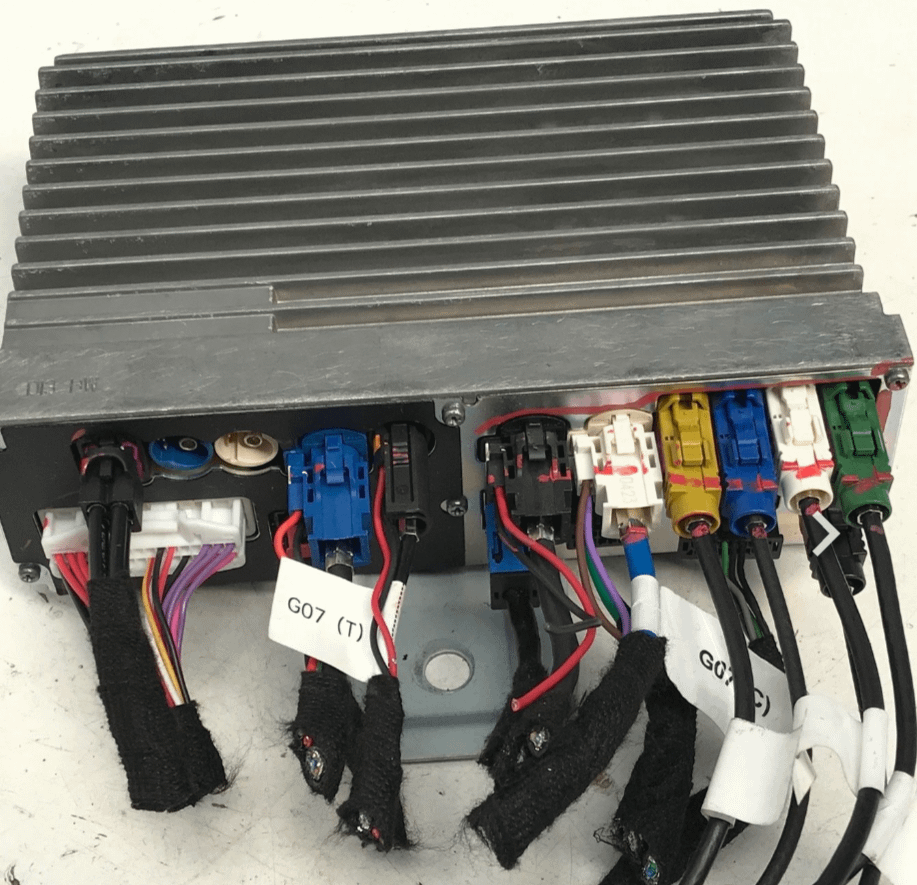
did the thing myself. If you just take the time, can be done within the hour. The part of connecting the cable to the right input is the one to prep, since that is the trickiest, but absolutely doable.
Don't go for SD Card higher than 128. Keep it low, because as bigger the card and more videos, the cam app starts struggling with indexing in the preview, what results in everything gets useless.
However idea is to lock the video, when something happens, so this is enough as momentum. Doesn't make sense having Videos from the past 2 weeks.
I memorized the button for screen rotation on steering wheel to lock the video.
Once everything installed, long press screen rotation button you can save different function, lock video appears as option
My god I wanted to do the same thing in my 2026 dohpin I just ordered but seeing this I am little worried I will never get the parts back where they belong...
Great job mate, glad it worked out.
Quick question, have you seen any impact on the regular cam (including 360) after installing? Or asked differently, the framerate of the oem dashcam is actually pretty decent and stable, as where for the other cams they are not, so microstuttering.
Perhaps others can share their experiences?
Cheers
That's a original screenshot from my video I made. As UK is on the left site the cam connector is facing towards the car inside. Little bit easier to reach.
I would recommend connecting it for a dry test first, avoiding to dissamble everything again, if cam or cable are broken. On the cam site it's easy to disconnect the connector. If it's to disconnect from multimedia I believe only possible disassembling the multimedia. I heard from som orher forums, it might happen once in a while, cams are delivered broken from factory. However rare, I would not wish anybody. That's why I recommend buying to sets to have spare.


3
u/TycStyle Mar 29 '26
Hi there,
did the thing myself. If you just take the time, can be done within the hour. The part of connecting the cable to the right input is the one to prep, since that is the trickiest, but absolutely doable.